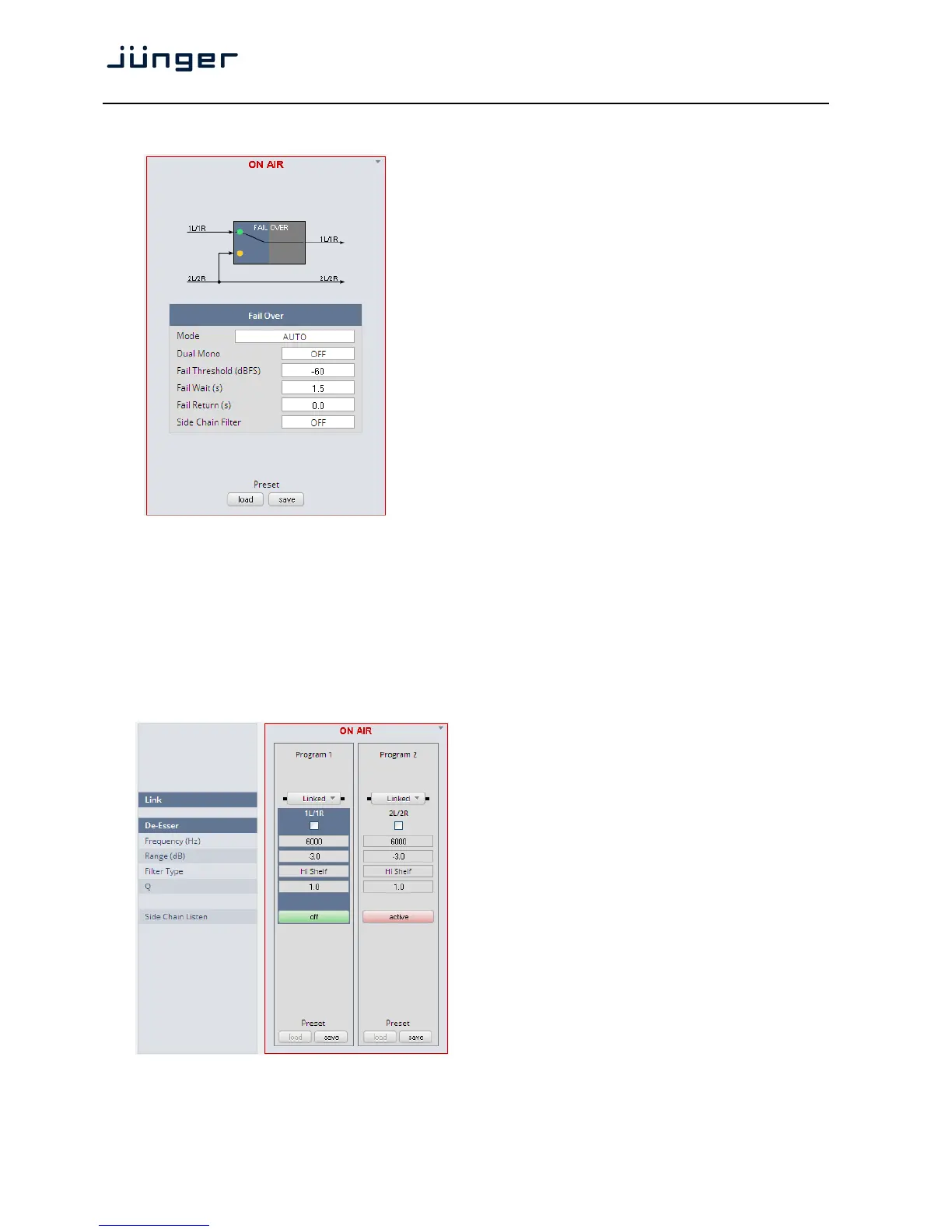
Setup GUI – AUDIO PROCESSOR – Fail Over
Fail Over The D*AP4 offers a fail over circuit
for automatic operation. It will
switch to 2L/R in case 1L/1R fails.
MODE [FIX 1L/1R / FIX 2L/2R / AUTO]
In AUTO mode the switch over
happens in case of an input failure.
Dual Mono [OFF / AUTO]
A detector looks after the input signal.
If it is a left [L] or right [R] only it
converts that signal either to
[L/L] or [R/R].
Fail Threshold (dBFS) [-80 … -60 … -40]
RMS weighted input level for fail
detection.
Fail Wait (s) [1.5 … 10.0]
Elapsed time after fail detection
until the switch over will happen.
Fail Return (s) [0.0 … 10.0]
Elapsed time after detection of a
proper input signal until the switch
back to the program input.
Side Chain Filter [OFF / ON]
A high pass filter (300Hz) and a low
pass filter (3000Hz) is applied to the
detector side chain (not the audio
path) to prevent hum and noise
from blocking fail over switching.
Setup GUI – AUDIO PROCESSOR – De-Esser
Link [Unlinked, Linked]
For stereo operation you may link
the setup parameters for both
voice channels.
De-Esser [ON / OFF]
Frequency (Hz) [1000 … 3000 … 16000]
Range (dB) [-20.0 … 0.0]
Filter Type [Peak / High Shelf]
Q [0.4 … 1.0 … 8.0]
Side Chain [OFF / active]
Listen



 To Next Page