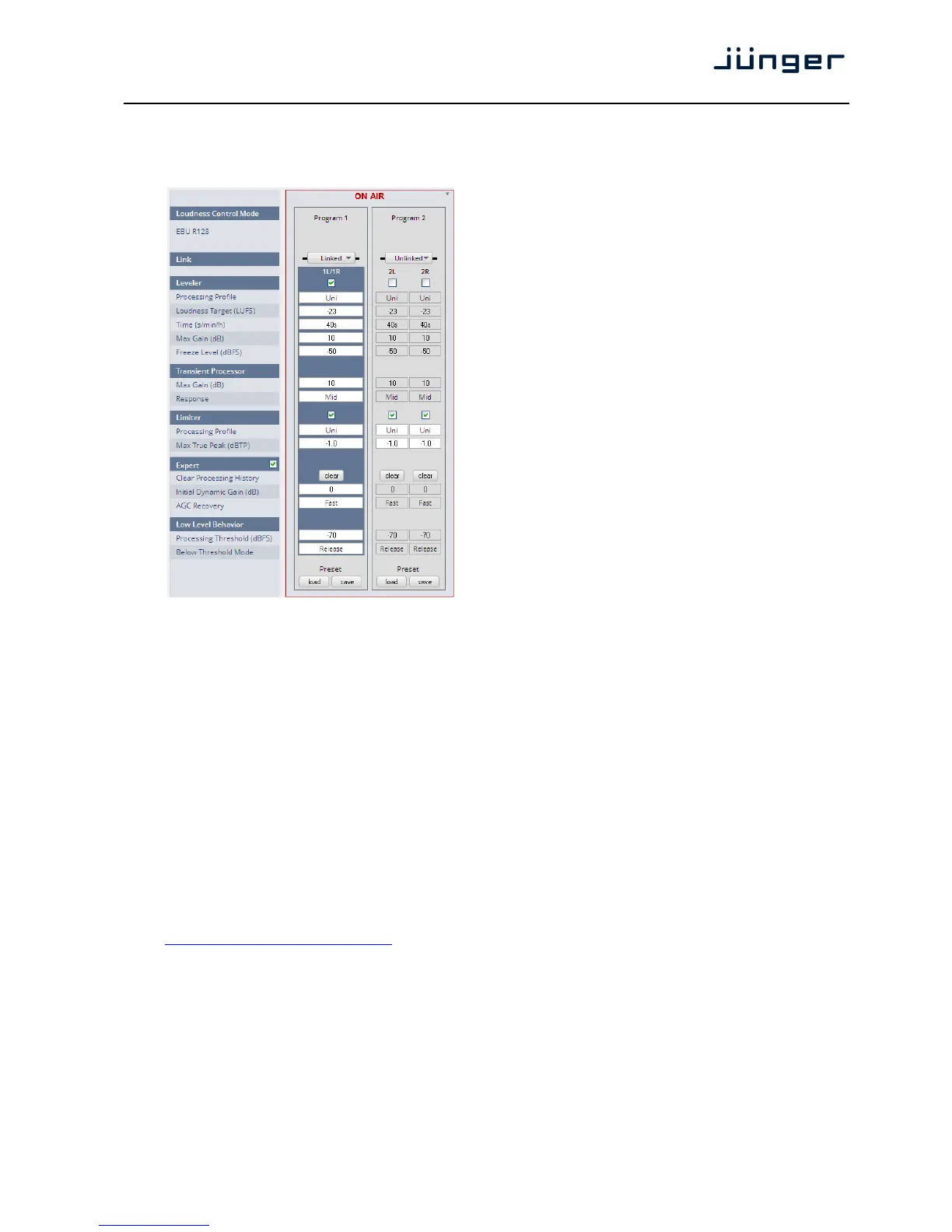
Setup GUI – AUDIO PROCESSOR – Level Magic
This function block is used for loudness control of the program path.
Loudness [display of the setting from
Control Mode AUDIO PROCESSOR >
Setup > Loudness Mode]
Link [unlinked / linked]
defines the coupling of the
control circuits
Leveler [ON / OFF]
Processing Profile [Live / Speech / Pop / Uni /
Classic]
Loudness Target Level [0 … -50dBFS]
for different modes ITU [0 … -50LKFS]
EBU [0 … -50LUFS]
Time (s/min/h) [10, 20, 40 / 1, 2, 5, 10, 20,
40 / 1, 2]
Max Gain (dB) [0 … 10 … 40]
Freeze Level (dBFS) [-60 … -50 … -20]
Transient Processor
Max Gain (dB) [0 … 10 … 15]
Response [Soft, Mid, Hard]
Limiter [OFF / ON]
Processing Profile [Live / Speech / Pop / Uni /
Classic]
Max True Peak [-20 … -9.0 … 0.0]
(dBTP)
Expert [ON / OFF]
Clear Processing History <clear>
Initial Dynamic Gain (dB) [-40 … 0 … 15]
AGC Recovery [Fast / Normal]
Low Level Behavior
Processing Threshold (dBFS) [-80 … -70 … -20]
Below Threshold Mode [Hold / Release]
For details regarding LevelMagic parameters see the bulletin:
"Junger processing parameter description" on the Junger web site:
http://junger-audio.com/downloads.



 To Next Page