Channel The labels assigned to that channel by the DanteController
Connected The source of the audio signal.
Status [No Subscription / Subcription Unresolved / Wait / Naming Problem /
Loopback / Idle / Subscription in Progress / Connected (Unicast) /
Connected (Multicast) / Manual Config / Format Problem /
QoS Problem / Latency Problem / Clock Domain Problem /
Link Down / Fail / Unknown]
The DANTE module provides very detailed status information. In
regular operation one will not see much of it.
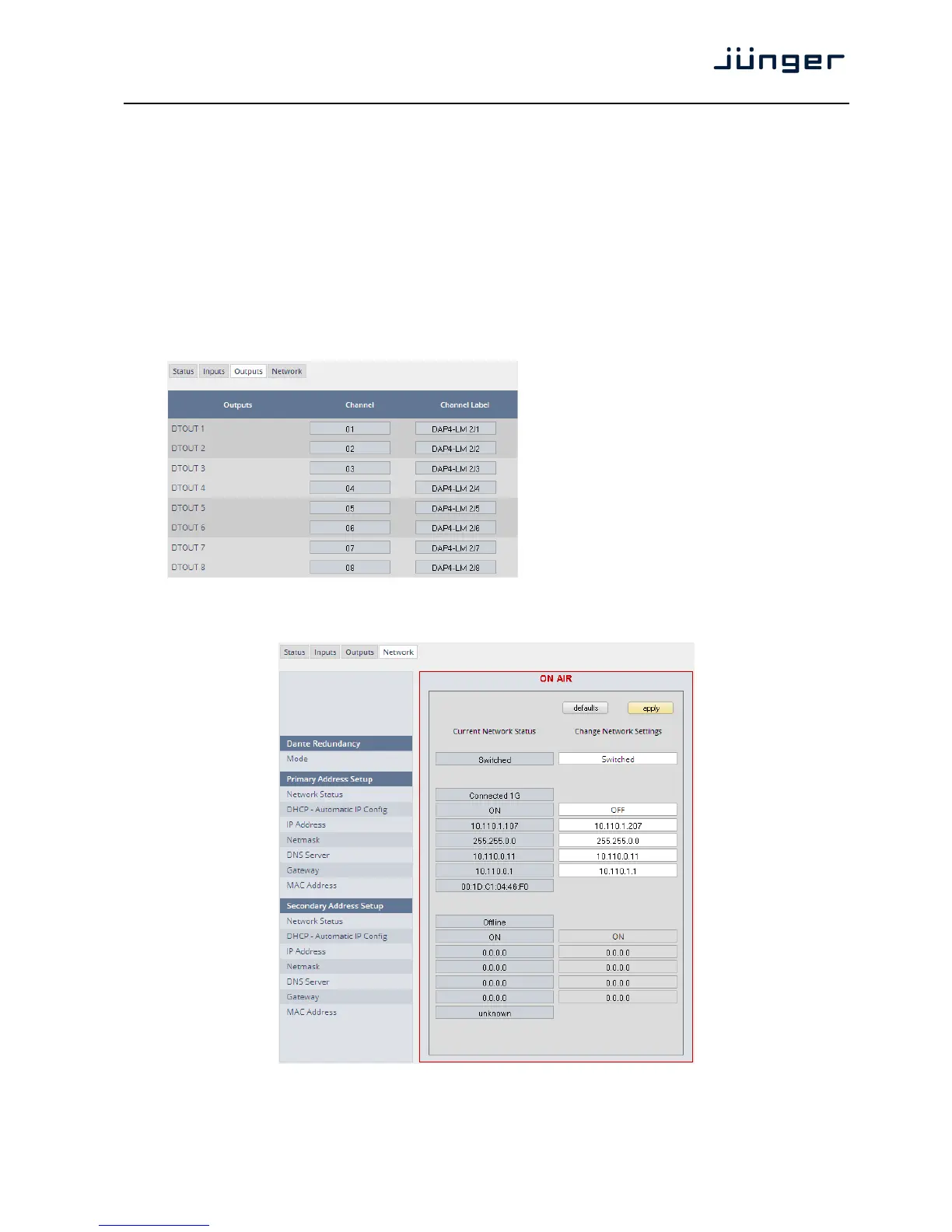
Set up GUI – INTERFACES – Dante I/O Interface – Outputs
Outputs The signals from the DANTE
board to the network. They will
also appear in the device
ROUTING section.
Channel Numeric count of the channels.
Channel Up to 16 labels can be
Label configured for each stream from
the interface to the network. This
allows configuring multi layer
routing.
Set up GUI – INTERFACES – Dante I/O Interface – Network
Dante Redundancy The DANTE interface allows redundant network operation.
Pls. refer to manufacturer's documentations of your Ethernet
equipment on supported switching configuration and redundant
operation.



 To Next Page