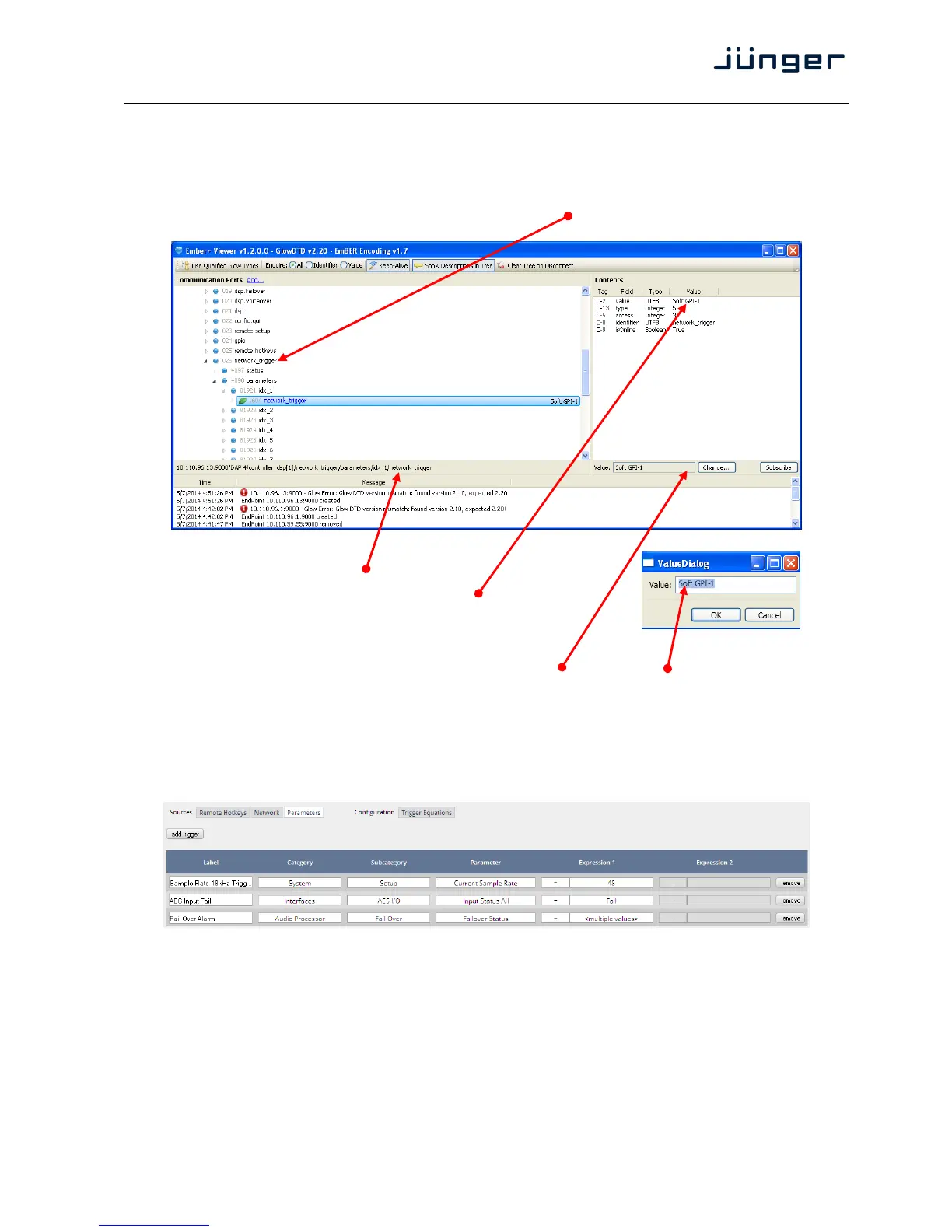
We have given the first Network trigger the name "Soft GPI-1" to explain how it works.
It will be activated from the automation system if the pre-defined event has been reached
in the play list.
Lets have a look at the "Soft GPI-1" trigger.
If you open the EmBER+ viewer tool you must drill down to network_trigger:
The path is also shown at the
bottom of the main window:
As a value you will receive the trigger name that
you have given to the first network trigger "Soft GPI-1".
The automation may now fire that trigger by simply
returning the string.
For demonstration how it works press <Change … > In the popup press <OK>.
This works as sending a pulse (behaves like a push button).
But the automation may also give it a value of "1" to set the trigger and later on a "0" to reset it.
What best to do depends on the functionality you need for a specific application.
Setup GUI – EVENTS – Triggers – Sources – Parameters
Above is an example of possible parameter trigger sources.



 To Next Page