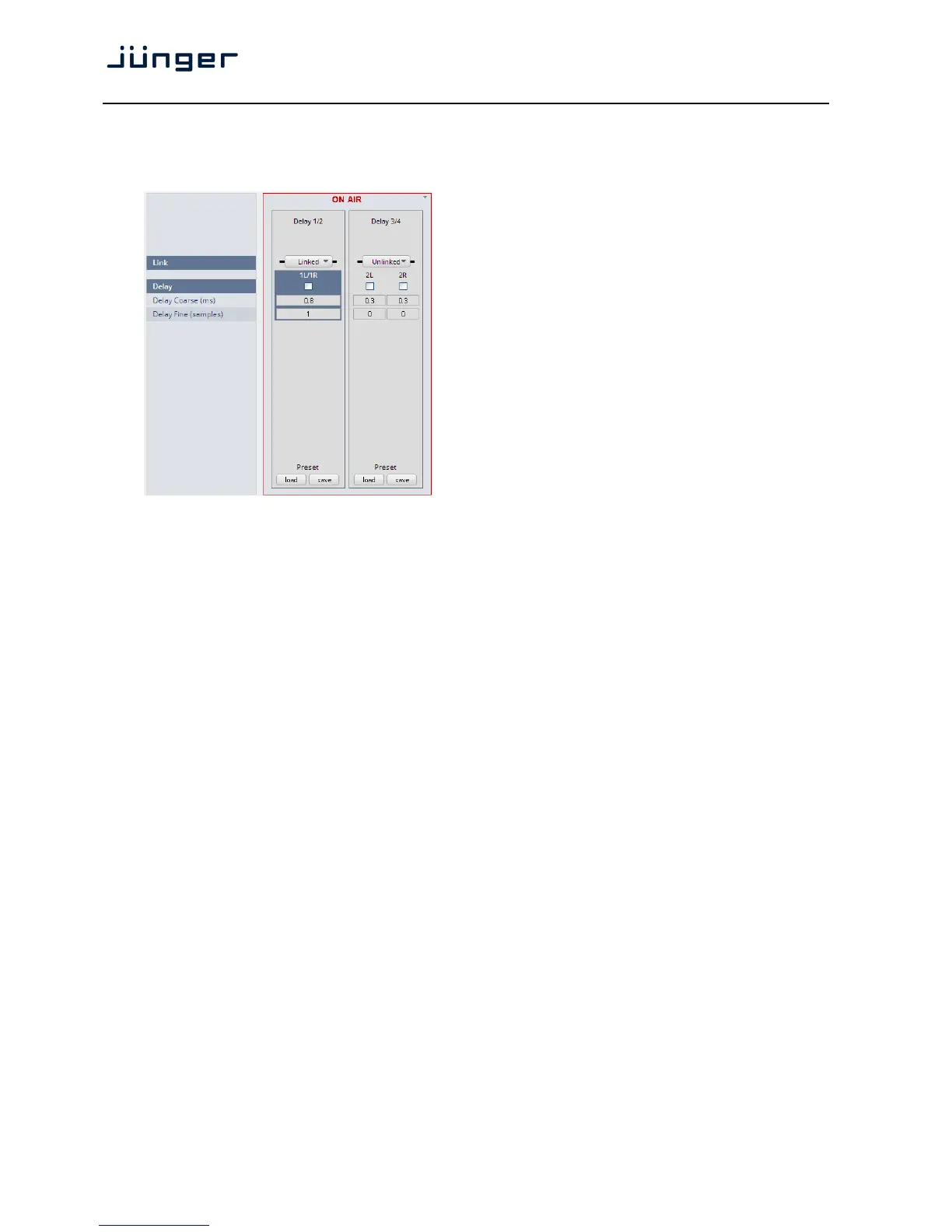
Setup GUI – AUDIO PROCESSOR – Delay
The D*AP4 has an independent audio delay that may be routed to any signal path inside the device.
Link [unlinked / linked]
defines the coupling of the
control circuits
Delay [ON / OFF]
Output Delay [0.0 … 2000.0]
Coarse (ms) [
Output Delay [0 … 2000]
Fine (samples) [
Important Note! If the audio delay is routed into an internal signal path via the device routing matrix one
must add an initial delay of 27 samples.
Setup GUI – AUDIO PROCESSOR – Mobile UI
The D*AP4 provides an extra UI for live applications that may be used on tablets or mobile phones but
may also be displayed on a PC's web browser. When you click on the <Mobile> soft button in the upper
right area of the GUI above the <Help> button, a new tab in your current browser will open up.
But you can also use the URL: "<IP-address>/mobile" to open the operator UI elsewhere
(in a browser of a different PC or a mobile phone or a tablet). For mobile devices it requires network
integration of the D*AP4 via a WLAN.



 To Next Page