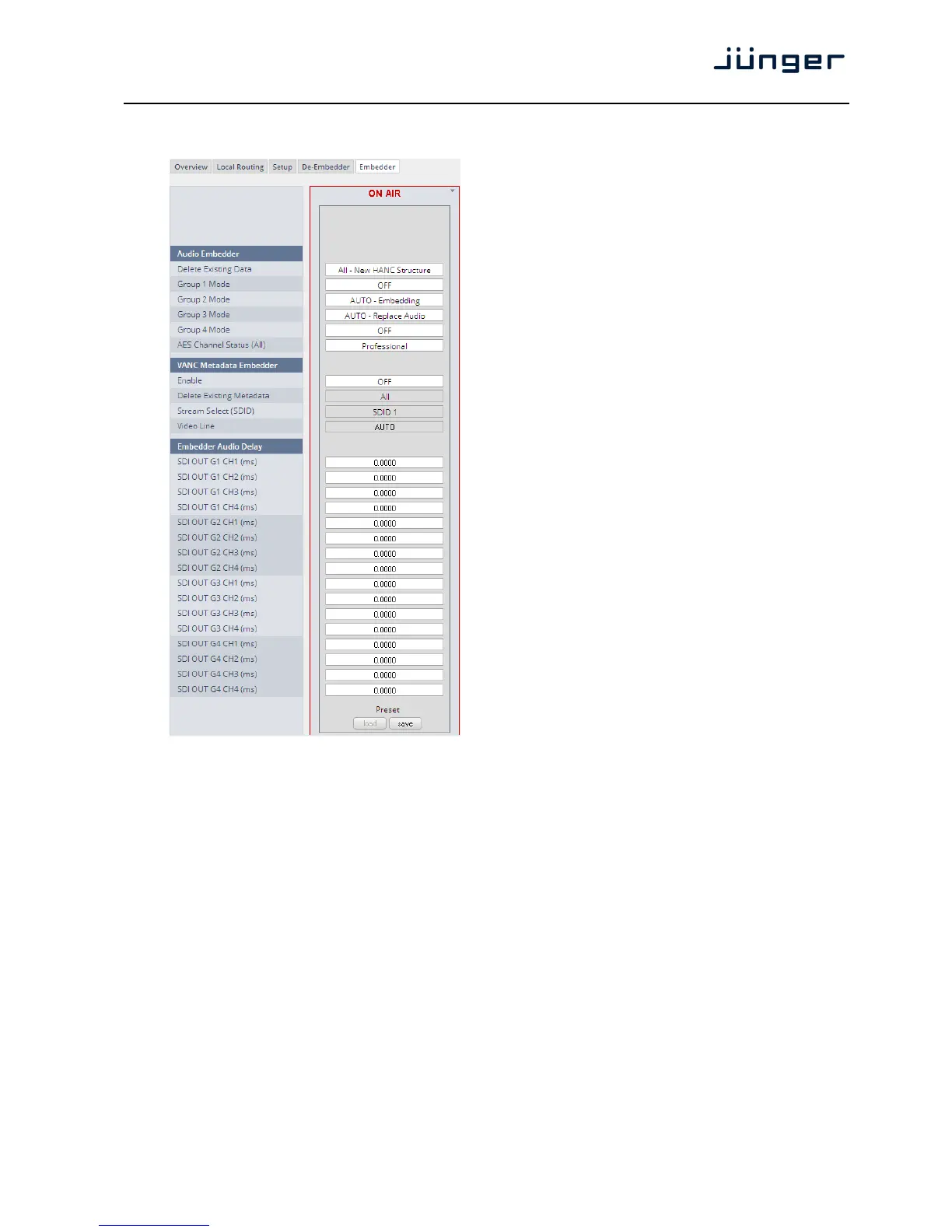
Set up GUI – INTERFACES – SDI I/O interface – Embedder
Audio Embedder Here you set the general
functions of the embedder
Delete Existing Data [ALL – New HANC Structure
/ OFF]
Group 1 – 4 Mode [OFF / AUTO – Embedding
/ AUTO – Replace Audio
/ Delete]
See SDI I/O Interface > Overview
for details.
AES Channel [Transparent / Professional]
Status If Professional these values are
used:
Format: Professional
Audio Mode: [Audio / Non
Audio]
Emphasis: None
Freq. Mode: Locked
Sample Freq.: 48kHz
Channel Mode: Not Indicated
User Bits: None
Auxiliary Bits: 24Bit
Audio Word
Length: Not indicated
Important note! If you generate a new AES channel
status the Audio Mode will be automatically set to Non
Audio (AKA "other") for both channels, if for example an
adjacent pair (1/2, 3/4 …..) carries a Dolby E stream.
VANC Metadata The embedder can insert one
Embedder Dolby metadata stream into the
Vertical Ancillary Data
Enable [ON / OFF]
Delete Existing [AII / OFF]
Metadata
Stream Select [SDID 1 … SDID 9]
(SDID)
Video Line [Auto / 9 … 44]
The line number depends on the actual video standard how many VANC
lines are available for data insertion.
Embedder Audio Each embedder signal may be delayed independently. This may be useful
Delay for Lips Sync alignment if a video delay is used.
Important Note! You must take care that for Dolby encoded signals the adjacent pairs are set to the same
delay values in order not to destroy the data structure.
SDI OUT G1 CH1 (ms) [0.0000 … 340.000]
to
SDI OUT G4 CH16 (ms) [0.0000 … 340.000]



 To Next Page