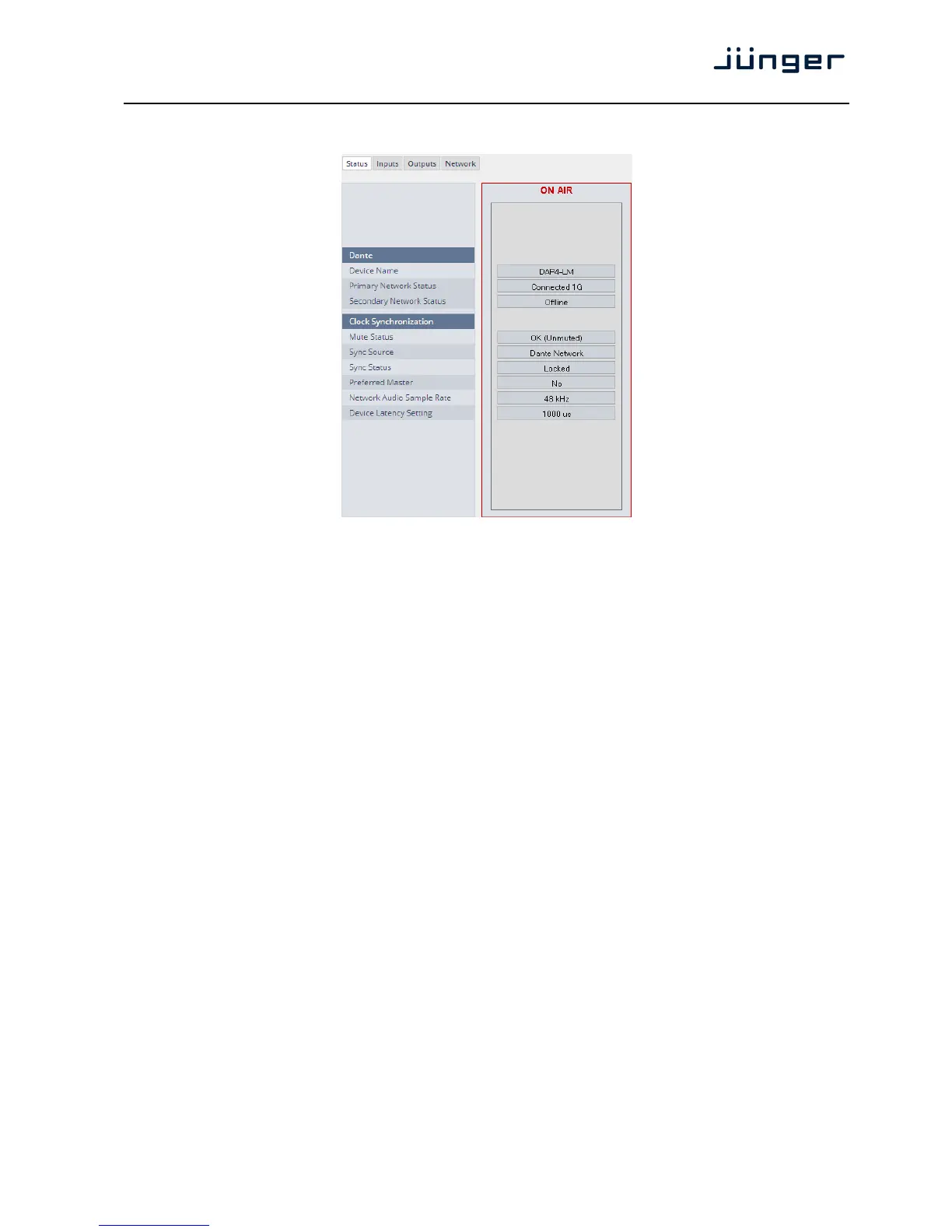
Below is the Status page of the DANTE interface board:
The parameters you see here must be set via the DanteController software.
Dante
Device Name The name you gave the interface board via the DanteController.
Primary Network Status [Offline / Connected + bandwidth]
Secondary Network Status [Offline / Connected + bandwidth]
Clock Synchronization
Mute Status [OK (Unmuted) / Muted]
Sync Source [Dante Network / DA*P is Master]
Here you define the reference clock for this DANTE module.
Important Note! If this parameter is set to "Dante Network", the D*AP must be synchronized to the same
clock as the network clock master (whoever it is). It must be set to "Dante Network" if this module is to
become the "Preferred Master" of the network.
Sync Status [Unlocked / Locked / Locked-Async]
The sync source for the DANTE interface is the DANTE network.
If no network cable is connected the interface is "Unlocked". If it is
connected to a network it will be "Locked". If the D*AP4 is set to
synchronize to other than the DANTE interface it will show
"Locked-Async".
Preferred Master [No / Yes]
The Dante algorithm automatically looks for the best clock master
inside the network but one may force a DANTE module to become
the clock master.
Network Audio Sample Rate [44.1kHz / 48kHz / 88.2kHz / 96kHz]
Depending on the A*P device type the sample rate is limited to the
device specification.
Device Latency Setting [1000 µs]
You can allow for a certain transmission latency if you face network
problems of any kind.



 To Next Page