EasyManua.ls Logo

JVC KY-D29 - Page 33

JVC KY-D29
56 pages
Print Icon
To Next Page IconTo Next Page
To Previous Page IconTo Previous Page
Loading...
4.
SHOOTING
(BASIC
OPERATIONS)
4-1
BASIC
SHOOTING
OPERATION
(Cont'd)
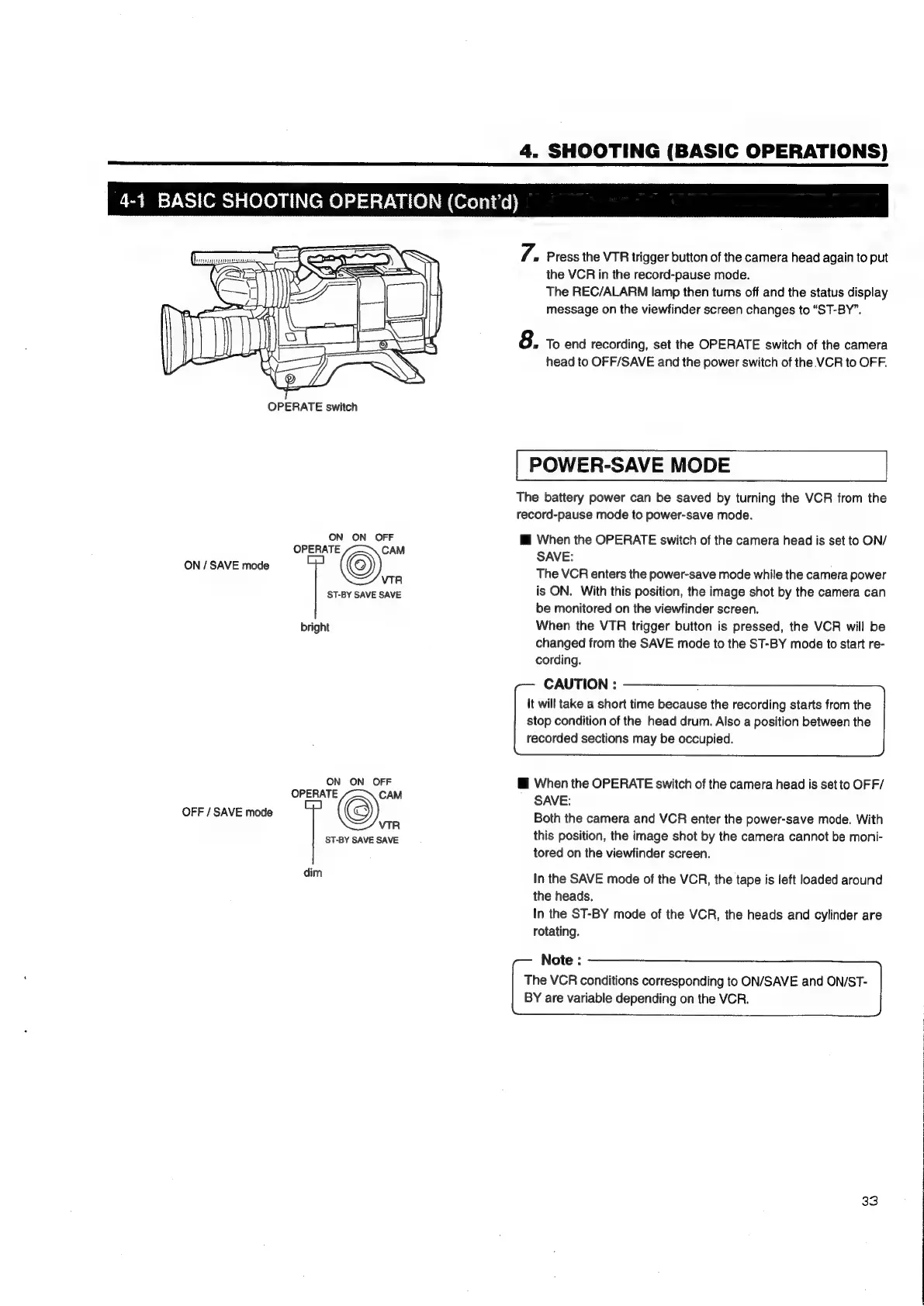
OPERATE
switch
ON
ON
OFF
OPERATE
CAM
ON
/
SAVE
mode
©)
VTR
ST-BY
SAVE
SAVE
bright
ON
ON
OFF
OPERATE
CAM
OFF
/
SAVE
mode
6)
VTR
ST-BY
SAVE
SAVE
dim
7.
»
Press
the
VTR
trigger
button
of
the
camera
head
again
to
put
the
VCR
in
the
record-pause
mode.
The
REC/ALARM
lamp
then
turns
off
and
the
status
display
message
on
the
viewfinder
screen
changes
to
“ST-BY”.
8.
To
end
recording,
set
the
OPERATE
switch
of
the
camera
head
to
OFF/SAVE
and
the
power
switch
of
the
VCR
to
OFF.
POWER-SAVE
MODE
The
battery
power
can
be
saved
by
turning
the
VCR
from
the
record-pause
mode
to
power-save
mode.
Mi
When
the
OPERATE
switch
of
the
camera
head
is
set
to
ON/
SAVE:
The
VCR
enters
the
power-save
mode
while
the
camera
power
is
ON.
With
this
position,
the
image
shot
by
the
camera
can
be
monitored
on
the
viewfinder
screen.
When
the
VTR
trigger
button
is
pressed,
the
VCR
will
be
changed
from
the
SAVE
mode
to
the
ST-BY
mode
to
start
re-
cording.
CAUTION
:
It
will
take
a
short
time
because
the
recording
starts
from
the
stop
condition
of
the
head
drum.
Also
a
position
between
the
recorded
sections
may
be
occupied.
i
When
the
OPERATE
switch
of
the
camera
head
is
set
to
OFF/
SAVE:
Both
the
camera
and
VCR
enter
the
power-save
mode.
With
this
position,
the
image
shot
by
the
camera
cannot
be
moni-
tored
on
the
viewfinder
screen.
In
the
SAVE
mode
of
the
VCR,
the
tape
is
left
loaded
around
the
heads.
In
the
ST-BY
mode
of
the
VCR,
the
heads
and
cylinder
are
rotating.
Note:
The
VCR
conditions
corresponding
to
ON/SAVE
and
ON/ST-
BY
are
variable
depending
on
the
VCR.
33

Table of Contents

Related product manuals