EasyManua.ls Logo

JVC KY-D29 - Connection with the Local Remote Control Unit (RM-LP80;-LP35;-LP37); Connection with the Triaxial Unit 0

JVC KY-D29
56 pages
Print Icon
To Next Page IconTo Next Page
To Previous Page IconTo Previous Page
Loading...
Refer
to
the
section
1.11
“CONNECTION
WITH
RM-P270,
TRIAXIAL
UNIT”
on
page
1-9.
6.
SYSTEM
UPGRADING
6-5
CONNECTION
WITH
THE
LOCAL
REMOTE
CONTROL
UNIT
(RM-LP80/-LP35/-LP37)
(forcrra.eron
S|
kas
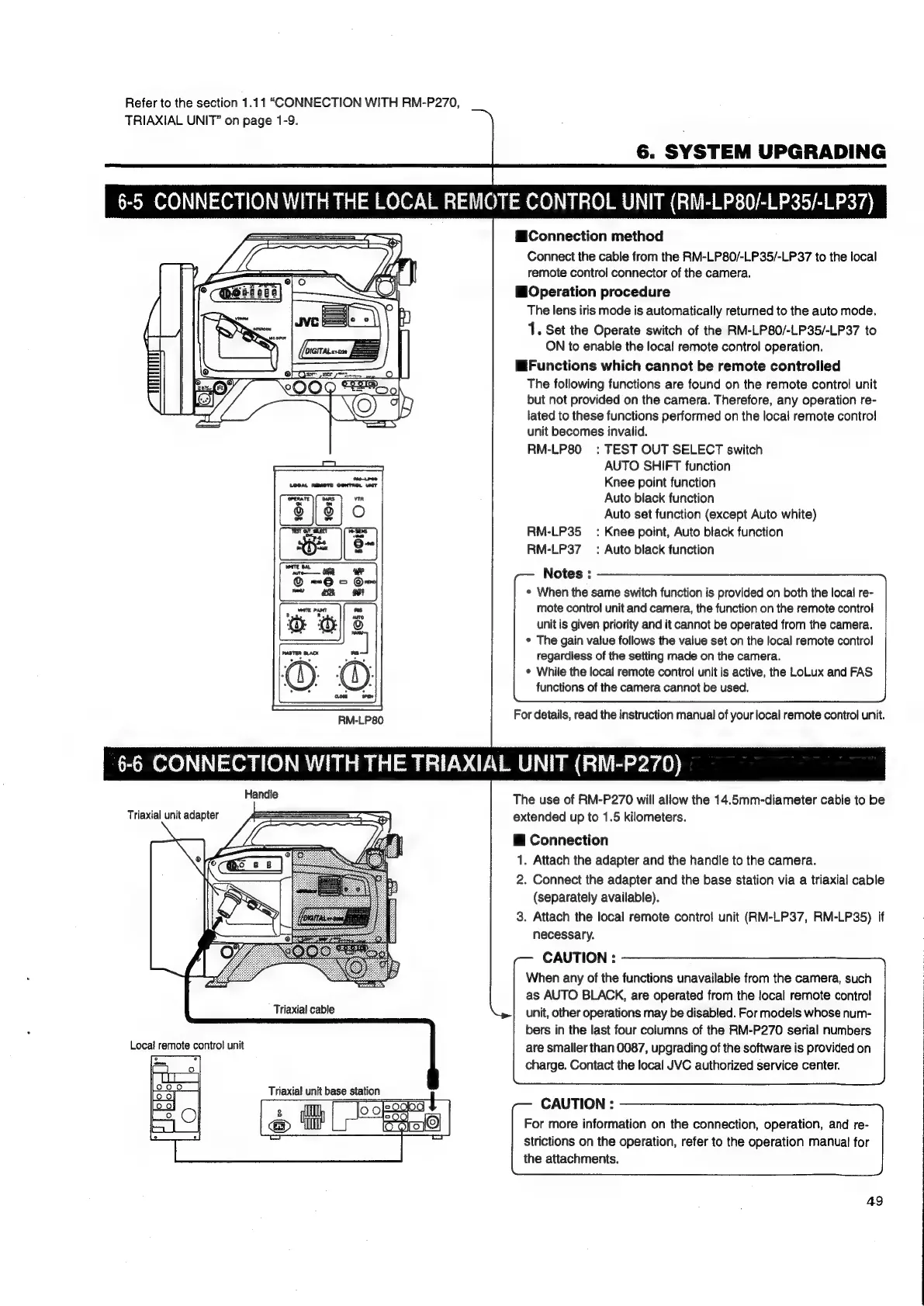
RM-LP80
Connection
method
Connect
the
cable
from
the
RM-LP80/-LP35/-LP37
to
the
local
remote
control
connector
of
the
camera.
Operation
procedure
The
lens
iris
mode
is
automatically
returned
to
the
auto
mode.
1.
Set
the
Operate
switch
of
the
RM-LP80/-LP35/-LP37
to
ON
to
enable
the
local
remote
control
operation.
Functions
which
cannot
be
remote
controlled
The
following
functions
are
found
on
the
remote
control
unit
but
not
provided
on
the
camera.
Therefore,
any
operation
re-
lated
to
these
functions
performed
on
the
local
remote
contro!
unit
becomes
invalid.
RM-LP80
:
TEST
OUT
SELECT
switch
AUTO
SHIFT
function
Knee
point
function
Auto
black
function
Auto
set
function
(except
Auto
white)
RM-LP35_
=:
Knee
point,
Auto
black
function
RM-LP37_:
Auto
black
function
Notes
:
*
When
the
same
switch
function
is
provided
on
both
the
local
re-
mote
control
unit
and
camera,
the
function
on
the
remote
control
unit
is
given
priority
and
it
cannot
be
operated
from
the
camera.
*
The
gain
value
follows
the
value
set
on
the
local
remote
control
regardiess
of
the
setting
made
on
the
camera.
¢
While
the
local
remote
contro!
unit
is
active,
the
LoLux
and
FAS
functions
of
the
camera
cannot
be
used.
For
details,
read
the
instruction
manual
of
your
local
remote
control
unit.
6-6
CONNECTION
WITH
THE
TRIAXIAL
UNIT
(RM-P270)
Handle
Triaxial
unit
adapter
Triaxial
cable
Triaxial
unit
base
station
The
use
of
RM-P270
will
allow
the
14.5mm-diameter
cable
to
be
extended
up
to
1.5
kilometers.
@
Connection
1.
Attach
the
adapter
and
the
handle
to
the
camera.
2.
Connect
the
adapter
and
the
base
station
via
a
triaxial
cable
(separately
available).
3.
Attach
the
local
remote
control
unit
(RM-LP37,
RM-LP35)
if
necessary.
CAUTION
:
When
any
of
the
functions
unavailable
from
the
camera,
such
as
AUTO
BLACK,
are
operated
from
the
local
remote
contro!
unit,
other
operations
may
be
disabled.
For
models
whose
num-
bers
in
the
last
four
columns
of
the
RM-P270
serial
numbers
are
smaller
than
0087,
upgrading
of
the
software
is
provided
on
charge.
Contact
the
local
JVC
authorized
service
center.
CAUTION
:
For
more
information
on
the
connection,
operation,
and
re-
Strictions
on
the
operation,
refer
to
the
operation
manual
for
the
attachments.
49

Table of Contents

Related product manuals