EasyManua.ls Logo

JVC KY-D29 - Connection with a Dockable VCR

JVC KY-D29
56 pages
Print Icon
To Next Page IconTo Next Page
To Previous Page IconTo Previous Page
Loading...
3.
BASIC
SYSTEM
CONNECTIONS
AND
ADJUSTMENTS
3-2
INSTALLING
THE
BASIC
SYSTEM
(Cont’d)
CONNECTION
WITH
A
DOCKABLE
VCR
Mi
BR-S422U
VCR
ATTACHMENT
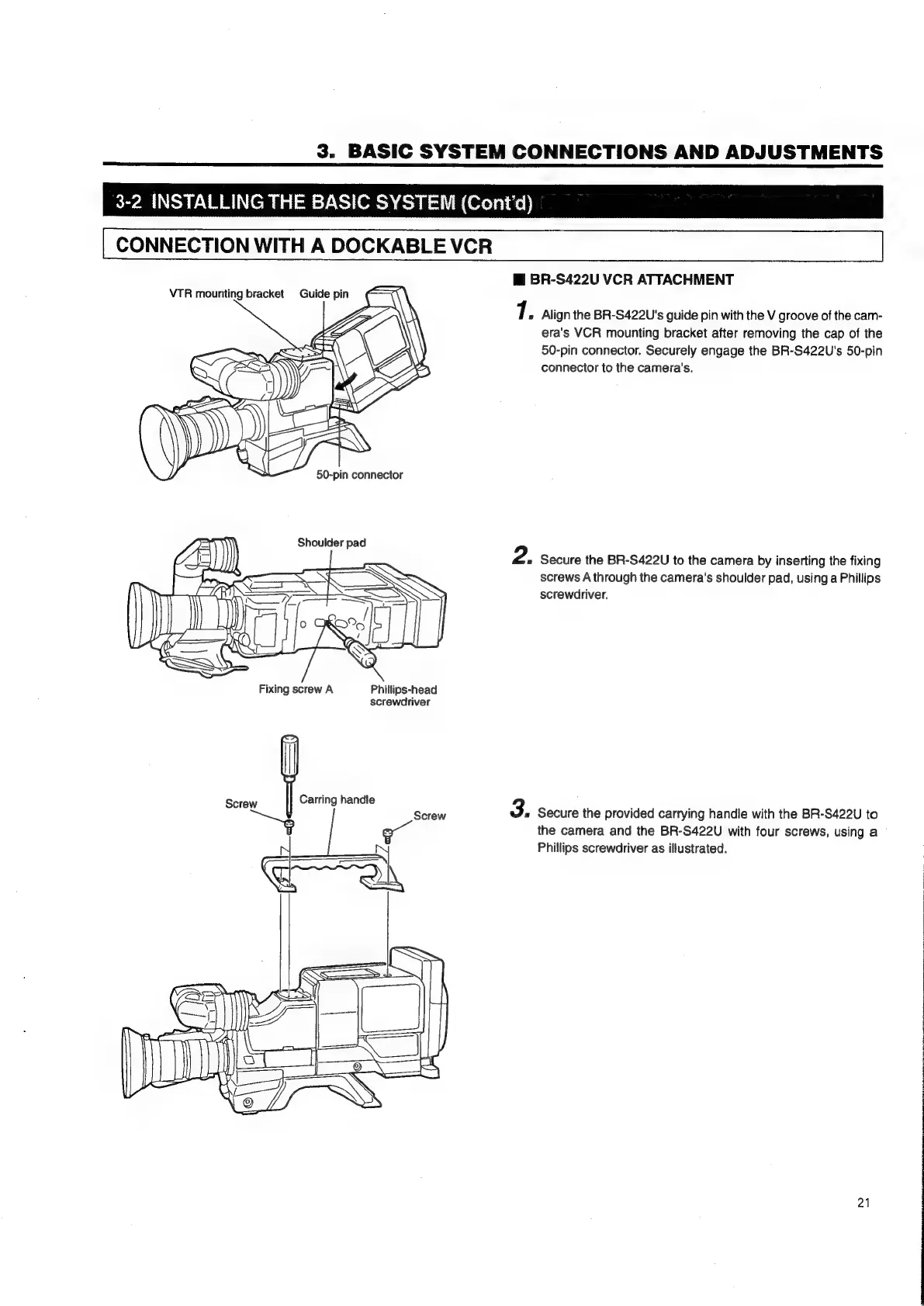
1.
Align
the
BR-S422U's
guide
pin
with
the
V
groove
of
the
cam-
era's
VCR
mounting
bracket
after
removing
the
cap
of
the
50-pin
connector.
Securely
engage
the
BR-S422U's
50-pin
connector
to
the
camera's.
2.
Secure
the
BR-S422U
to
the
camera
by
inserting
the
fixing
screws
A
through
the
camera's
shoulder
pad,
using
a
Phillips
screwdriver.
Fixing
screw
A
Phillips-head
screwdriver
Screw
Carring
handle
3.
Secure
the
provided
carrying
handle
with
the
BR-S422U
to
the
camera
and
the
BR-S422U
with
four
screws,
using
a
Phillips
screwdriver
as
illustrated.
21

Table of Contents