EasyManua.ls Logo

JVC KY-D29 - Shooting the Screen Image on the Computer Monitor

JVC KY-D29
56 pages
Print Icon
To Next Page IconTo Next Page
To Previous Page IconTo Previous Page
Loading...
6.
SYSTEM
UPGRADING
6-3
SHOOTING
THE
SCREEN
IMAGE
ON
THE
COMPUTER
MONITOR
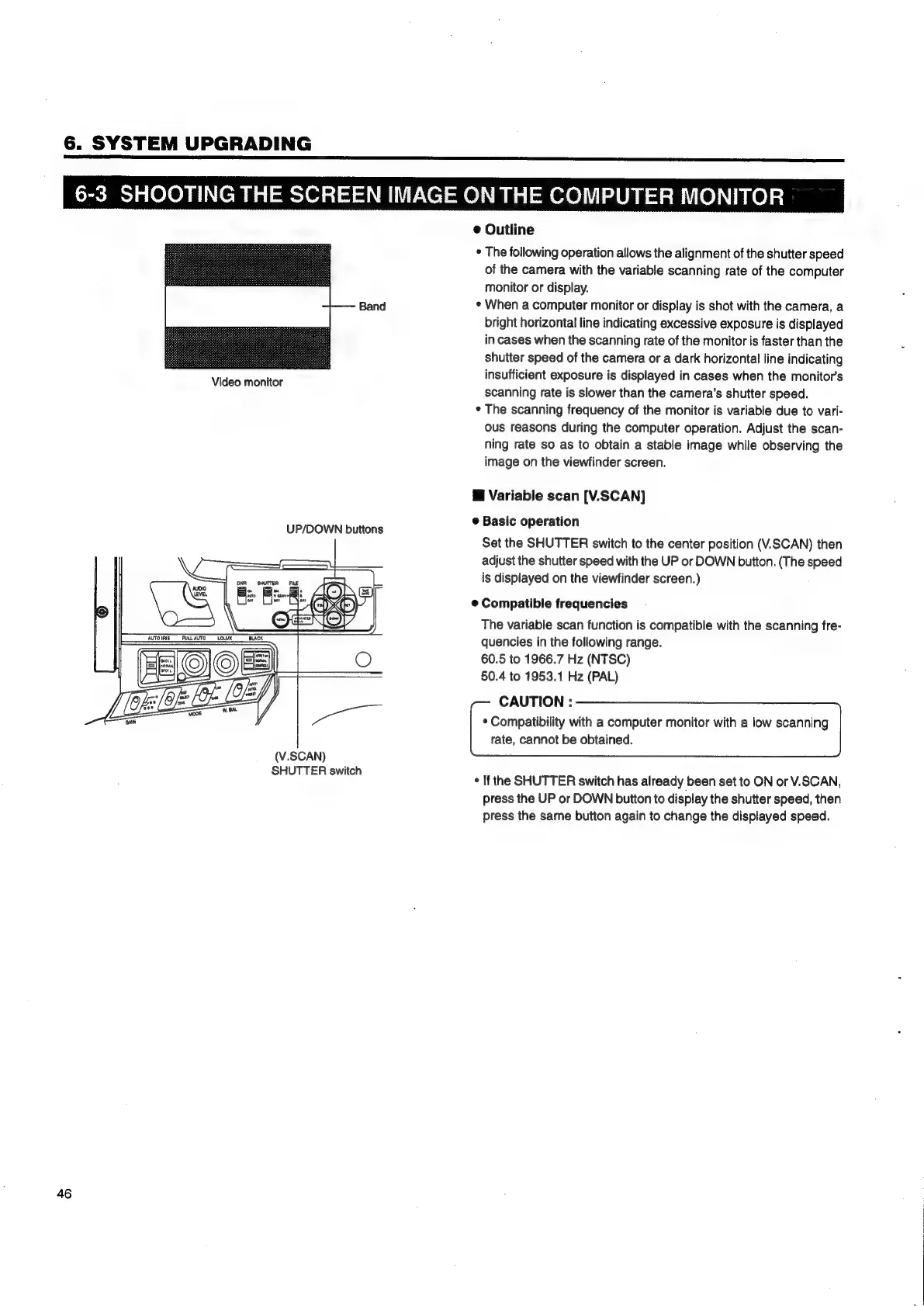
Band
Video
monitor
UP/DOWN
buttons
(V.SCAN)
SHUTTER
switch
46
@
Outline
*
The
following
operation
allows
the
alignment
of
the
shutter
speed
of
the
camera
with
the
variable
scanning
rate
of
the
computer
monitor
or
display.
*
When
a
computer
monitor
or
display
is
shot
with
the
camera,
a
bright
horizontal
line
indicating
excessive
exposure
is
displayed
in
cases
when
the
scanning
rate
of
the
monitor
is
faster
than
the
shutter
speed
of
the
camera
or
a
dark
horizontal
line
indicating
insufficient
exposure
is
displayed
in
cases
when
the
monitors
scanning
rate
is
slower
than
the
camera’s
shutter
speed.
*
The
scanning
frequency
of
the
monitor
is
variable
due
to
vari-
ous
reasons
during
the
computer
operation.
Adjust
the
scan-
ning
rate
so
as
to
obtain
a
stable
image
while
observing
the
image
on
the
viewfinder
screen.
@
Variable
scan
[V.SCAN]
©
Basic
operation
Set
the
SHUTTER
switch
to
the
center
position
(V.SCAN)
then
adjust
the
shutter
speed
with
the
UP
or
DOWN
button.
(The
speed
is
displayed
on
the
viewfinder
screen.)
@
Compatible
frequencies
The
variable
scan
function
is
compatible
with
the
scanning
fre-
quencies
in
the
following
range.
60.5
to
1966.7
Hz
(NTSC)
50.4
to
1953.1
Hz
(PAL)
CAUTION
:
*
Compatibility
with
a
computer
monitor
with
a
low
scanning
rate,
cannot
be
obtained.
*
If
the
SHUTTER
switch
has
already
been
set
to
ON
or
V.SCAN,
press
the
UP
or
DOWN
button
to
display
the
shutter
speed,
then
press
the
same
button
again
to
change
the
displayed
speed.

Table of Contents

Related product manuals