EasyManua.ls Logo

Kaypro 2 - 10-03.TIFF

Default Icon
157 pages
Print Icon
To Next Page IconTo Next Page
To Previous Page IconTo Previous Page
Loading...
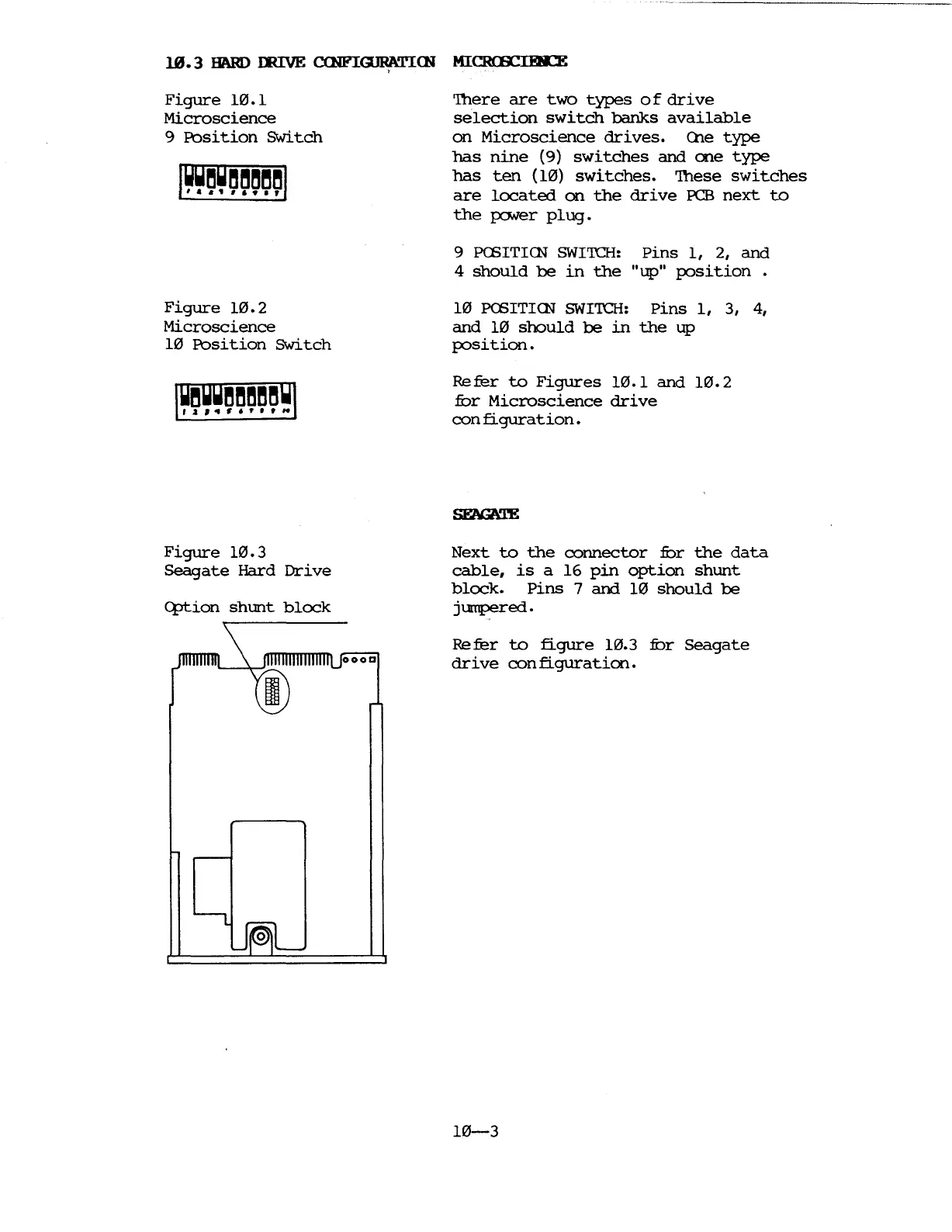
Figure
10.1
Microscience
9
Ibsition
Switch
Figure
10.2
Microscience
10
Ibsition
Switch
Figure
10.3
5eagate
Hard
Drive
c:ption
shunt
block
'Ihere
are
two
types
0 f
drive
selection
switch
banks
available
on
Microscience
drives.
(he
type
has
nine
(9)
switches
and
one
type
has
ten
(10)
switches.
'Ihese
switches
are
located
on
the
drive
PCB
next
to
the
po.ver
plug.
9
PCSITIrn
SWITCH:
Pins
1,
2,
and
4
should
be
in
the
"up"
position.
10
PCSITIrn
SWITCH:
pins
1,
3, 4,
and
10
should
be
in
the
up
position.
Refer
to
Figures
10.1
and
10.2
nor
Microscience
drive
con
figuration.
Next
to
the
connector
nor
the
data
cable,
is
a
16
pin
option
shunt
block.
Pins
7
and
10
should
be
jumpered.
Refer
to
figure
10.3
nor
8eagate
drive
configuration.
10-3

Table of Contents

Related product manuals