EasyManua.ls Logo

Kaypro 2 - 15-12.TIFF

Default Icon
157 pages
Print Icon
To Next Page IconTo Next Page
To Previous Page IconTo Previous Page
Loading...
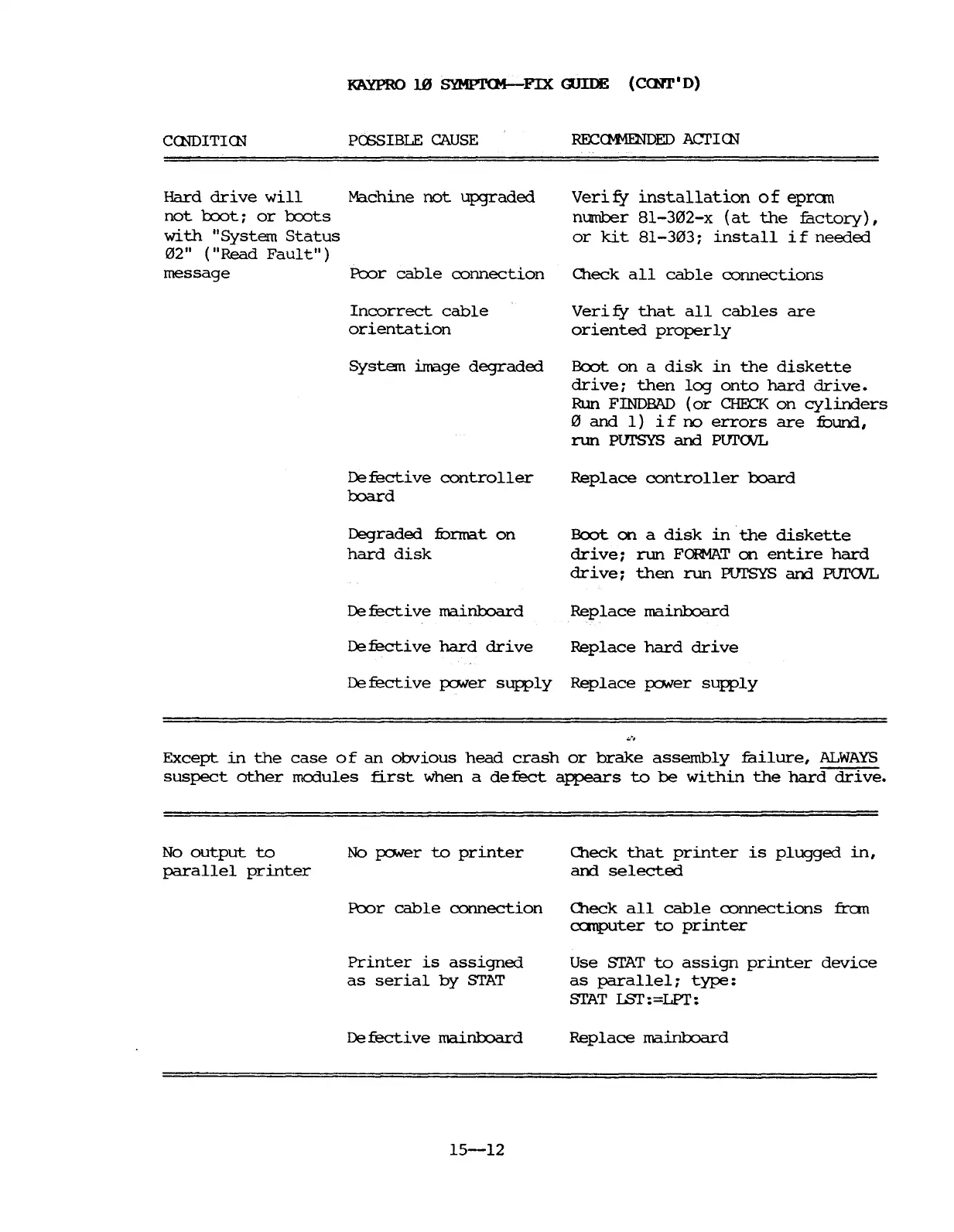
KAYPRO
]jlJ
SYMPTCM-FIX
a.n:DE
(CCNT·
D)
CCNDITICN
PCESIBLE
CAUSE
Hard
drive
will
Machine
not
upgraded
not
1:xx>t:
or
1:xx>ts
with
"System
Status
02"
("Read
Fault")
message
Poor
cable
connection
Incorrect
cable
orientation
System
image
degraded
Defective
controller
1:xJard
Degraded
:fOnna.t
on
hard
disk
De
fecti
ve
mainboard
Defective
hard
drive
RECCM1ENDED
ACI'ICN
Veri
f:f
installation
0 f
epran
number
8l-302-x
(at
the
factory),
or
kit
81-303:
install
if
needed
Oleck
all
cable
connections
Veri
fy
that
all
cables
are
oriented
properly
Boot
on
a
disk
in
the
diskette
drive:
then
log
onto
hard
drive.
Run
FINDBAD
(or
CHEll<
on
cylinders
o
and
1)
if
no
errors
are
:fOund,
run
PUI'SYS
and
PUI'CNL
Replace
controller
board
Boot
on
a
disk
in
the
diskette
drive;
run
FC»tAT
on
entire
hard
drive;
then
run
PUI'SYS am PUrCNL
Replace
mainboard
Replace
hard
drive
Defective
p:1Ner
supply
Replace
p:1Ner
supply
Except
in
the
case
of
an
obvious
head
crash
or
brake
assembly
failure,
ALWAYS
suspect
other
mcx1ules
first
when a
de
feet
appears
to
be
wi
thin
the
hard
drive.
No
output
to
parallel
printer
No
p:1Ner
to
printer
Poor
cable
connection
Printer
is
assigned
as
serial
by
STAT
De
fecti
ve
mainboard
15-12
O1eck
that
printer
is
plugged
in,
and
selected
O1eck
all
cable
connections
fran
a:rnputer
to
printer
Use
STAT
to
assign
printer
device
as
parallel;
type:
STAT
lSI':
=LPT:
Replace
mainboard

Table of Contents

Related product manuals