131
6
6
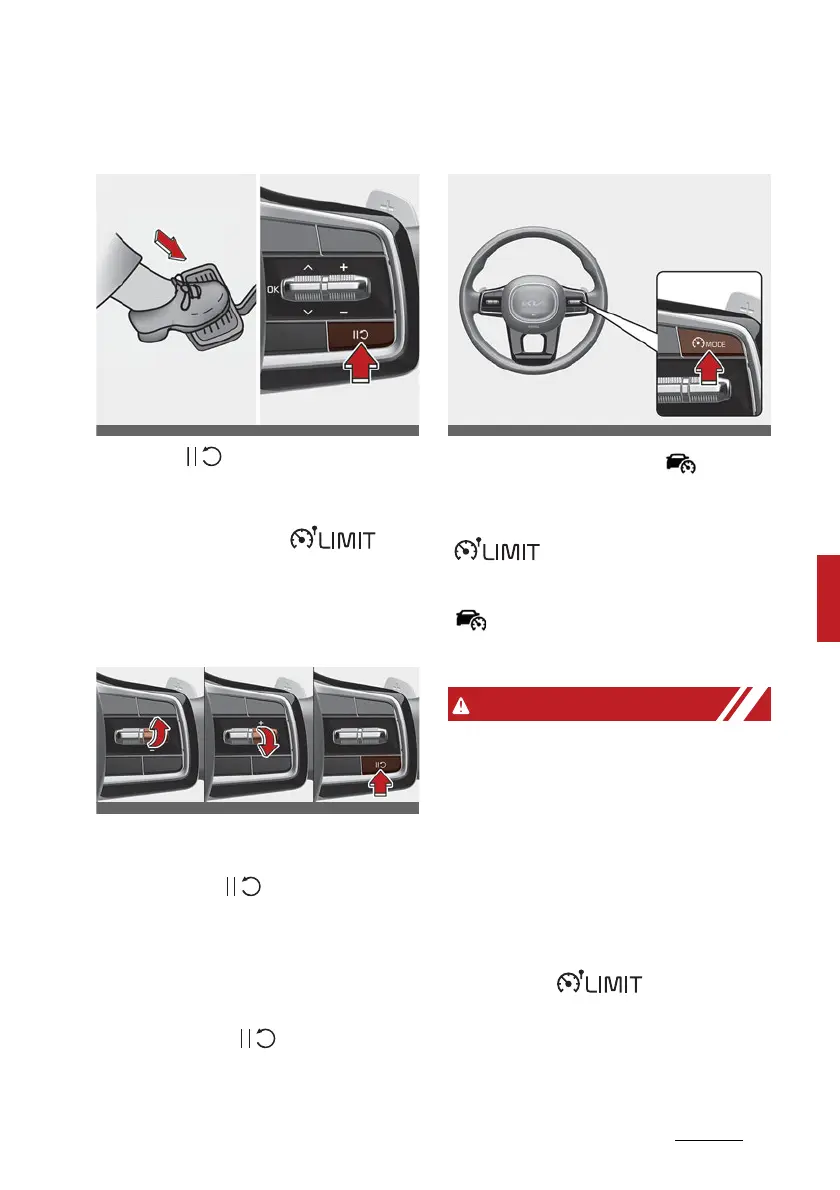
Driving your vehicle Manual Speed Limit Assist (MSLA)
Temporarily pausing Manual Speed
Limit Assist
Push the ( ) switch to temporar
-
ily pause the set speed limit. The set
speed limit will turn off but the
Speed Limit indicator ( ) will
stay on.
Resuming Manual Speed Limit
Assist
To resume Manual Speed Limit
Assist after the system was paused,
push the +, -, ( ) switch.
If you push the + switch up or -
switch down, vehicle speed will be
set to the current speed on the
cluster.
If you push the ( ) switch, vehicle
speed will resume to the preset
speed.
Turning off Manual Speed Limit
Assist
Press the Driving Assist ( ) button
to turn Manual Speed Limit Assist
off. The Speed Limit indicator
( ) will go off.
Always press the Driving Assist
( ) button to turn Manual Speed
Limit Assist off when not in use.
Take the following precautions
when using Manual Speed Limit
Assist:
䳜 Always set the vehicle speed to
the speed limit in your country.
䳜 Keep Manual Speed Limit Assist
off when the system is not in use,
to avoid inadvertently setting a
speed. Check that the Speed Limit
indicator ( ) is off.


 To Next Page