75
4
4
Features of your vehicle -CD display (for Type B cluster)
4. Convenience (if equipped)
* The information provided may differ depending on which functions are
applicable to your vehicle.
5. Service interval
If the service interval is activated and the time and distance is adjusted,
messages are displayed in the following situations each time the vehicle is
turned on.
䳜 Service in: Displayed to inform the driver the remaining mileage and days
to service.
䳜 Service required: Displayed when the mileage and days to service has
been reached or passed.
If any of the following conditions occur, the mileage and number of days to
service may be incorrect.
䳜 The battery cable is disconnected.
䳜 The battery is discharged.
6. Theme Selection
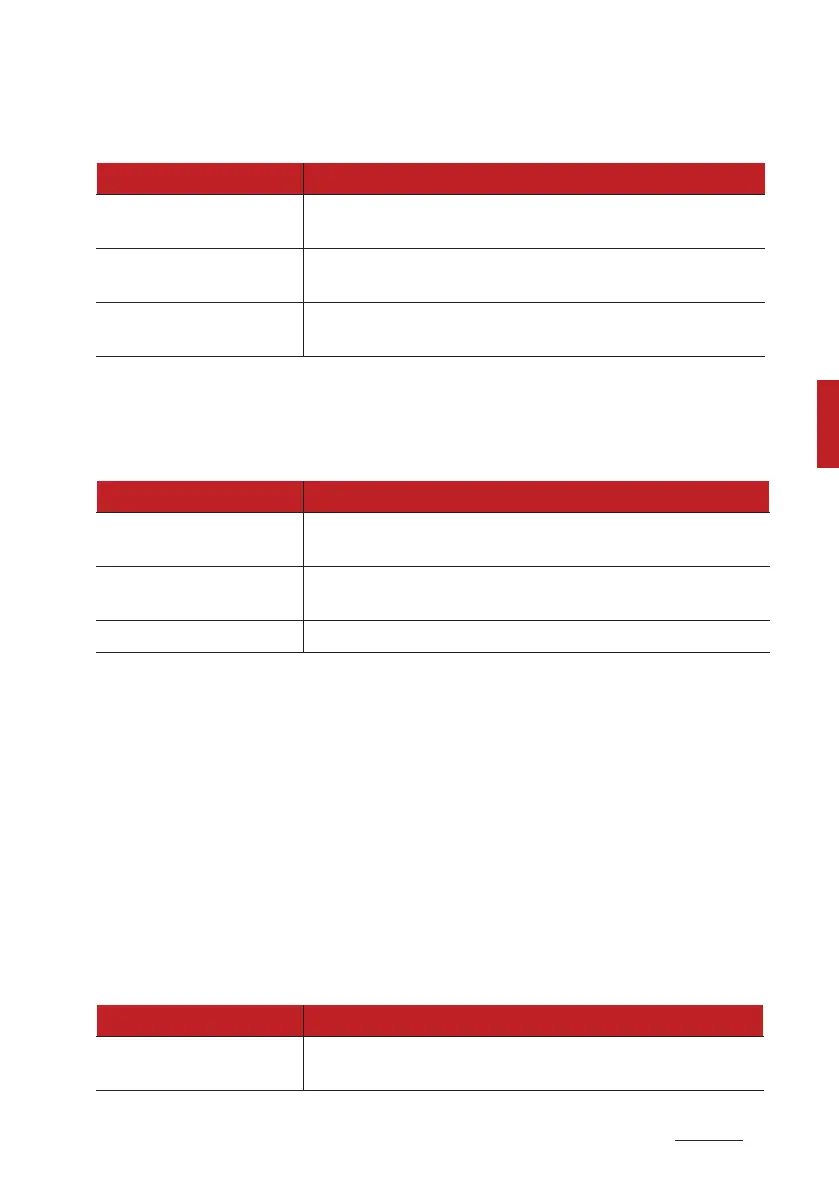
Items Explanation
3ear Occupant Alert 䳜 If this item checked, the 3ear Occupant Alert will be
activated.
8iper/Lights display
䳜 If this item checked, the 8iper/Lights display will be
activated.
Icy road warning
䳜 If this item is checked, the Icy road warning display will
be activated.
Items Explanation
Enable service interval
䳜 If this item is checked, the Service Interval function will
be activated.
Adjust interval
䳜 If the service interval menu is activated, you may adjust
the time and distance.
3eset 䳜 To reset the service interval function.
Items Explanation
Theme selection
䳜 Theme A/Theme B/Theme C
To select the theme of instrument cluster LCD.



 To Next Page