7
5
5
Driving your vehicle Forward Collision-Avoidance Assist (FCA)
(Sensor fusion)
Forward Collision-Avoidance Assist
-imitations
FCA is a supplemental function and
is not a substitute for safe driving
practices.
It is the responsibility of the driver
to always check the speed and dis
-
tance to the vehicle ahead and to be
prepared to apply the brakes.
Take the following precautions
when using Forward Collision-Avoid
-
ance Assist :
䳜 This function is only a supple
-
mental function and it is not
intended to, or does it replace the
need for extreme care and atten
-
tion of the driver. The sensing
range and objects detectable by
the sensors are limited. Pay
attention to the road conditions
at all times.
䳜 NEVE3 drive too fast in accor
-
dance with the road conditions or
whilst cornering.
䳜 Always drive cautiously to prevent
unexpected and sudden situations
from occurring. FCA does not stop
the vehicle completely and does
not avoid all collisions due to
function limitations.
Function settings
Setting
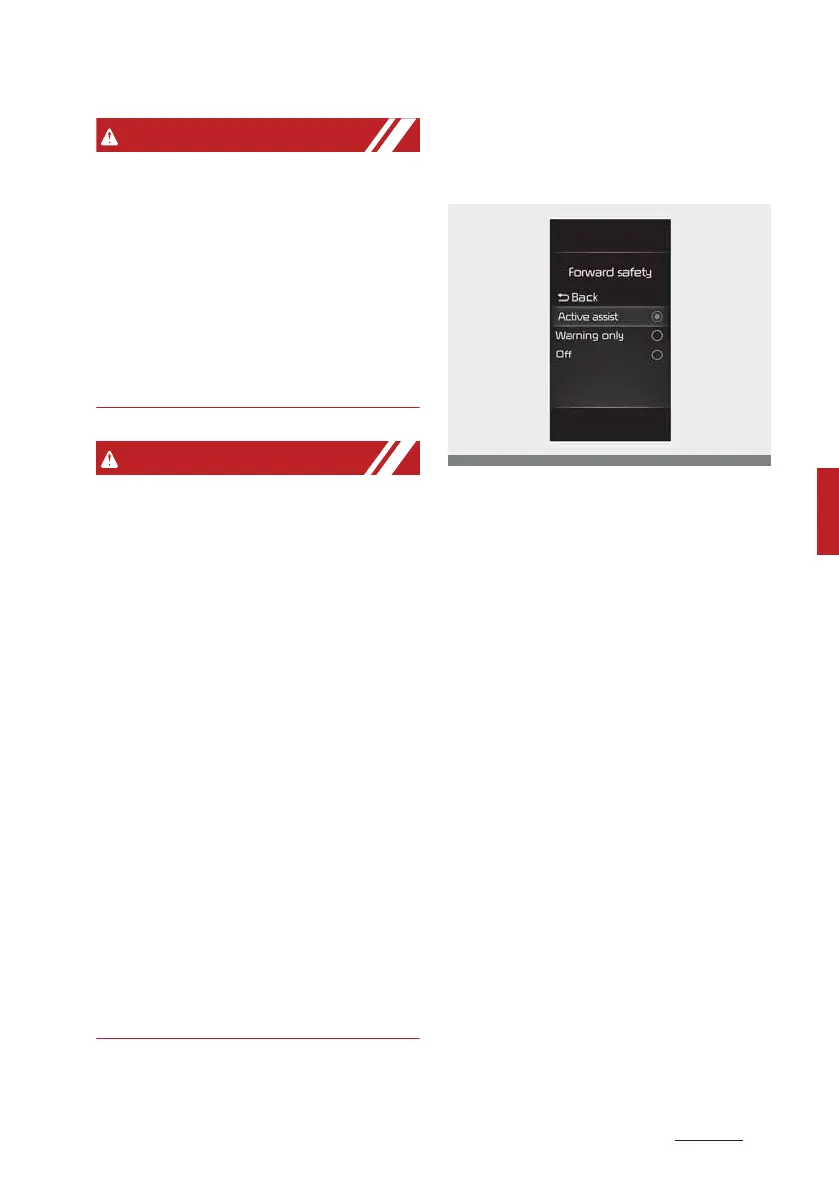
Forward safety
The driver can activate FCA by plac
-
ing the ignition switch or ENGINE
STA3T/STOP button to the ON posi
-
tion and by selecting on the LCD dis
-
play 'User settings → Driver
assistance → Forward safety'.
䳜 If you select "Active assist", FCA
activates. FCA produces warning
messages and warning alarms in
accordance with the collision risk
levels. Also, it controls the brakes
in accordance with the collision
risk levels.
䳜 If you select "8arning only", FCA
activates and produces only
warning alarms in accordance
with the collision risk levels. You
should control the brake directly
because FCA do not control the
brake.
䳜 If you select "Off", FCA deacti
-
vates.



 To Next Page