129
5
5
Driving your vehicle Smart Cruise Control (SCC)
Function settings
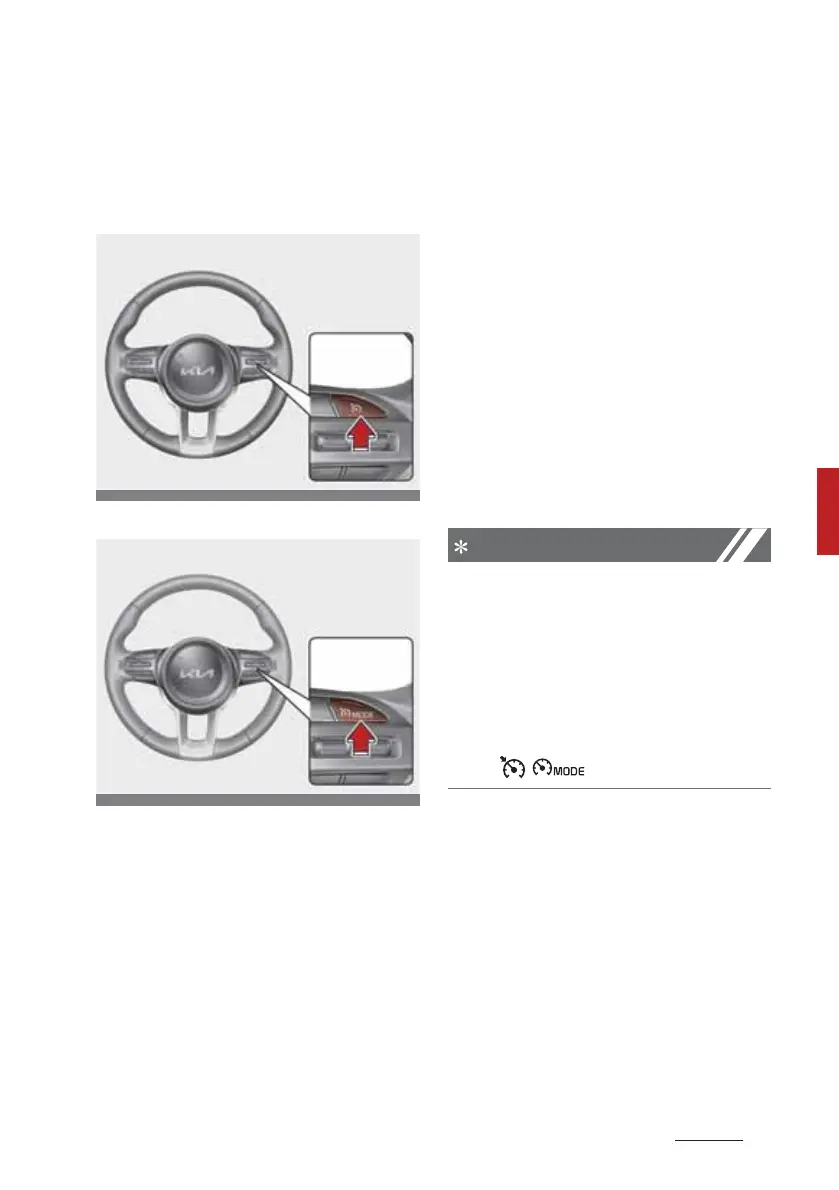
Setting
Type A
Type B
1. Press the Driving Assist button to
turn the function on. The C3UISE
indicator in the instrument cluster
will illuminate.
2. Accelerate to the desired speed.
Smart Cruise Control speed can be
set as follows:
䳜 Move down the SET- switch
and hold it. Your vehicle set
speed is below 10 km/h ( mph)
and over 180 km/h (110 mph).
3. The cruise indicator light will illu
-
minate. distance indicator on the
cluster is appeared and the
C3UISE indicator is illuminated
continuously.
4. If there is no vehicle in front of
you, the set speed will be main
-
tained, but if there is a vehicle in
front of you, the speed may
decrease to maintain the distance
to the vehicle ahead. If the vehicle
ahead accelerates, your vehicle
will travel at a steady cruising
speed after accelerating to the
set speed.
䳜 If your vehicle speed is between
10~ 30 km/h (~ 20 mph) when
you press the Driving Assist but
-
ton, Smart Cruise Control speed
will be set to 30 km/h (20 mph).
䳜 The Driving Assist button symbol
may be different per vehicle such
as ( / ).



 To Next Page