- 93 -
KEYS
MARK KEY ( )
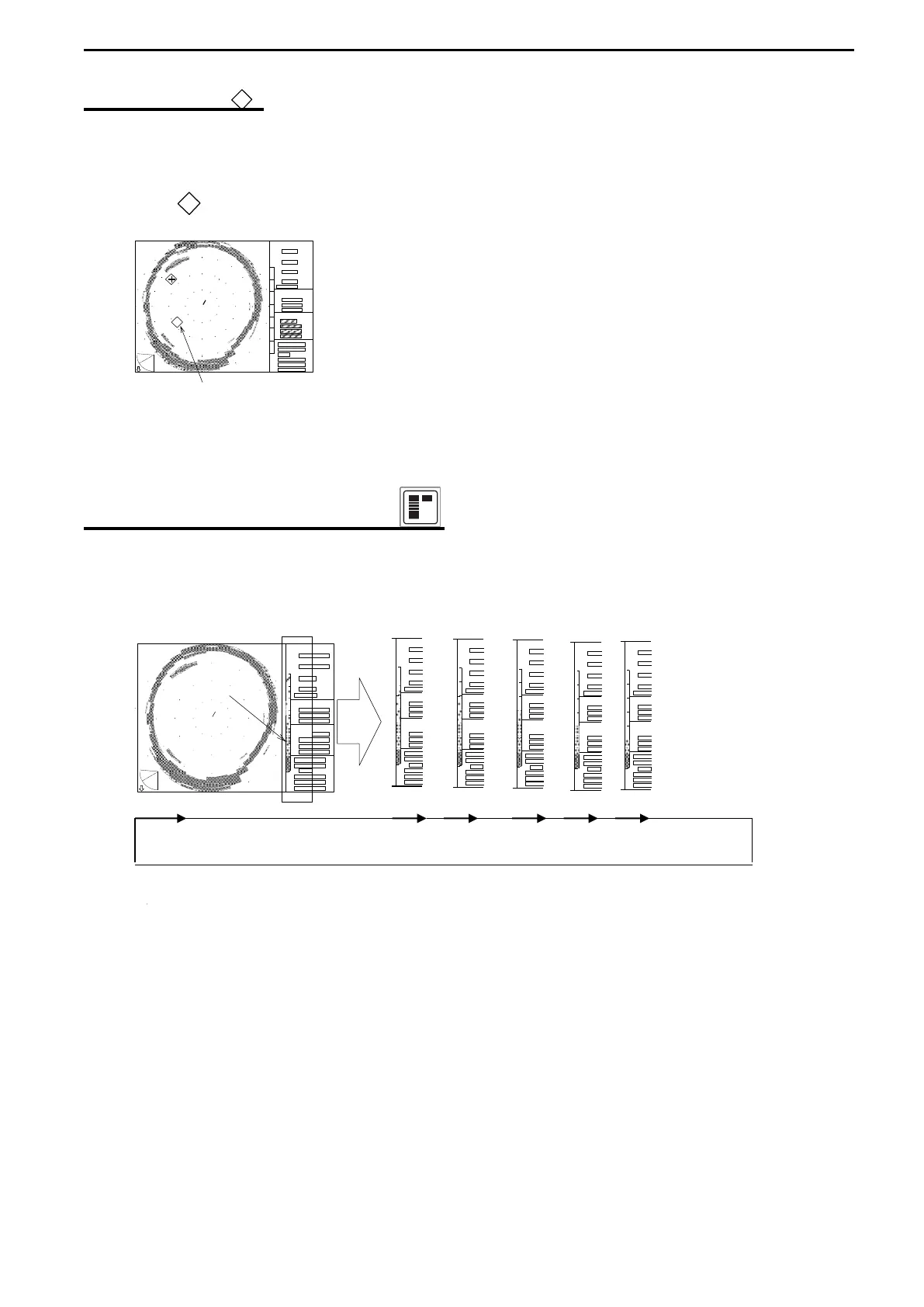
The Mark key functions to mark desired locations on the screen, and 5 marks can be
inscribed at the Cross cursor locations desired.
Move the Cross cursor to the desired locations and press the Mark key.
The Mark ( ) appears at the Cross cursor location and moves with ship’s movement.
This mark also appears on the screen
when the sub-display, WAKE display is active.
MARK
COLOR REJECTION KEY ( )
This key can eliminate the appearance of unwanted week colors.
It can eliminate small fish and unidentified objects and display the clearer images.
Each time this key is pressed, one of the weakest display colors is eliminated.
Color scale
7 colors 6 colors 5 colors 4 colors 3 colors 2 colors
+
RANGE
BEARING
SECTOR
TILT
MARKER
CURSOR
RANGE
BEARING
SECTOR
TILT
MARKER
CURSOR
RANGE
BEARING
SECTOR
TILT
MARKER
CURSOR
RANGE
BEARING
SECTOR
TILT
MARKER
CURSOR
RANGE
BEARING
SECTOR
TILT
MARKER
CURSOR
RANGE
BEARING
SECTOR
TILT
MARKER
CURSOR
TILT
MARKER
CURSOR
+
RANGE
BEARING
SECTOR



 To Next Page