- 63 -
FUNCTION SETTINGS
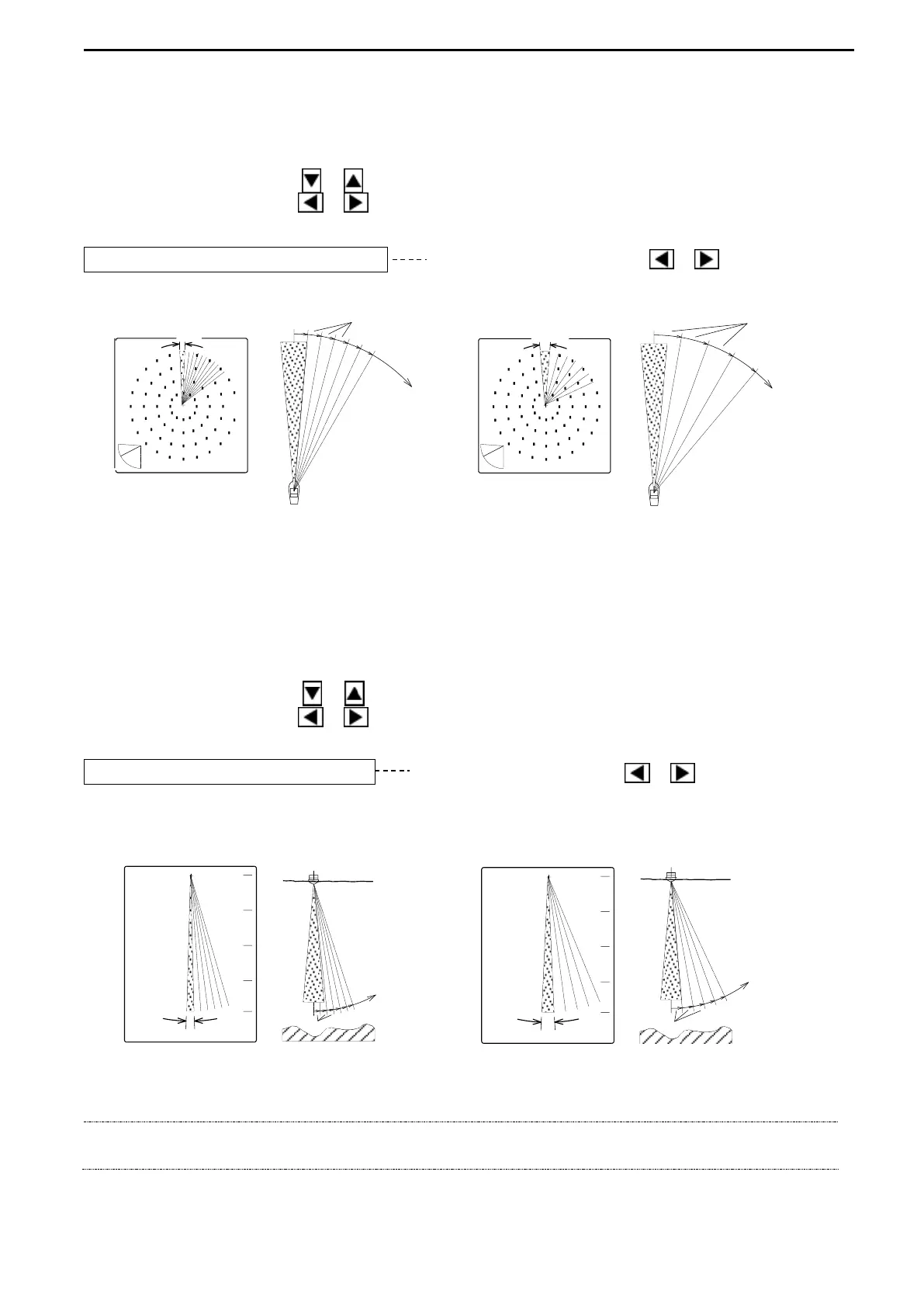
2. STEP (SONAR)
The Step angle for SONAR MODE can be selected.
Use the Cursor Shift key ( or ) to select “STEP (SONAR)”.
Use the Cursor Shift key ( or ) to change the setting.
STEP (SONAR) 10° Use the Cursor Shift key ( or ) to change.
[5°, 10°, 15°]
3. STEP (BOTTOM-SCAN)
The Step angle for SONAR MODE can be selected.
Use the Cursor Shift key ( or ) to select “STEP (BOTTOM-SCAN)”.
Use the Cursor Shift key ( or ) to change the setting.
STEP (BOTTOM-SCAN) 5° Use the Cursor Shift key ( or ) to change.
[3° or 5°]
NOTE!
The superior detection images can be obtained when the narrower step angle selected,
but the longer detection time is required.
5゜
5゜
STEP
5゜
10゜
STEP
10゜
10゜
5゜
5゜
5゜
STEP
3゜
3゜
3゜
STEP



 To Next Page