- 99 -
OPTION
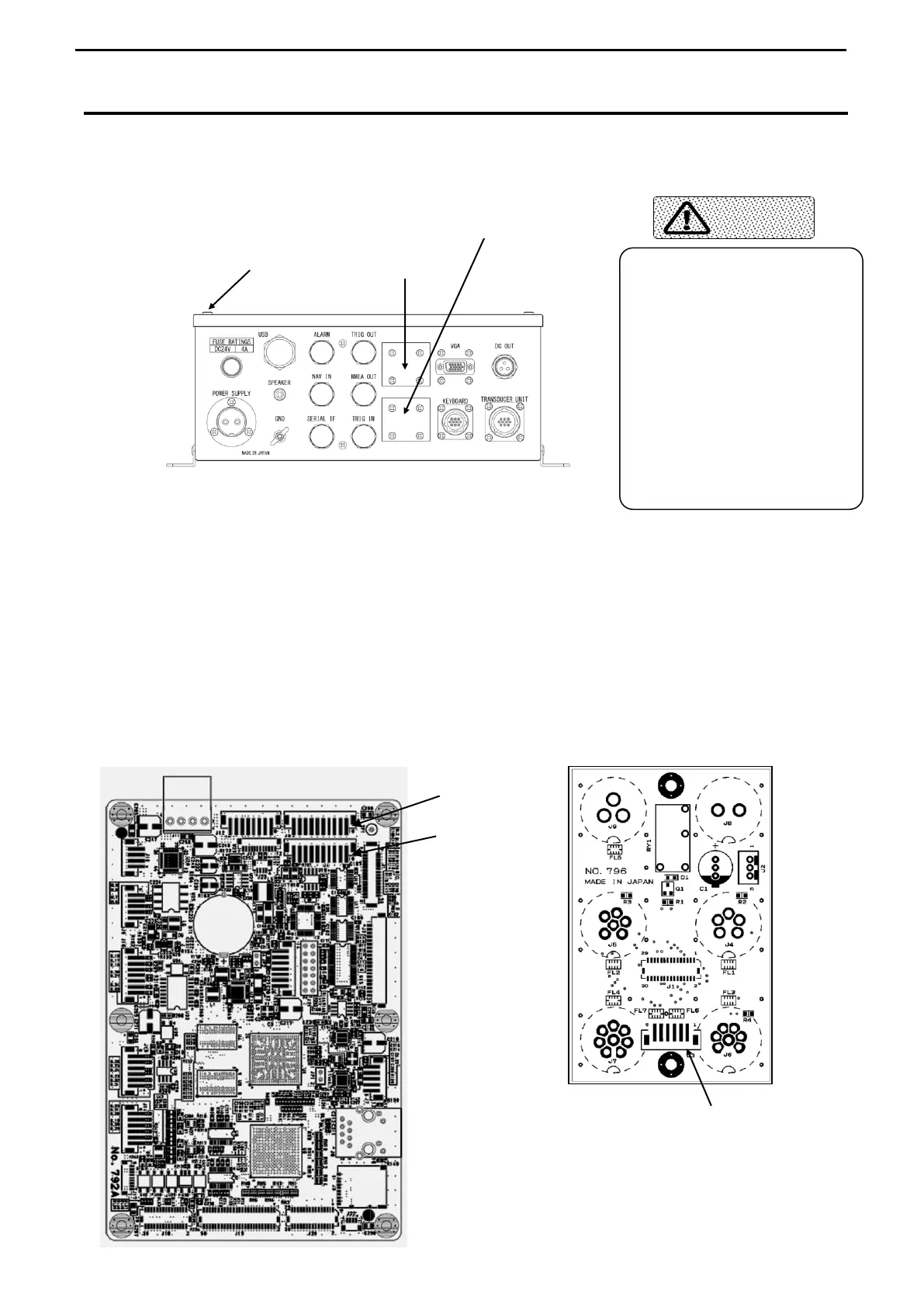
INPUT/OUTPUT TERMINALS (PROCESSOR UNIT)
Remove all cables connected to the Processor unit before mounting any terminals.
1) Remove 4 Binding Screws holding the Lid of the Processor unit and remove the Lid
(Drawing A position).
2) Remove the Blind Lid or the Cap to mount the terminal.
Mount it referring to the above drawing.
3) Insert the connector of the terminal into the specified terminal of the Main Board or the
External Connecting Board.
-VGA OUTPUT Terminal → J3 or J4 on the Main Board No.792
-REMOTE CONTROLLER TERMINAL → J3 on the External Connecting board No.796
4) Put the Lid of the MBB back to its original place after finishing the mounting work.
Main Board No.792 External Connecting Board No.796
Remote ControllerTerminal
Do not open the Case Cover
thoughtlessly.
There might be some high
voltage potion inside the unit
which sometimes causes
death or injury.
Only qualified personnel
should work on mounting
terminals.



 To Next Page