EasyManua.ls Logo

Koden KDS-5000BB - Bottom-Scan Mode Operation

Koden KDS-5000BB
112 pages
Print Icon
To Next Page IconTo Next Page
To Previous Page IconTo Previous Page
Loading...
- 40 -
BASIC OPERATION
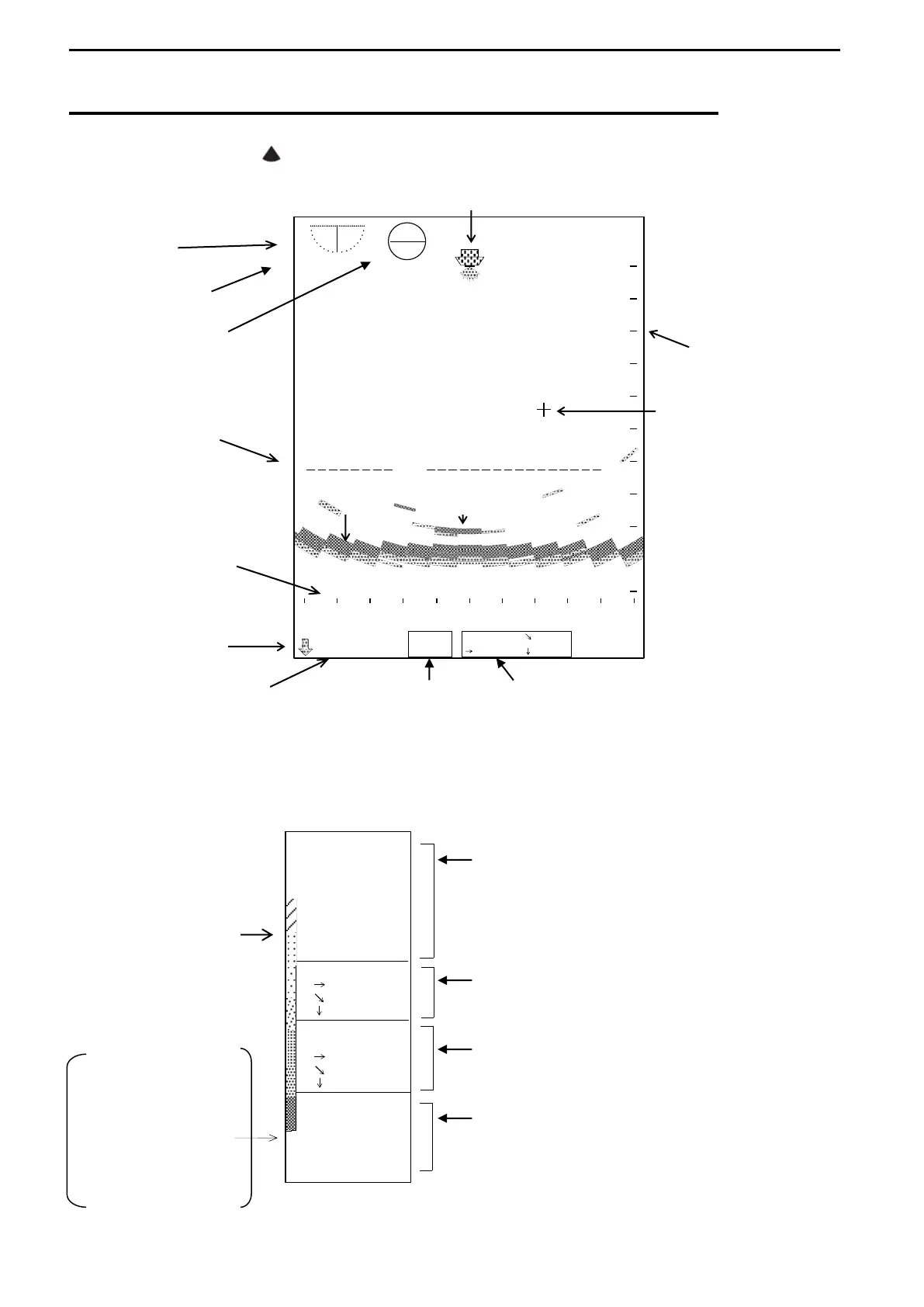
SAMPLE DISPLAY of BOTTOM-SCAN MODE
Select MODE KNOB ( ) to display the BOTTOM-SCAN MODE.
SHIPS POSITION
TILT ANGLE
#1
#2
CROSS CURSOR
RANGE
MARKER
SEA BOTTOM ECHO
SCALE
(SECTOR)
DEPTH #3 #4
The above values of #1, #2, #3 and #4 are not displayed when the Sub-Display menu,
INFORMATION is active.
137゜03.84’E
34゜33.40’
IR-O N
MARKER
----m
----m
----m
CURSOR
-70゜
25.7m
75.1m
70.6m
RANGE
160m
BEARING
270゜
SECTOR
95゜
TILT
-90゜
WATER
27.4゜C
SPEED
POWER
24.
3 V
16.0kt
INFORMATION DISPLAY
When the Sub menus other than
INFORMATION selected,
They are displayed in the Bottom Scan
Mode Display (#1, #2 and #3).
IR-ON is not displayed when
INTERFERENCE REJECTION OFF selected.
They are displayed as the data of the range
marker in the Bottom-Scan Mode.
They are displayed in the Bottom-Scan
Mode (#4).
They are displayed in the lower right corner
of Sub-Display when an external navigator
connected.

RAINBOW PATTERN
POWER SUPPLY
VOLTAGE
WATER TEMP.
SPEED
SHIPS POSITION IN
LATITUDE AND
LONGITUDE
-90゜
138
.1
.7
5゜
.6
0゜
-O
00
SCALE (RANGE)
TRANSDUCER UNIT
POSITION

Table of Contents

Related product manuals