- 52 -
感 度 G 0 T 0
OFF
+20dB
+40dB
・
0 …10 …20 … 30 …4 0 …
50
と 変 わ る
+10dB
+30dB
+50dB
1m 10m 100m 1000m
80dB
60dB
40dB
20dB
感度補正:OFFの場合
感度補正:+10dBの場合
感度補正:+20dBの場合
感度補正:+30dBの場合
感度補正:+40dBの場合
感度補正:
+50dBの場合
弱い 強い
最小感度 最大感度
FUNCTION SETTINGS
1. GAIN UP
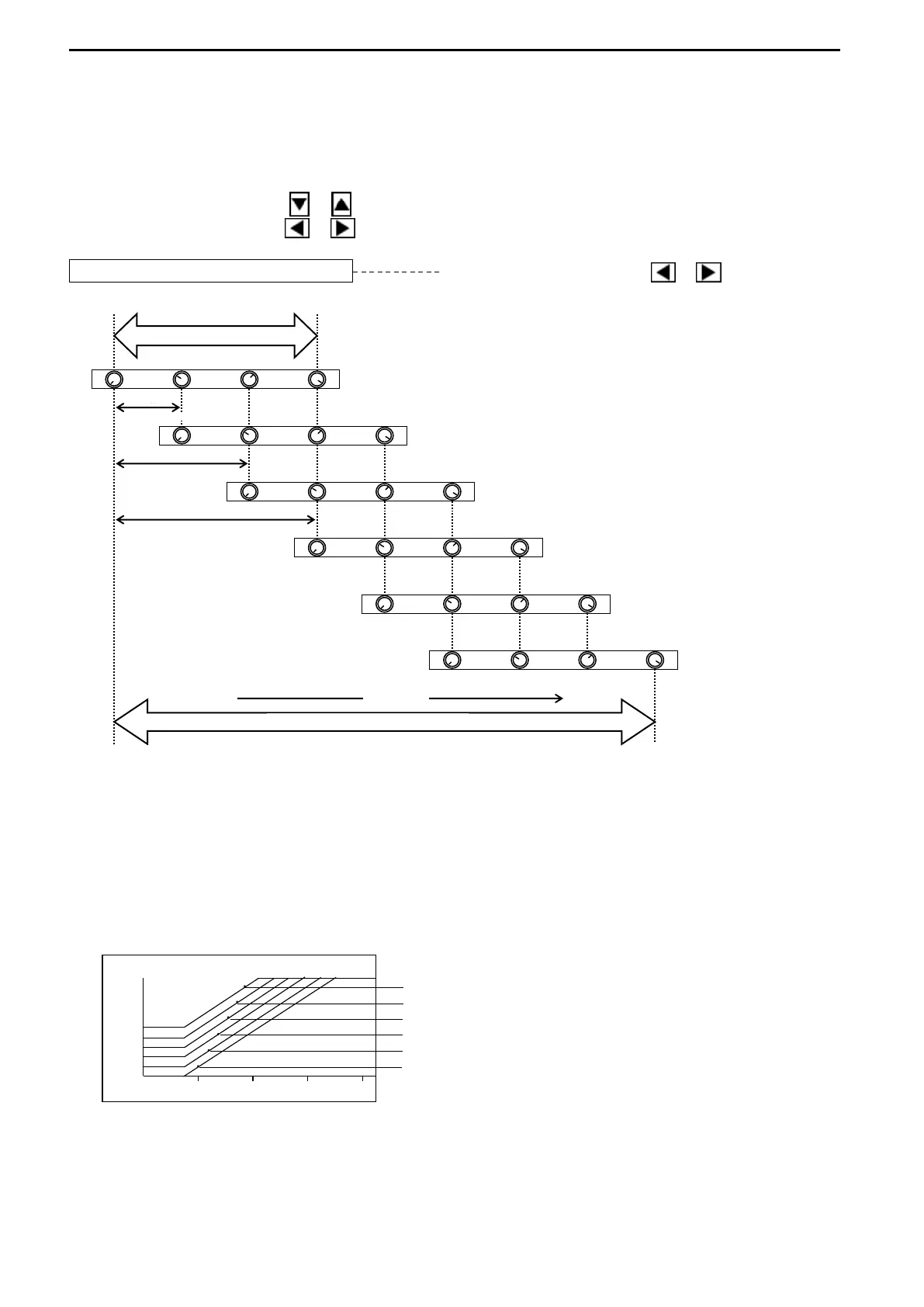
This function makes it possible to display a clearer picture of the full range and control the
sensitivity at various depths.
Use the Cursor Shift key ( or ) to select “GAIN UP”.
Use the Cursor Shift key ( or ) to change the setting.
GAIN UP OFF Use the Cursor Shift key ( or ) to change.
[OFF, +10dB, +20dB, +30dB, +40dB, +50dB]
The “sensitivity” or possibly “volume” is increased 3.3 times when the gain setting is
changed to “+10dB” from “OFF”.
The reflected image at level “3.3” in the gain setting “OFF” is the one at level “0” in the
Gain setting “+10dB”.
TVG Curve changes in accordance with the change of the values of GAIN UP.
The setting values shown in the above drawing are as follows,
Gain Knob: 0
Far Gain Knob: 0
TVG Curve: 30LOG



 To Next Page