- 100 -
OPTION
REMOTE CONTROLLER
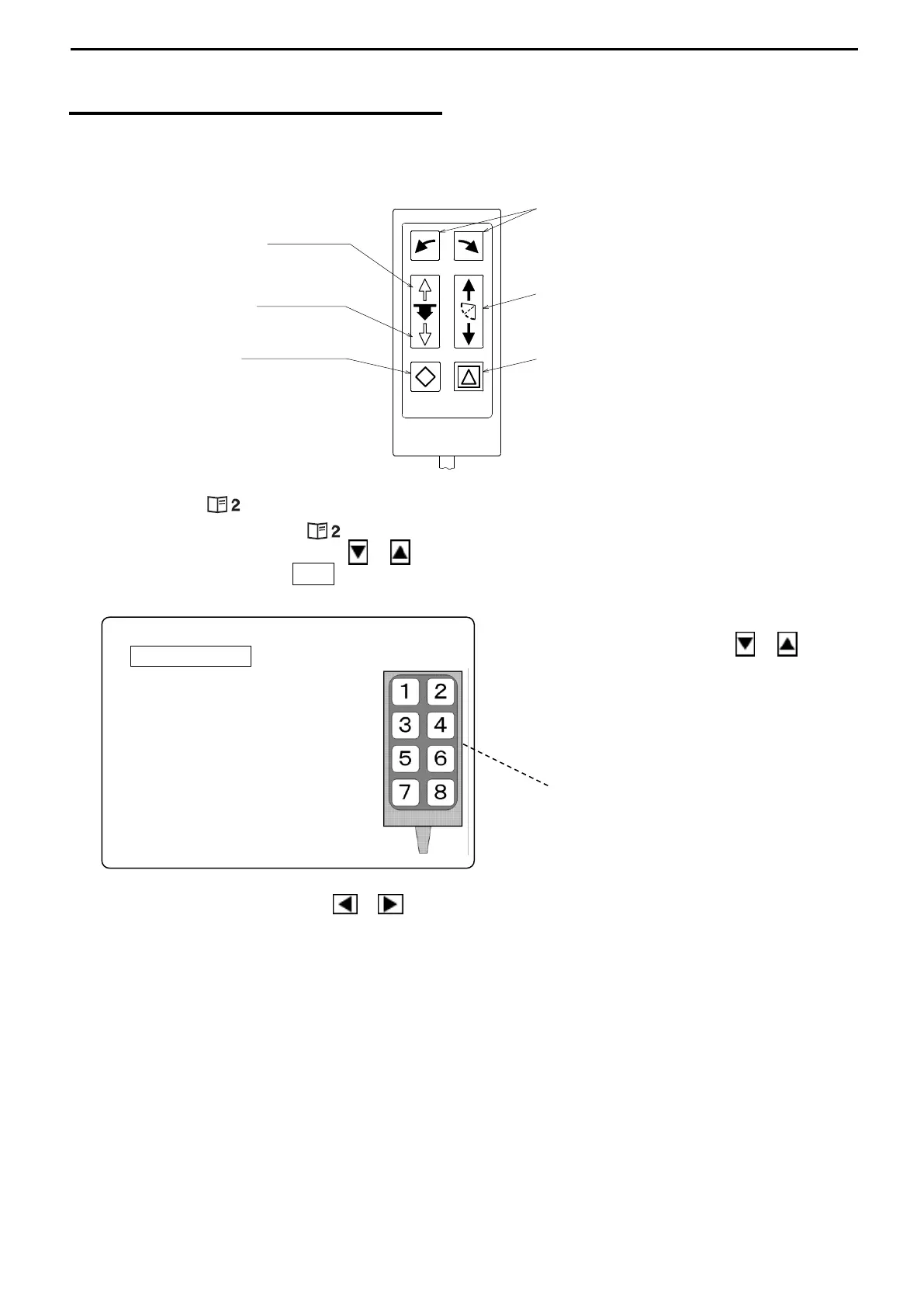
Connect the terminal of the Remote Controller to the specified port.
[MODE KNOB – – REMOTE CONTROL]
1) Select the Mode Knob ( )
2) Use the Cursor Shift key ( or ) to select “REMOTE CONTROL” and press the
Cursor Selection key (O / +) so that the following menu appears on the screen.
Use the Cursor Shift key ( or ) to
select the key number to be changed.
The number shows the key number
of the Remote Controller.
Each time the Cursor Shift key ( or ) pressed, the item appears in the following orders
[OPE. MODE 1, OPE. MODE 2, OPE.MODE3, TARGET, MARK, COLOR REJECTION, CURSOR SEL,
CURSOR UP, CURSOR DOWN, CURSOR RIGHT, CURSOR LEFT, RANGE SHALLOW, RANGE DEEP,
TRANSDUCER UNIT UP, TRANSDUCER UNIT DOWN, TILT UP, TILT DOWN, BEARING RIGHT, BEARING
LEFT, OPE.MODE 1……….]
All ranges of the range setting menu can be controlled by the remote control keys unitl the
Range Knob operated.
REMOTE CONTROL (Initial Settings)
RETURN MARK
1 BEARING LEFT
2 BEARING RIGHT
3 TRANSDUCER UNIT UP
4 TILT UP
5 TRANSDUCER UNIT DOWN
6 TILT DOWN
7 MARK
8 TARGET
Bearing Key
changes the center direction right
or left.
Tilt Key
adjusts the Tilt Angle.
Target Lock Key
reverses the sector rotary direction
or the track the reaction
automatically.
Hoist Key
raises the Transducer unit.
Mark Key
enters the Mark.
Lower Key
lowers the Transducer unit.



 To Next Page