- 91 -
KEYS
[when the power turned on]
No cursors appear on the screen when the power turned on. Press the Cursor selection
key (O / +) to activate the function.
Press the Cursor shift keys ( or ) to display the Marker.
Press the Cursor selection key again to activate this function.
(In case of SOUNDER MODE, this function is off.)
Inactive functions are displayed in yellow.
The Marker and the Cursor disappear after pressing the Cursor selection key again.
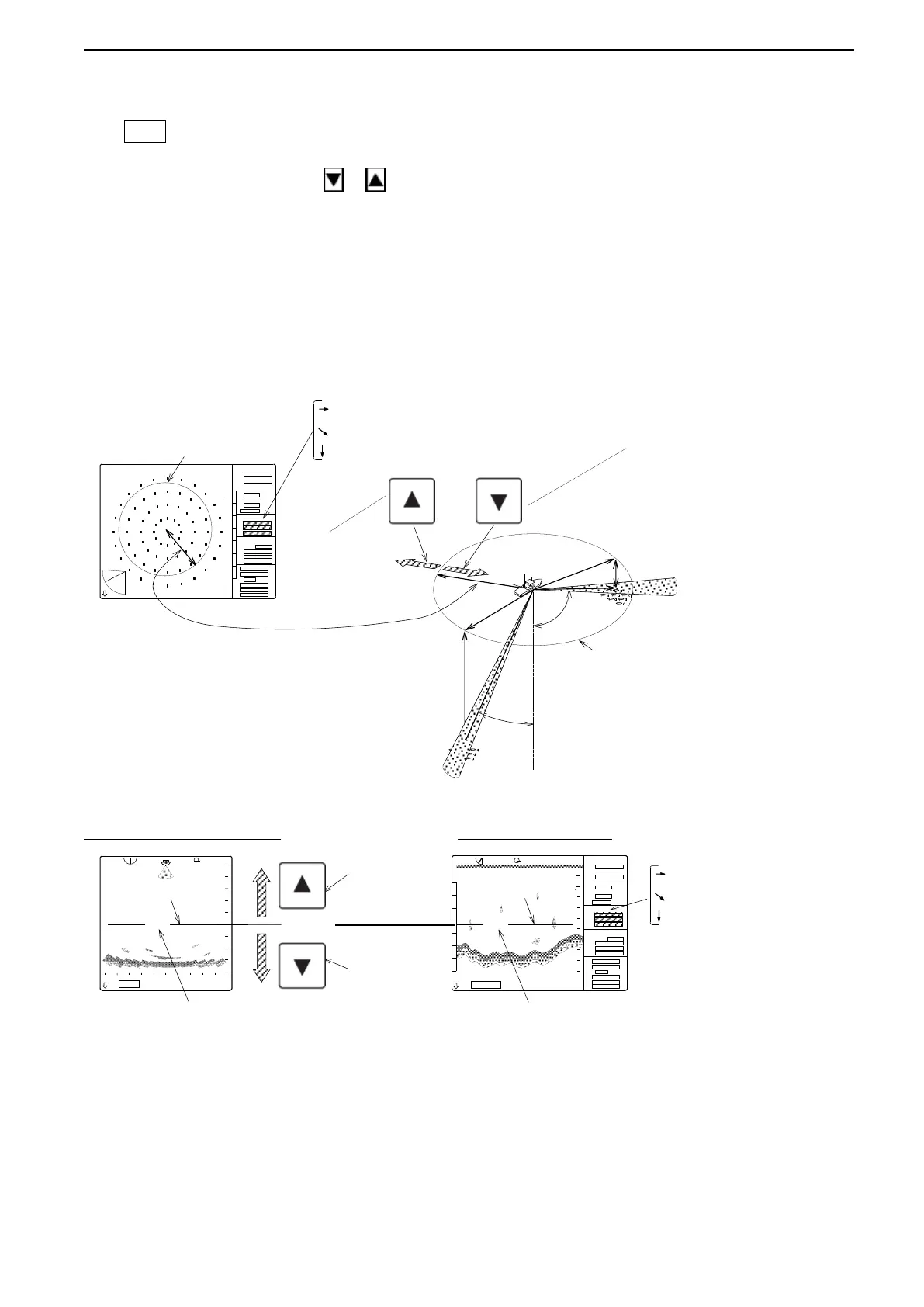
[when the Marker selected] (Cross cursor displayed in yellow or no display)
SONAR MODE
Horizontal distance (a)
MARKER Slant distance (b) This key sets
Depth (c) the marker distance shorter.
This key cursor
sets the marker
distance longer.
Changes this distance
Marker distance
BOTTOM SCAN MODE SOUNDER MODE
Shifts the Marker Horizontal distance
MARKER upward. MARKER Slant distance
CURSOR Depth
Shifts the Marker
downward.
MARKER DEPTH (DEPTH SCALE) MARKER DEPTH (SLANT DISTANCE)
*Marker data displays in the submenu.
<To be continued>
a
RANGE
BEARING
SECTOR
TILT
MARKER
CURSOR
a
b
c
c
b
30.5
32.5
RANGE
BEARING
SECTOR
TILT
MARKER
CURSOR



 To Next Page