Chapter 3 Basic operation MDC-2200/2500 Series
0093125002-04 3-22
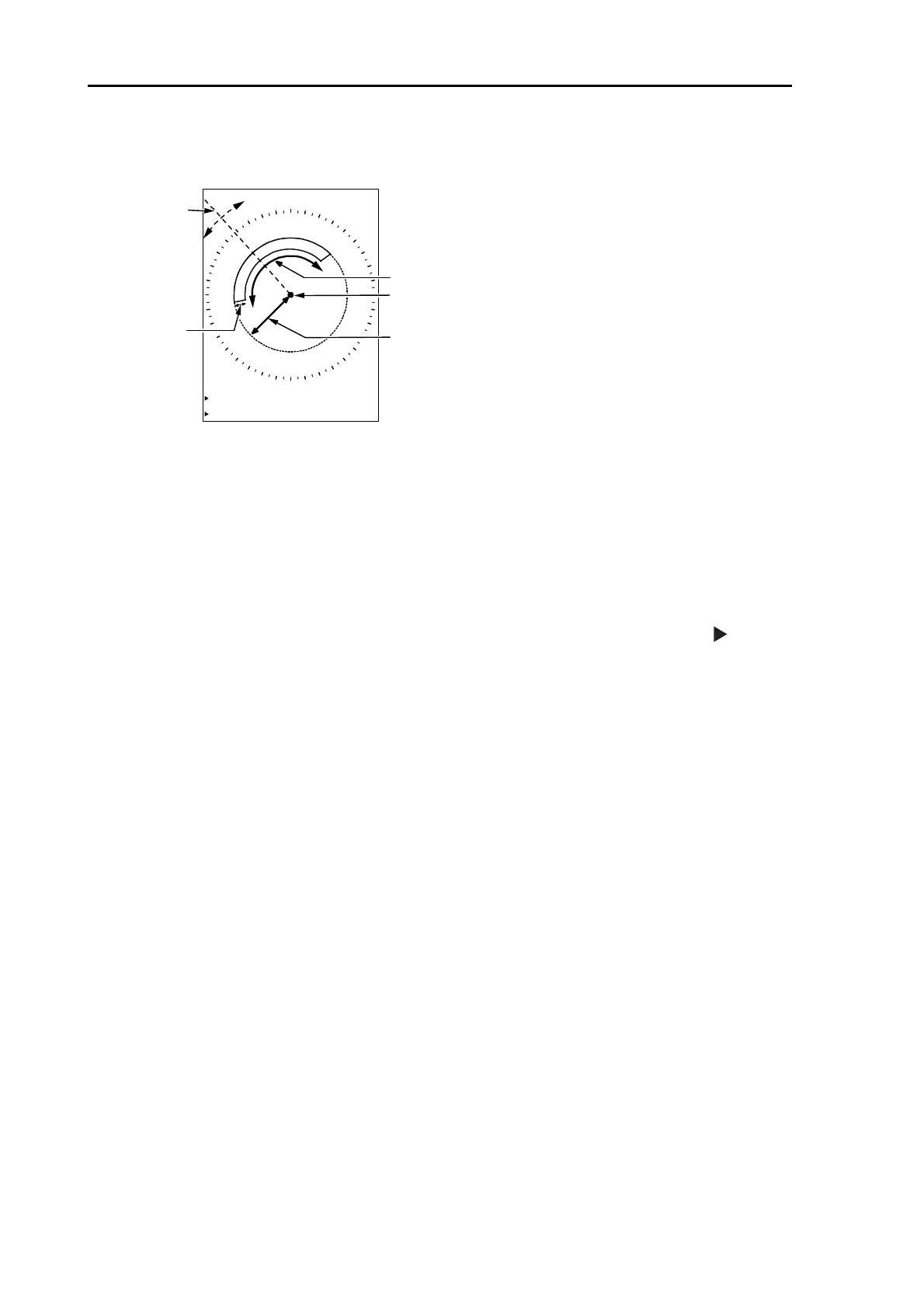
2 ATA auto acquisition setting area is displayed on the screen.
Range
Width
Bearing
Depth
GZ
BRG 315.8°
WIDTH 100.3°
RNG 4.133NM
DEPTH 0.755NM
Own ship
- Setting items are [BRG], [RNG], [WDT] and [DPT].
- Value less than 5° for Bearing, 0.1NM for Depth is unavailable to set up.
- Use [VRM] knob and [EBL] knob for setting.
3 Press [EBL1] or [EBL2] key, and then change [BRG] <=> [WIDTH] by using [EBL] knob.
In the same way, Press [VRM1] or [VRM2] key, and then change [RNG] <=> [DPPTH] by using
[VRM] knob.
- In figure display on the lower left of the screen, Item under setup is indicated by left
mark.
4 Setup process is completed by pressing [ENT] key after the area designation, then auto
acquisition starts.
・ To switch auto acquisition off, display the same Menu then select Auto acquisition and press
[ENT] key.
・ To change auto acquisition area, off acquisition once, then restart from procedure 1. Setting
area is recorded.



 To Next Page