125
Chapter 3
3.16 Spatial Resolution
3.16.1 Test Objective
To observe the limiting resolution of the system using a resolution test tool.
3.16.2 Frequency
• Initially before patients are imaged
• ANNUALLY
• Whenever the system spatial resolution is suspected
3.16.3 Required Equipment
• Line pair phantom
• 4cm of PMMA (acrylic) phantom
3.16.4 Procedure
1
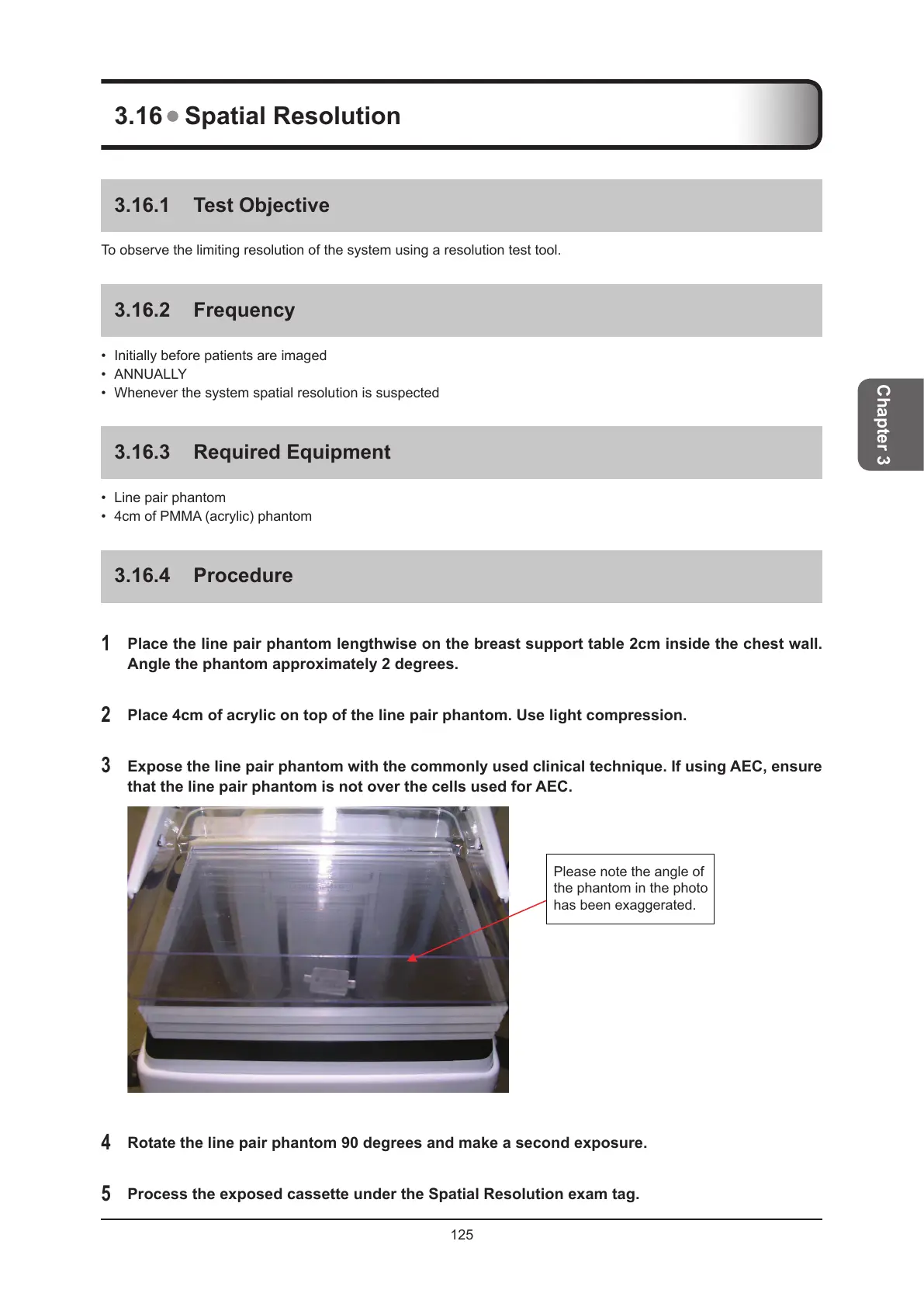
Place the line pair phantom lengthwise on the breast support table 2cm inside the chest wall.
Angle the phantom approximately 2 degrees.
2
Place 4cm of acrylic on top of the line pair phantom. Use light compression.
3
Expose the line pair phantom with the commonly used clinical technique. If using AEC, ensure
that the line pair phantom is not over the cells used for AEC.
Please note the angle of
the phantom in the photo
has been exaggerated.
4
Rotate the line pair phantom 90 degrees and make a second exposure.
5
Process the exposed cassette under the Spatial Resolution exam tag.



 To Next Page
 Loading...





