MSP 3500 Printer
4
4-17
Clearing a Misfeed from the Paper Cassette
1
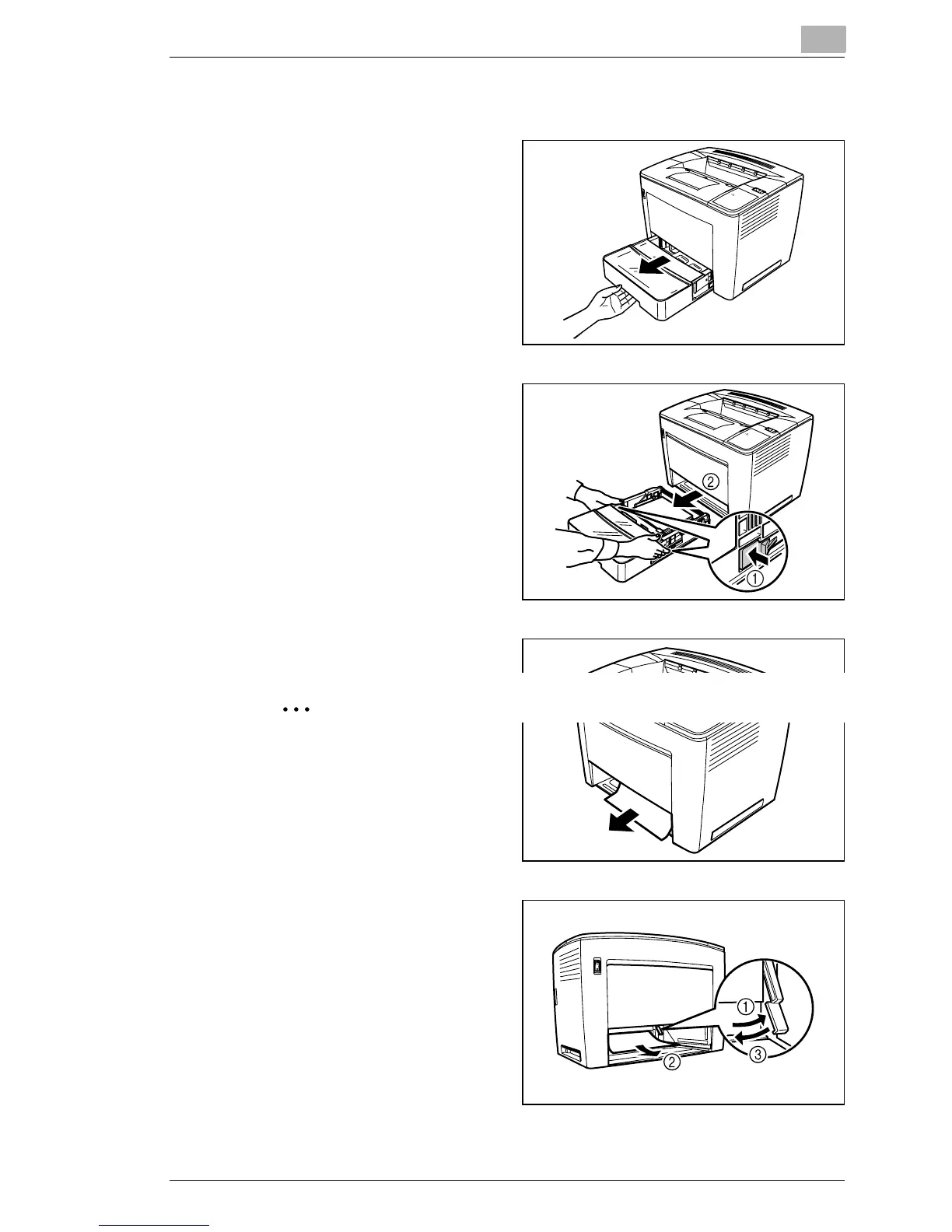
Pull out the cassette until it
stops.
2
While pressing in the release
buttons (one on each side),
remove the cassette.
3
Pull out the misfeed paper.
Make sure no paper remains
under the roller in the
casette.
4
lf the misfeed paper cannot
easily be pulled out, lift the
green lever
➀ on the inner-
right side to release the
paperfeed roller, and then
pull out the paper
➁. After
removing the misfed paper,
be sure to return the green
lever to its original position
➂. Do not use force to
remove jammed paper.



 To Next Page
 Loading...







