5
MSP 3000 Printer
5-10
5.5 When the Paper Misfeed Indicator Lights Up
If the Misfeed Indicator lights up along with a P0 code:
The size or the direction of the paper loaded in the paper tray does not
match that set for the tray.
Load the paper of the set size in the set direction and then open and close
the Upper Unit
.
If the Misfeed Indicator lights up along with a P1, P2 or P3 code:
A misfeed has occurred in the Printer. Clear the sheet of misfed paper by
following the procedure given below.
CAUTION
§ The Fusing Unit inside the printer becomes very hot during operation.
To avoid a burn, be very careful not to touch it.
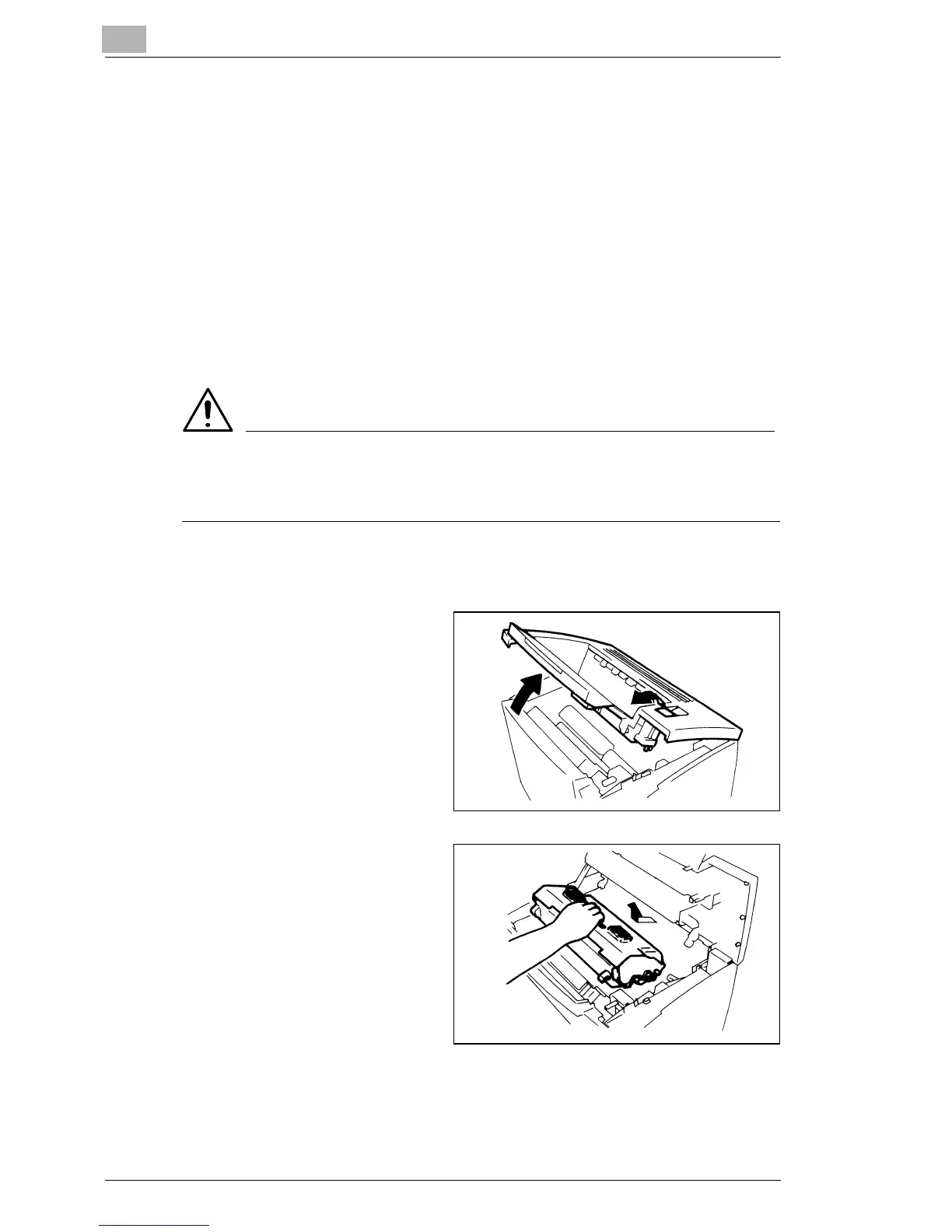
Clearing a Misfeed from the Paper Feeding Tray
1
Open the Upper Unit by
pulling the Upper Unit Lock
Release Lever forward.
§ Push the Print Tray in
before opening the Upper
Unit.
2
Remove the Imaging
Cartridge.
§ Be sure to cover the
Imaging Cartridge with a
heavy cloth to protect it from
light when it is removed
from the Printer.



 To Next Page
 Loading...







