3
Scanner
3-41
3.21 Using Centering and Fit
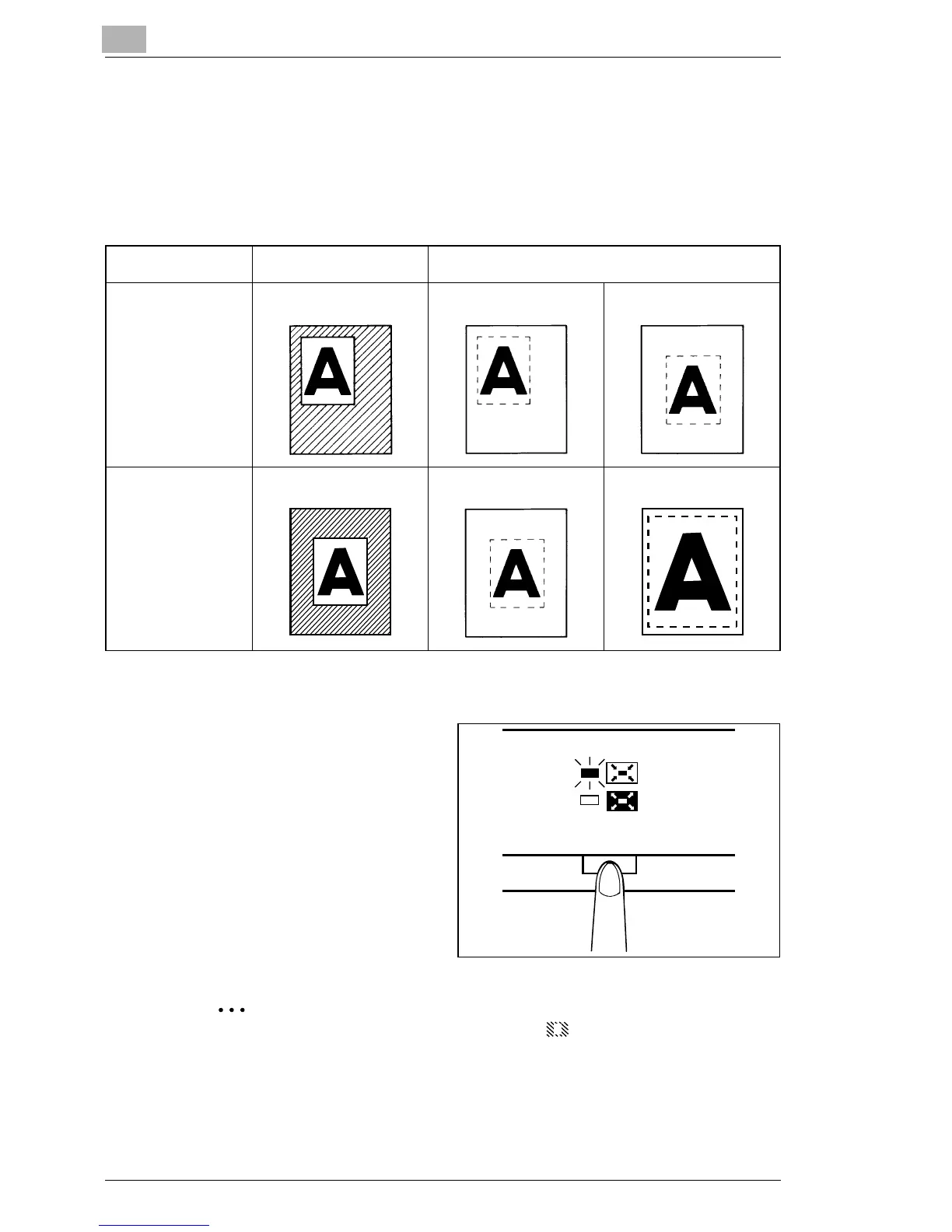
Once the image on the Screen has been either "manually trimmed" or
"auto masked", the Image Centering function moves the image to the
center of the print. The Fit function however, fits the image on the Screen
onto the entire surface of the print.
Screen Image Print Image
Centering
Centering: OFF Centering: ON
Fit
Fit: OFF Fit: ON
Centering
1
Press the Centering/Fit key
to turn ON Centering.
Centering/Fit
Centering/Fit mode cannot be used if (Masking) is selected.



 To Next Page
 Loading...







