5
MSP 3000 Printer
5-4
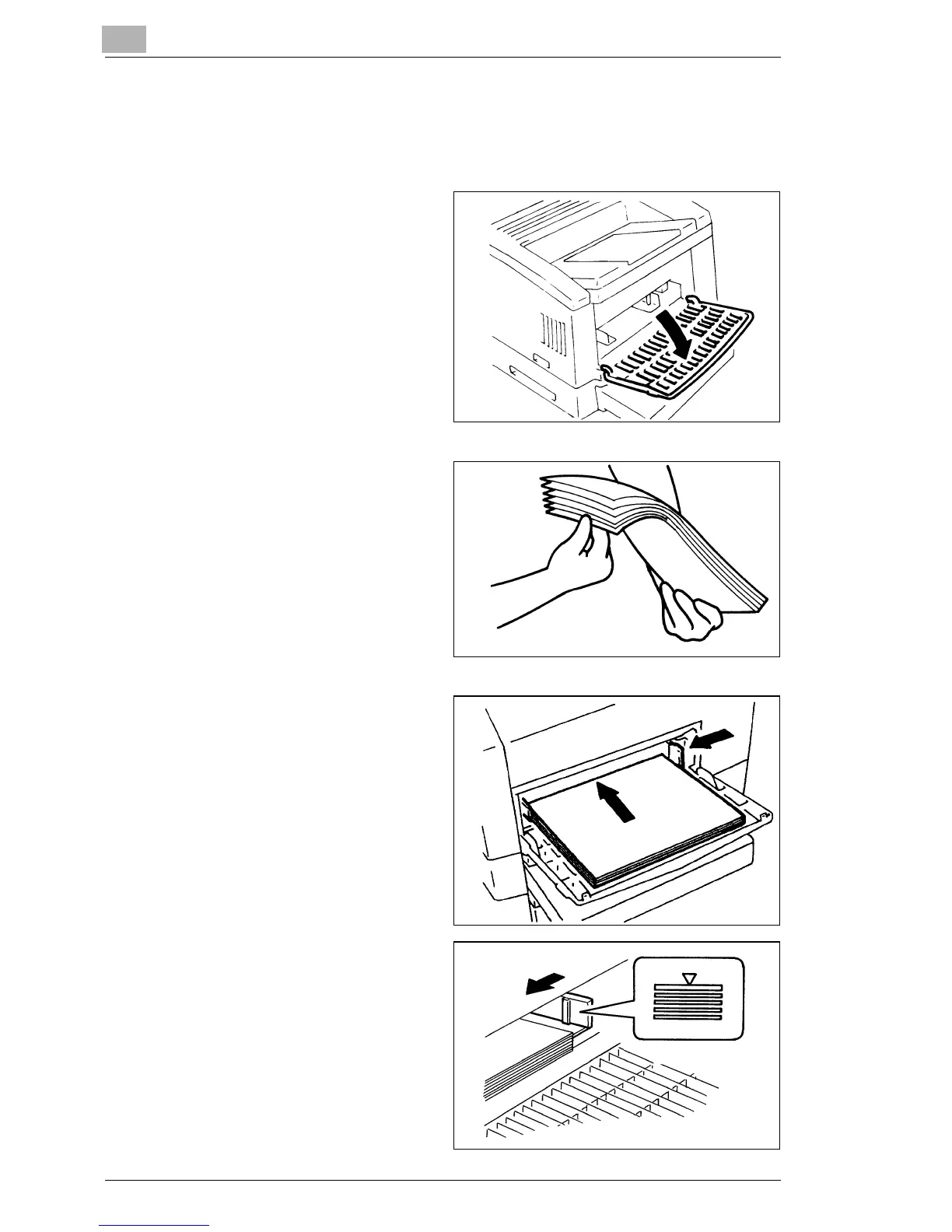
5.3 Set the Paper
Loading Paper into the Paper Feeding Tray
1
Swing down the Paper
Feeding Tray.
2
Fan the paper stack
thoroughly and align the
edges.
3
Load the paper stack face
up in the tray and adjust the
Paper Guides to secure the
paper stack.
§ Make sure that the paper
stack does not exceed the
Maximum Level Indicator.
§ Load a new paper stack
only after the old one has
run out.
4
Close the Paper Feeding
Tray.



 To Next Page
 Loading...







