Value 1 2 3 4 5 6 7 8 9 0
Period (sec.) 0.5 1.0 1.5 2.0 2.5 3.0 3.5 4.0 4.5 5.0
Scanner
3
3-44
Operating in the Cycle Print Mode
1
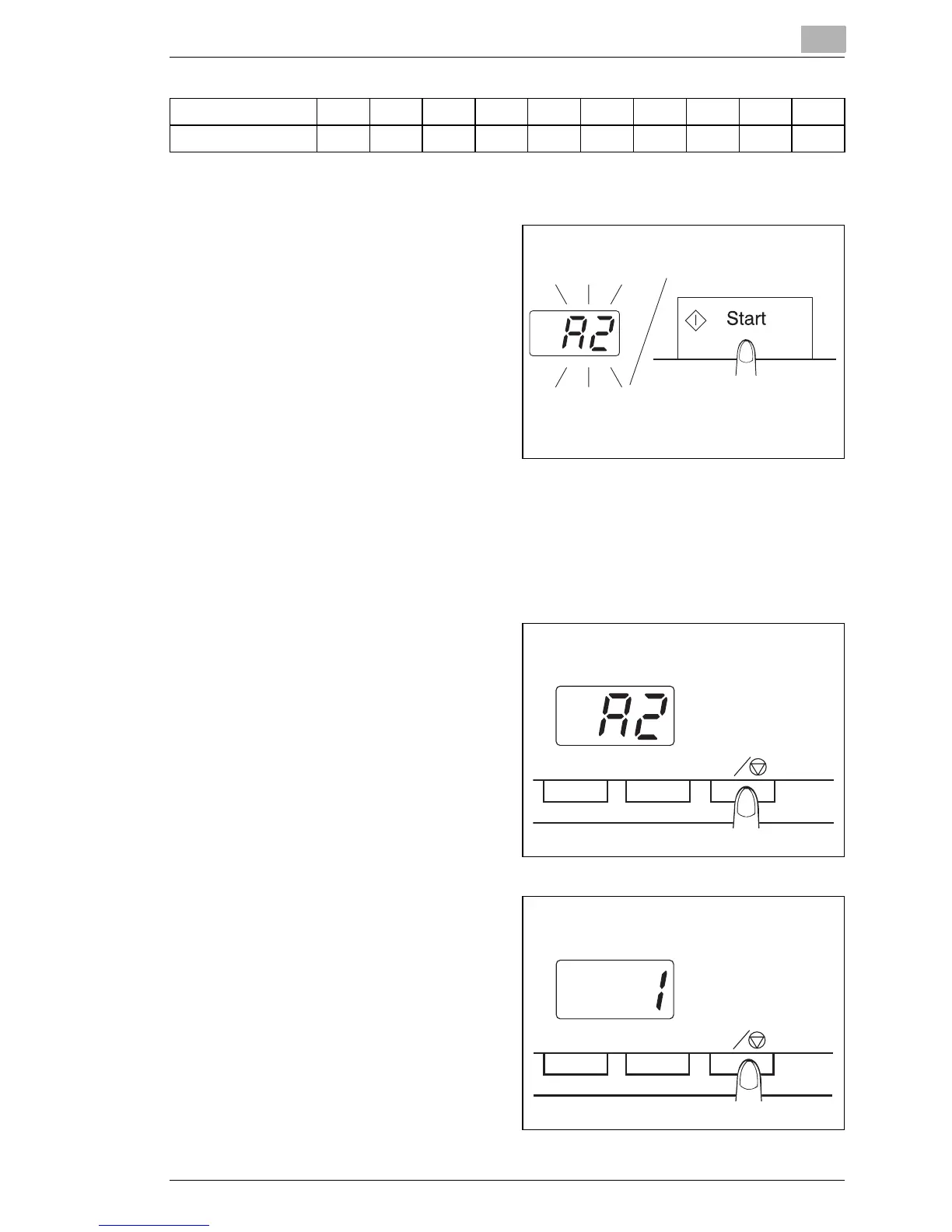
After entering the Cycle Print
Mode, press the Start key to
start.
After the first scanning
operation has finished, the
system will automatically
scan the next image
following a preset period of
time. The system will
continue to operate until the
Cycle Print Mode is
canceled.
The "No. of Copies" value flashes during the "scanning" and "waiting"
operations.
The next scanning job can be started manually by pressing the Start
key before the system automatically initiates the same job.
2
To pause an operation
during the Cycle Print Mode,
press the Clear/Stop key
(the "No. of Copies" value
will switch from a flashing
display to a constant
display).
10 1 C
3
While the pause function is
enabled, it is possible to exit
the Cycle Print Mode by
pressing the Clear/Stop key
a second time (the value
displayed in the "No. of
Copies" display will change
to a "1".)
10 1 C



 To Next Page
 Loading...







