3
Scanner
3-31
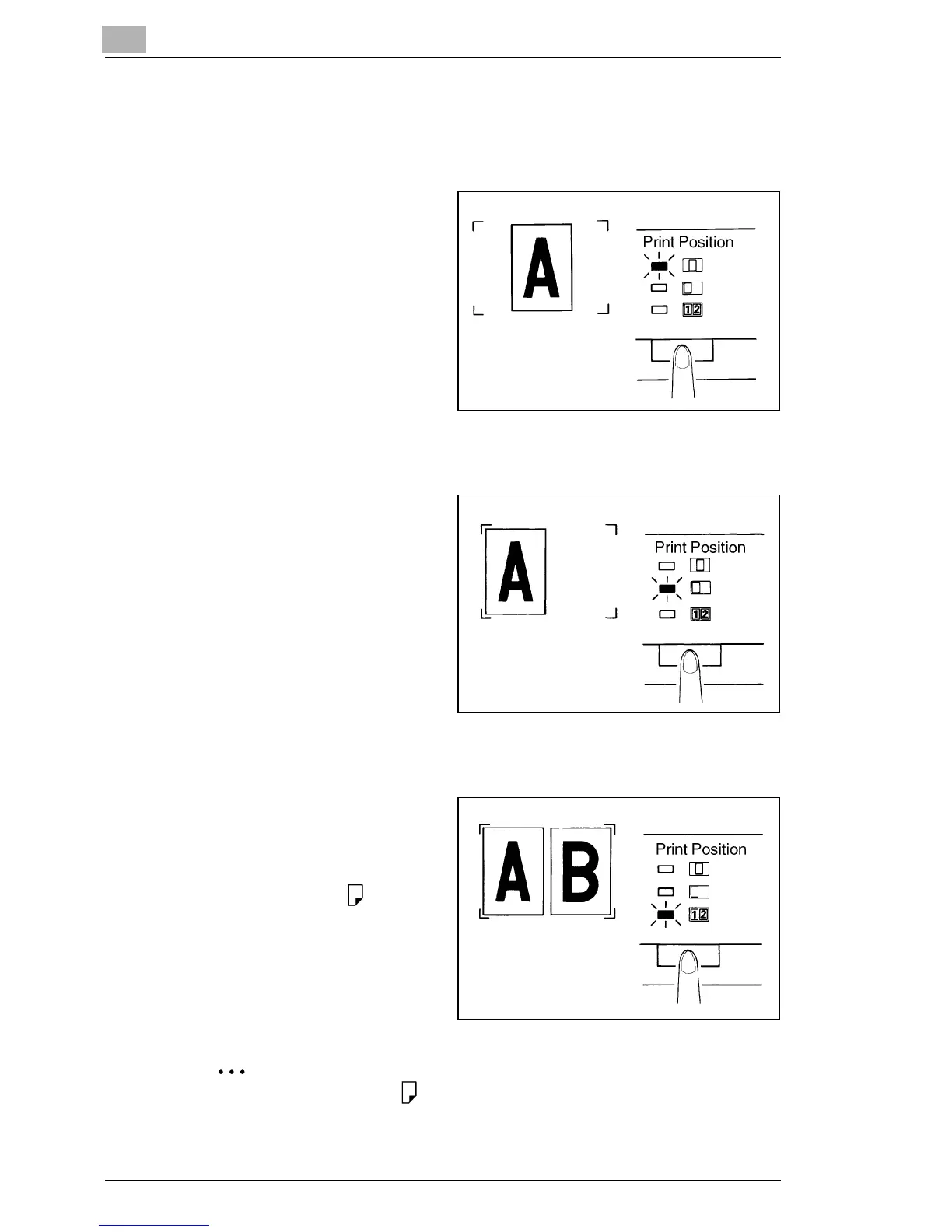
3.15 Selecting the Print Position
Center
1
The system prints the image
that appears in the center of
the screen.
Left
1
The system makes a print of
the image that appears on
the left side of the screen.
Page-by-Page
1
The system prints the
images that appear on both
the left and right sides of the
screen on separate sheets of
8-1/2" x 11" (A4)
paper.
Only 8-1/2" x 11" (A4) paper can be selected for Page-by-Page.



 To Next Page
 Loading...







