4
MSP 3500 Printer
4-4
4.3 Set the Paper
Loading Paper into the Paper Feeding Tray
1
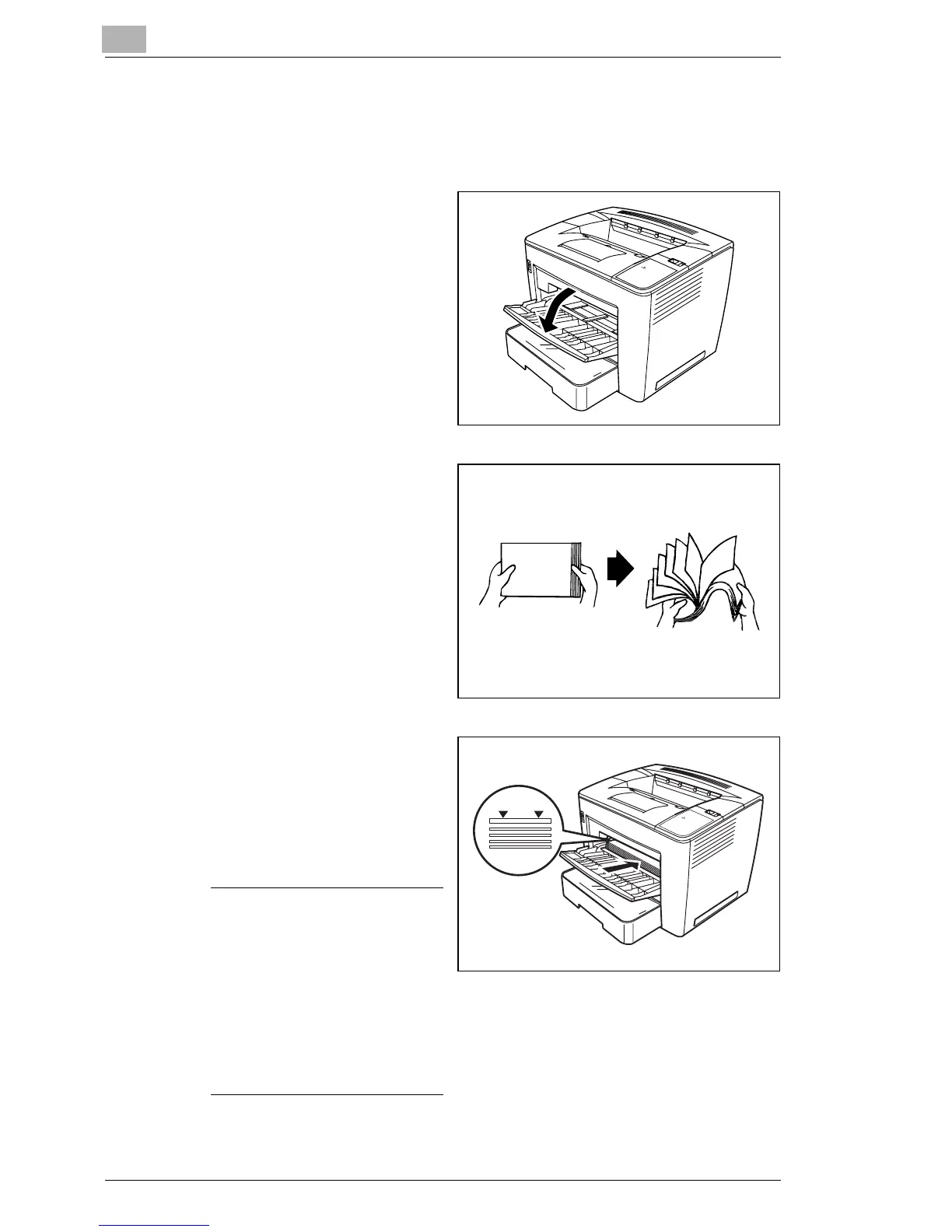
Open the paper feeding tray.
2
Fan a stack of paper.
3
Align the edges of the paper,
and then load it with its
printing-side up. Often, an
arrow on the paper package
label indicates the printing-
side of the media.
Attention
Do not load paper above the
fill limit mark on the inside
left of the tray, or it may not
feed correctly.
The paper feeding tray holds
approximately 200 sheets of
20 lb bond (75 g/m
2
) paper.



 To Next Page
 Loading...







