3
Scanner
3-35
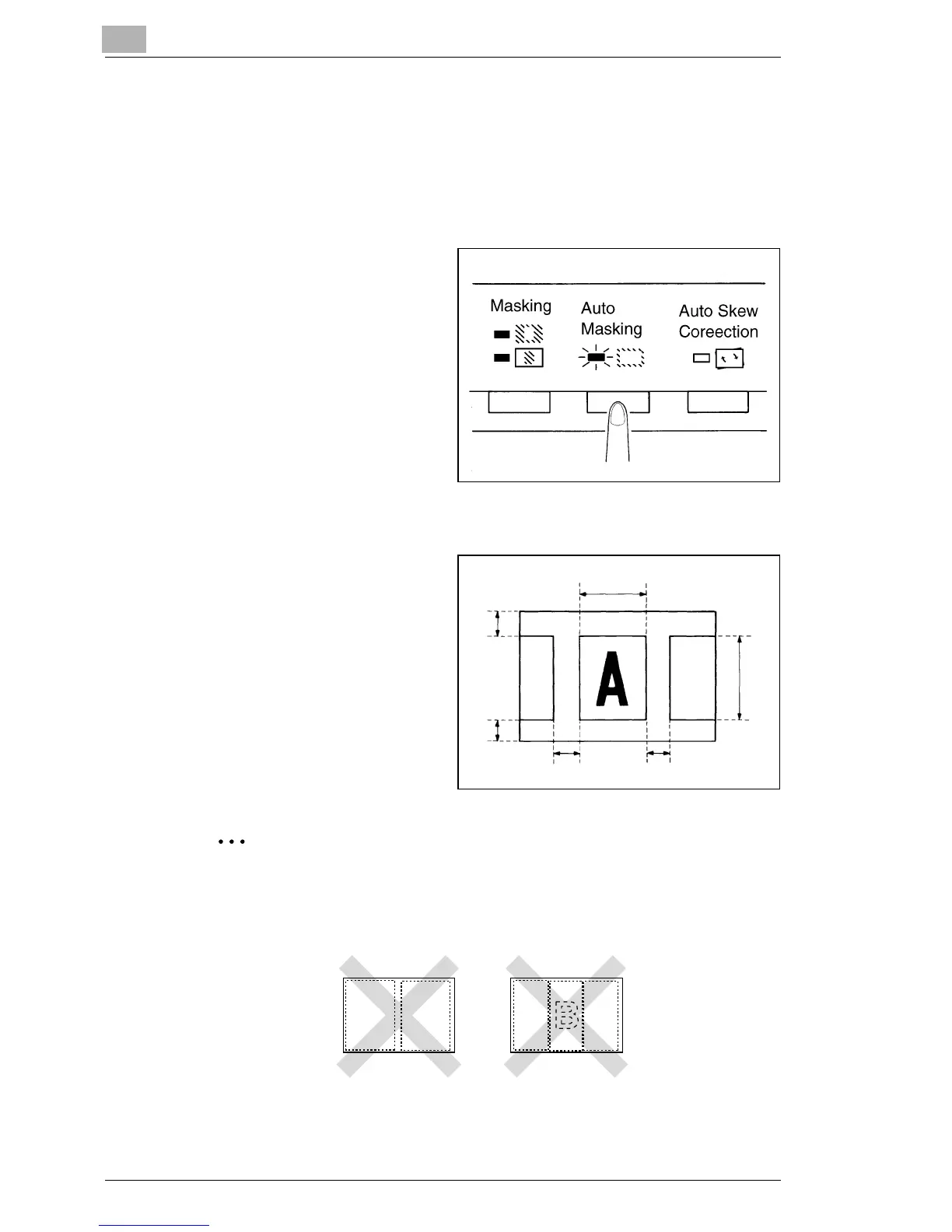
3.18 Using Auto Masking
The Auto Masking function prevents the frame (non-image area) of a film
image from appearing on the print.
Selecting Auto Masking
1
Press the Auto Masking key
to turn ON this function.
Operating Conditions for Auto Masking
A. The image area of the screen
must provide at least 45mm
horizontally and vertically.
A
A
B
B
B
B
B. The width of the frame to be
masked must be at least
10mm.
If the film image on the screen does not meet the above
requirements, the Auto Masking function will not work properly.
Auto Masking is a frame erasing feature. It cannot remove an
image from in between two separate frames.
AB AC



 To Next Page
 Loading...







