Scanner
3
3-50
The Zoom magnification is displayed in the Multi-Print Display to 3
decimal places.
The Zoom magnification level is displayed in the Exposure Display.
Example:When the magnification is 0.50x, it is displayed as 50.
When the magnification is 1.50x, it is displayed as 150.
When the Zoom magnification is changed, the display is made in
the Multi-Print Display as follows.
When it is returned to the standard magnification, this display goes
off.
When the Zoom function is used, the Multi-Print can be set only up
to 9.
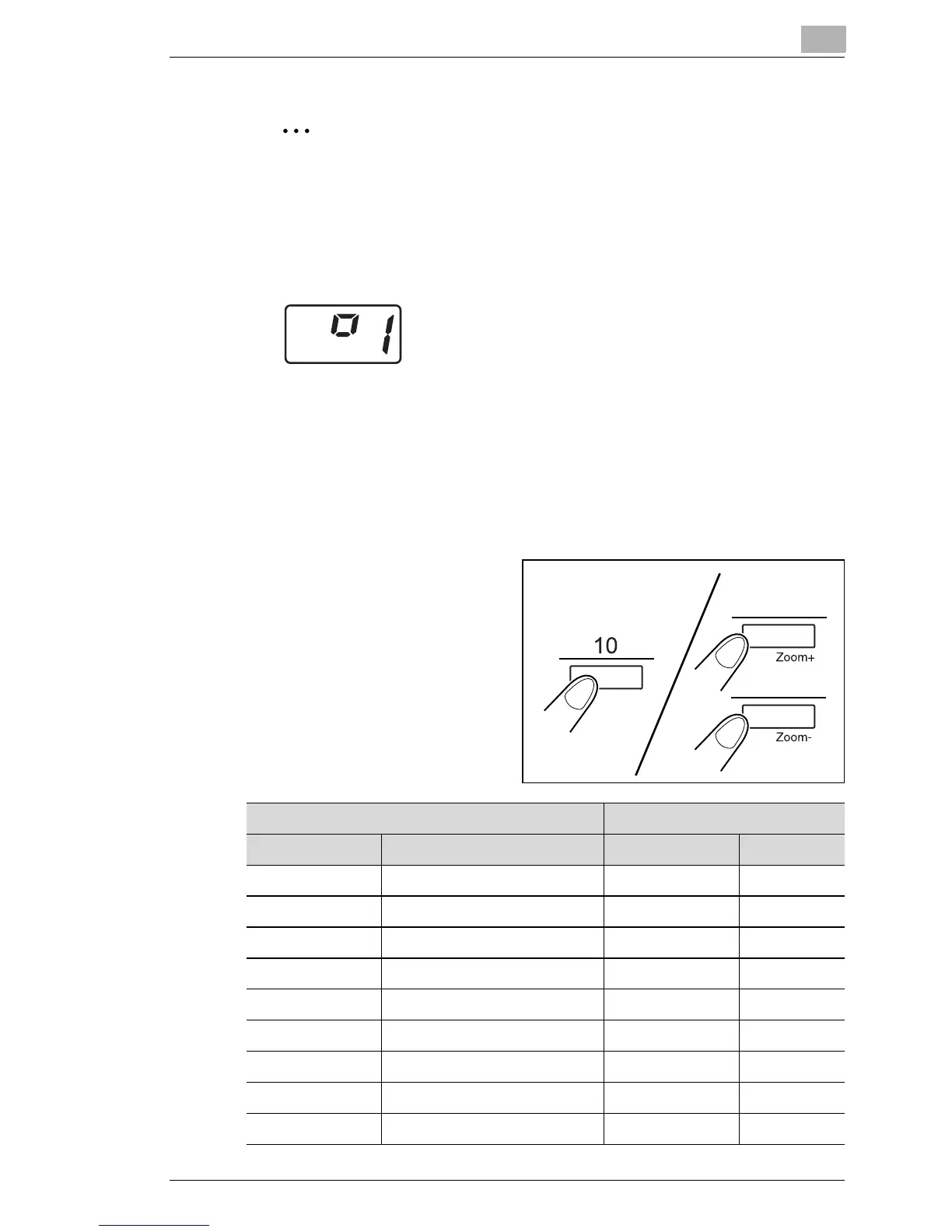
Skip of magnification
Hold down the 10 Key and the
Zoom+ Key or the Zoom- Key
together, the magnification skips
as follows.
Inch Area Metric Area
Magnification Size Magnification Size
0.50 minimum 0.50 minimum
0.65 11" x 17" → 8-1/2" x 11" 0.71 A3 → A4
0.77 11" x 17" → 8-1/2" x 11" 0.82 B4 → A4
0.79 8-1/2" x 14" → 8-1/2" x 11" 0.86 A3 → B4
1.00 full 1.00 full
1.27 8-1/2" x 11" → 8-1/2" x 14" 1.15 B4 → A3
1.29 8-1/2" x 11" → 11" x 17" 1.22 A4 → B4
1.55 8-1/2" x 11" → 11" x 17" 1.41 A4 → A3
2.00 maximum 2.00 maximum



 To Next Page
 Loading...







