MSP 3000 Printer
5
5-5
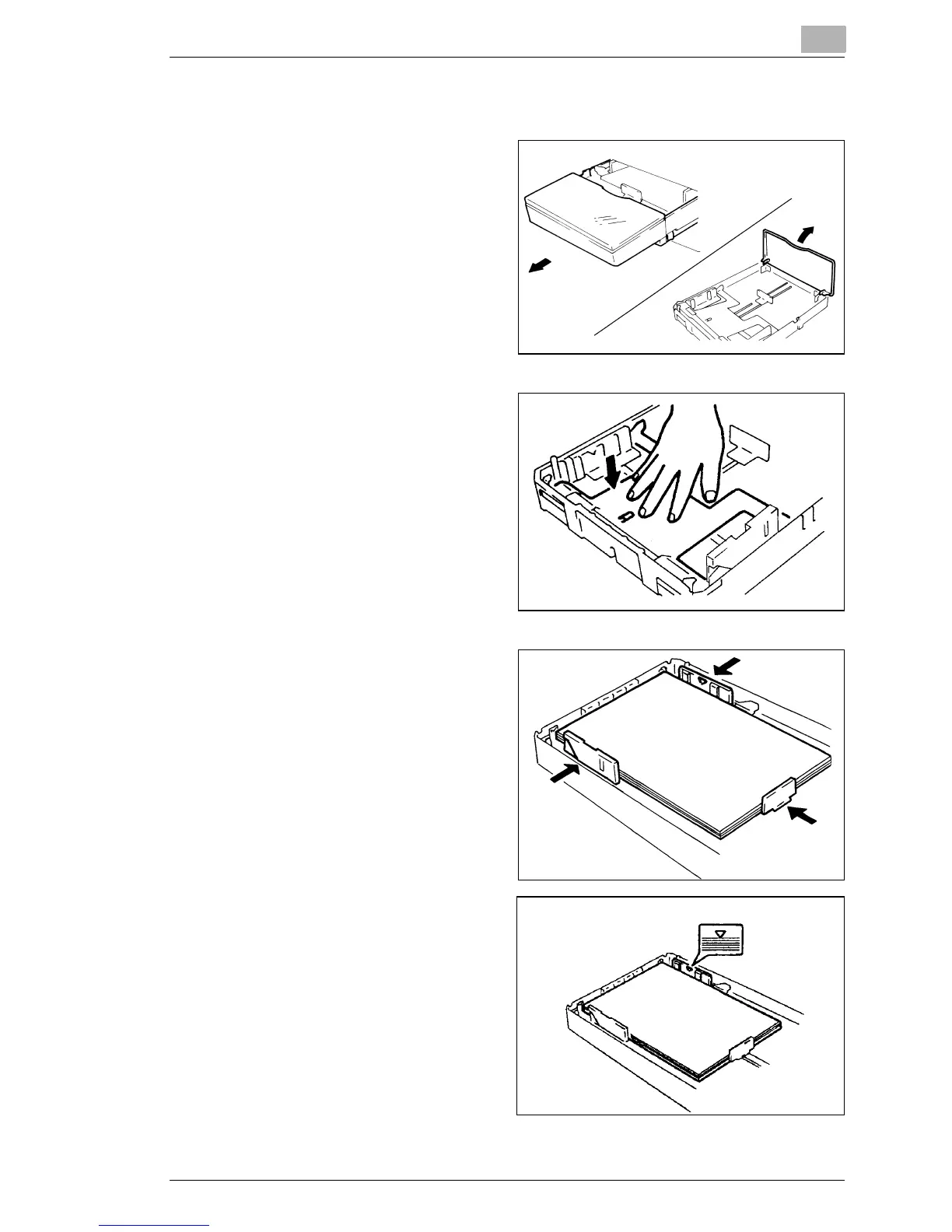
Loading Paper in the Paper Cassette
1
Pull the cassette out of the
Printer and open the Cover.
2
Press down the Paper
Lifting Plate until it locks.
Fan the paper stack
thoroughly, align the edges,
and place the paper in the
cassette.
3
Secure the paper stack in
the Paper Cassette with the
Paper Guides.
§ Make sure that the paper
stack does not exceed the
Maximum Level Indicator.
§ Load a new paper stack
only after the old one has
run out.



 To Next Page
 Loading...







