EasyManua.ls Logo

KVH Industries 1775 IMU - User Manual

KVH Industries 1775 IMU
111 pages
Print Icon
To Next Page IconTo Next Page
Loading...
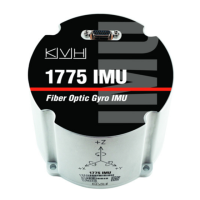
1775 IMU
KVH
®
1775 Inertial
Measurement Unit (IMU)
Technical Manual

Table of Contents

Questions and Answers

  • H
    hpatelAug 3, 2025
    What to do if KVH Industries Measuring Instruments unit is not sending data at the set data rate?
    • C
      cameron02Aug 3, 2025
      If your KVH Industries Measuring Instruments unit isn't sending data at the set data rate, ensure the set baud rate is fast enough to support the chosen data rate. You can verify this with an oscilloscope.
  • C
    Christopher FloresAug 11, 2025
    How to troubleshoot KVH Industries 1775 IMU Measuring Instruments when it does not power up?
    • R
      Ryan ClarkeAug 12, 2025
      If the KVH Industries Measuring Instruments unit does not power up, check the input power supply. A 12 VDC (nominal) supply is recommended for stable performance, drawing between 3-8 W over the entire operating temperature range. If the power supply is okay, inspect the power cable and wiring.
  • M
    mcleanmelissaAug 18, 2025
    What to do if KVH Industries Measuring Instruments unit does not communicate?
    • C
      Craig OrrAug 18, 2025
      If the KVH Industries Measuring Instruments unit is not communicating, check the interface cable. Ensure that your equipment’s serial port settings match the IMU’s settings.
  • A
    Austin DavisAug 26, 2025
    Why is my KVH Industries 1775 IMU streaming incoherent data?
    • G
      Gina TorresAug 26, 2025
      If you are getting incoherent data from your KVH Industries Measuring Instruments, make sure the baud rate of your interface port is set to a valid configurable baud rate. Also, ensure that your parsing algorithm is correct.

Summary

Product Specifications

General Dimensions

Physical dimensions and mounting hole details for the IMU unit.

Interface Connector and Data

Interface Connector

Details the 15-pin Micro-D interface connector and its pinout.

Digital Data Output

Configuration of digital interface, message formats, and signal processing.

Configuration and Control

Configuration Options

Overview of user-configurable parameters like baud rate, data rate, and filters.

User Commands

List and description of commands for IMU configuration and operation.

Troubleshooting and Diagnostics

Troubleshooting

Guidance on diagnosing and resolving common operational problems with the IMU.

Built-In Test (BIT)

Explanation of the IMU's self-test functions for system performance verification.

Appendices

Declaration of Conformity

Statements of compliance with industry standards and regulations for the IMU.

Warranty Information

Details of the manufacturer's limited warranty for the IMU hardware.

Electrical Signaling ICD

Technical document detailing the IMU's electrical interface and communication protocols.

KVH Industries 1775 IMU Specifications

General IconGeneral
Axis3
Accelerometer Range±10 g
Bandwidth100 Hz
Data RateUp to 1000 Hz
Operating Temperature-40°C to +85°C
Power Consumption2.5 W
Weight45 g
InterfaceRS-422
Accelerometer Bias Stability50 μg
Angular Random Walk0.05 deg/√hr