MX’er SYSTEM
Place the machine on a level place.
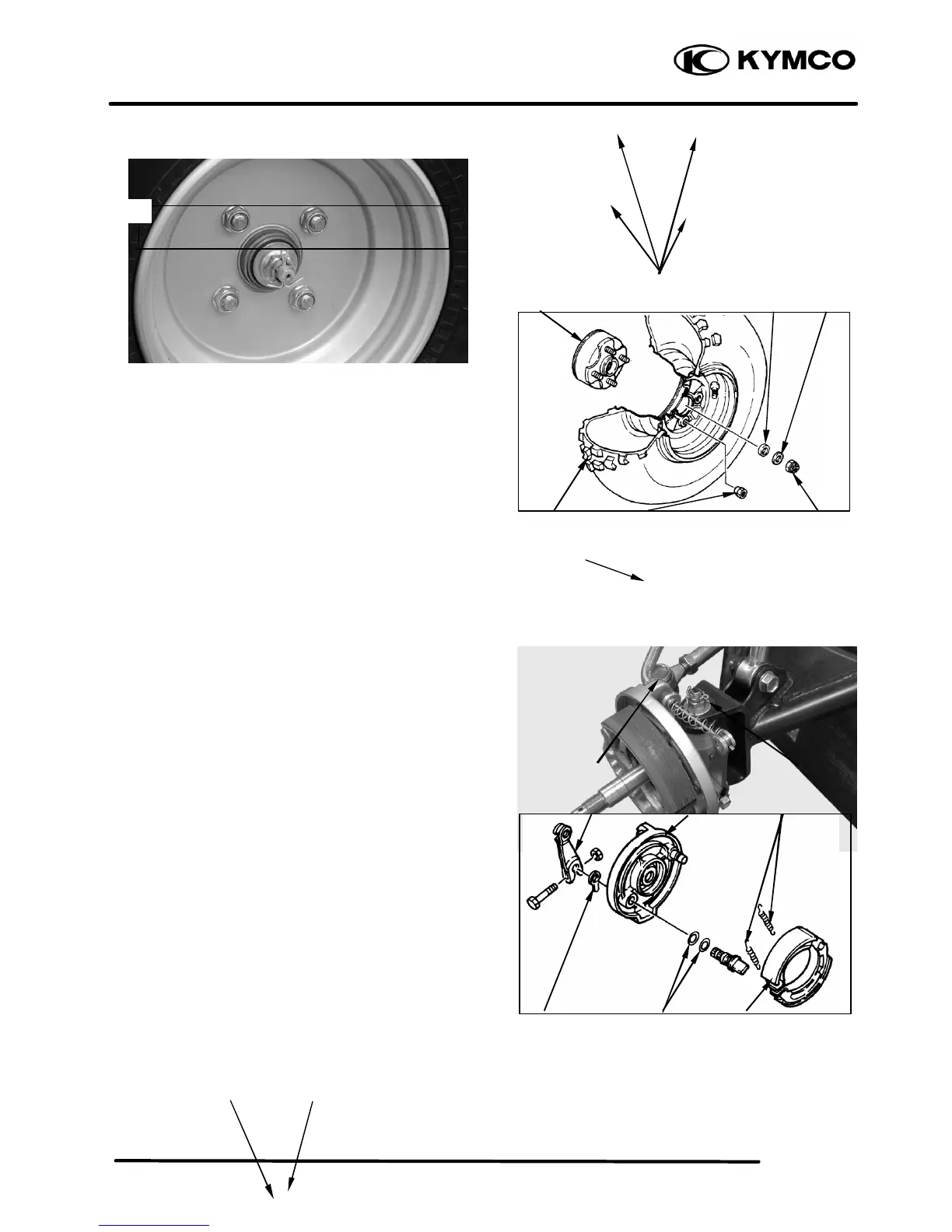
Remove four nuts attaching the wheel panel
and front wheel.
Elevate the front wheels by placing a suitable
stand under the frame.
Remove the cotter pin.
Remove nut attaching the wheel hub and
washer.
Remove the collar and wheel hub.
FRONT BRAKE DISASSEMBLY
Loosen the lock nut and tighten the adjuster nut
at brake lever. (Refer to the “FRONT BRAKE
ADJUSTMENT” section in the CHAPTER
3.).
Disconnect the front brake cable from brake
cam lever and remove the brake panel.
Remove the brake shoes.
REMOVE
Remove brake shoes and springs.
Remove the bolt attaching camshaft lever
and remove camshaft lever.
Remove the wear indicator, camshaft and O-
rings
Measure the wheel run out.
Replace wheel or check bearing play if out



 To Next Page