Chapter 2 Performing an Investigation 23
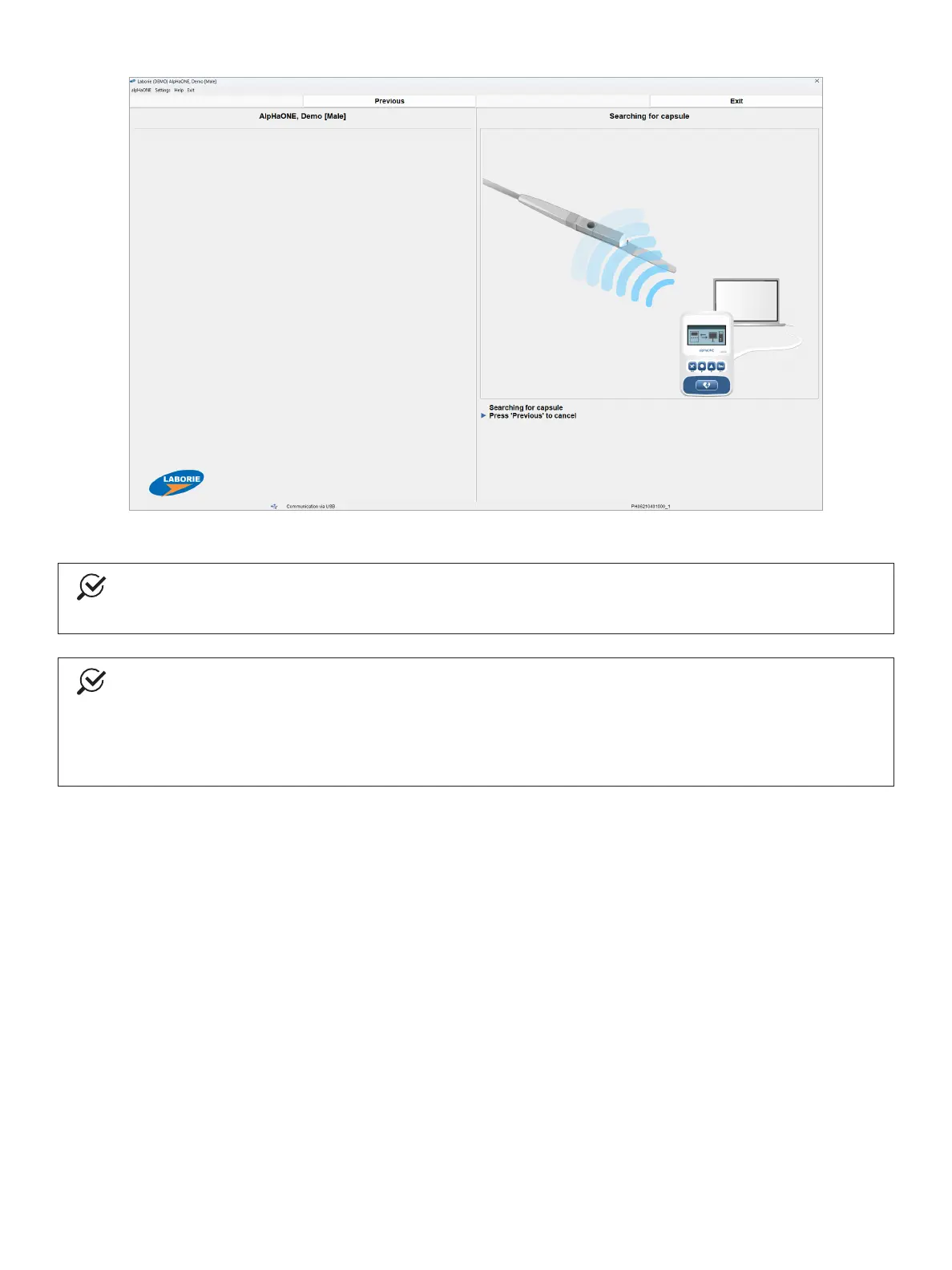
Figure2-7: SearchingforanActivatedCapsule
NOTE
Topreventsignalinterference,maintainaminimumdistanceoftwometersbetweenthebreakerandthe
delivery system.
NOTE
If for any reason the examination must be delayed or cancelled, and the capsule has not yet been inserted
intothepatient,placethebreakerbackonthecapsuletoreturnittoaninactivestateuntilyouare
readytoproceed.TheLEDindicatorwillstopashing,signallingthatthecapsulehasbeensuccessfully
deactivated.Donotdiscardthebreaker;youshouldkeepitavailableuntilthecapsulehasbeeninserted
into the patient, in case you need to deactivate the capsule.
6. WhenthealpHaONEdetectsthecapsule’ssignal,theVIPwilldisplaythecapsule’suniqueidentiernumberin
the Status area, as depicted in Figure2-8.Conrmthatthisnumbermatchesthenumberprintedonthebottom
of the capsule’s delivery-system handle, and then press Yes to proceed. If the capsule number does not match,
press No to cancel the procedure.



 To Next Page