30 Laborie alpHaONE User & Service Manual LBL-01791 [B]
01-01-2017 01:01
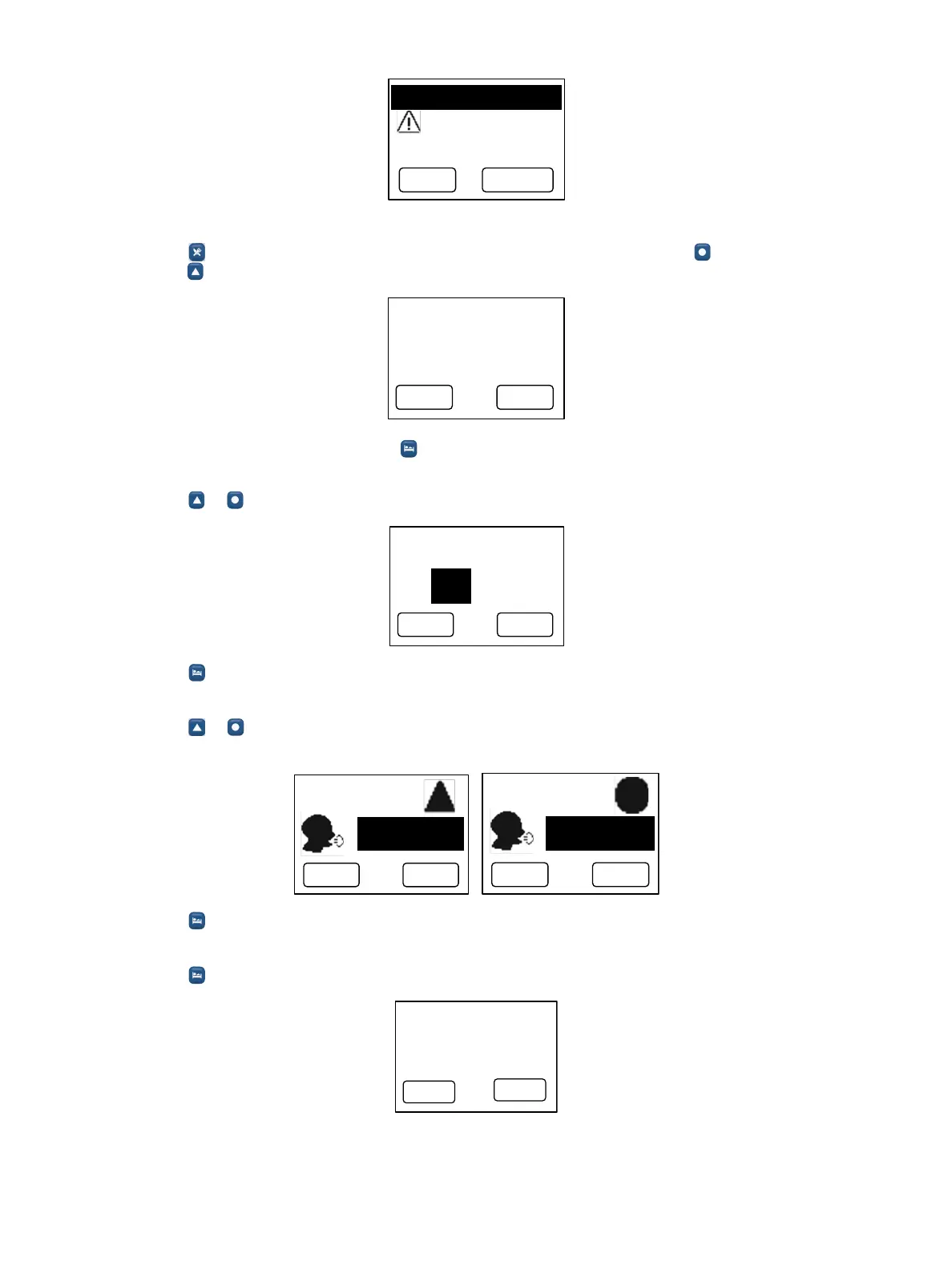
P ress E N TER to
erase previous
study data.
ENTER ESC
2. Set the date and time.
a. Press to display the SetDate/Timescreen.Pressthemultifunctionbutton( )toincreasethevalueor
press to decrease the value.
S e t D a te /T im e
01-01-2000
00:00:00
ENTER
ALTER
When the date and time are correct, press to go to the next step.
3. Set the study duration.
a. Press or to select the study duration (24, 48, 72, or 96 hours).
ENTERESC
Set study duration
96 H ours
b. Press toconrmandgotothenextstep.
4. Settheuser-denedeventkeys.
a. Press or toselectthedenitionofthebutton.Theavailableoptionsarecough,wheeze,regurgitate,
laryngospasm, chest pain, or belching.
Set U ser-key
C ough
ENTERESC
Set U ser-key
Belching
ENTERESC
b. Press toconrmandgotothenextstep
5. Capsule search
a. Press . The screen displays the message PleaseremovethecapsulebreakerafterpressingENTER.
ENTER
ESC
Pl ease remove the
capsule breaker
after pressing
ENTER.
S earching ca psule
b. The screen then displays a progress bar showing the status of the search for the activated capsule.



 To Next Page