LaCie Ethernet Disk RAID (Firmware version 1.4)
User Manual
page 66
Managing Your Ethernet Disk RAID
To change the disk configuration:
In the navigation bar, click Advanced.
In the left pane, click Disks.
In the Administrator password text box, enter your
password for logging in to the Manager.
Click Reconfigure Disks.
When the confirmation message appears, click OK.
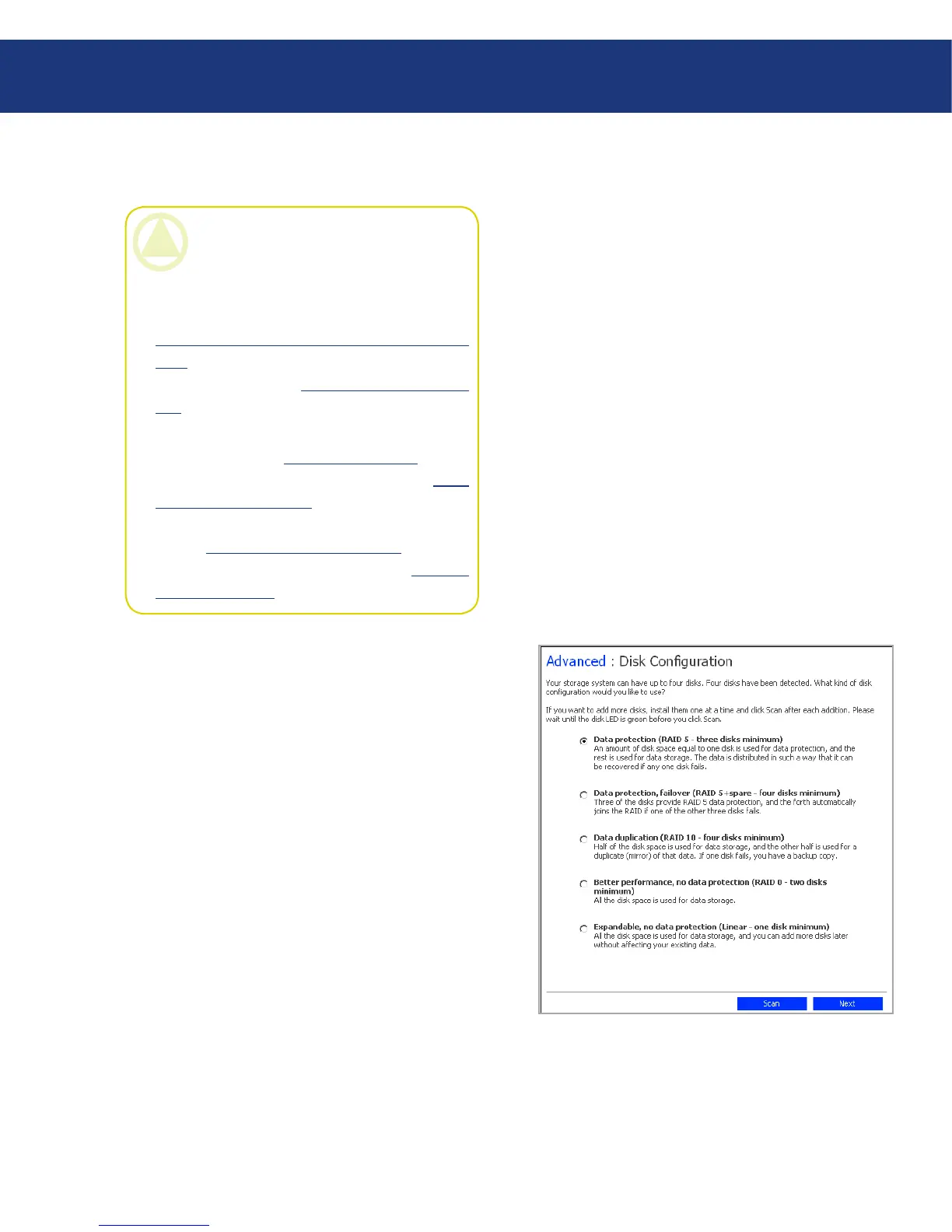
e Disk Configuration page appears (see Fig.
5.7.6.2.A.). e options that appear on this page vary,
depending on the number of hard disks that are cur-
rently installed in the system.
If you want to add or remove hard disks, do so one
at a time and click Scan after each action. If you’re
adding disks, wait until the disk LED is green before
you click Scan. To accept the default disk configura-
tion (which will provide the best level of data pro-
tection available for the number of hard disks cur-
rently installed), click Next. By default, a linear disk
1.
2.
3.
4.
5.
Fig. 5.7.6.2.A.
CAUTION: Changing the disk configuration
will delete all user information and all data on all
the disks.
Before you do this, have all the users disconnect
from all shared folders (as described in section
5.3. Disconnecting from Shared Folders Using
FTP) and remove protection from all disks (as
described in section 7.9.5. Removing Protec-
tion).
When you are done, you must re-add all users (as
described in section 4.1.1. Adding Users), create
new shared folders (as described in section 5.5.1.
Creating Shared Folders), and have all users once
again access the shared folders (as described in
section 6.1. Accessing Shared Folders) and pro-
tect their disks (as described in section 7.2. Pro-
tecting Your Disks).
5.7.6.2. Reconfiguring the Disks














 To Next Page