91
5. Troubleshooting
Adjusting the Volume
You can change the volume of the fol-
lowing sounds that the machine makes.
❖ On Hook Mode
Heard when the {On Hook Dial} key
is pressed.
❖ At Transmission
Heard when the machine sends a
document.
❖ At Reception
Heard when the machine receives
a document.
❖ At Dialing
Heard after pressing the {Start}
key, until the line connects to the
destination.
❖ At Printing
Heard when a received document
is printed. See p.97 “Print Comple-
tion Beep”, Facsimile Reference <Ad-
vanced Features> .
Note
❒ You can adjust the On Hook volume
when you press the {On Hook Dial} key.
See p.57 “On Hook Dial”, Facsimile
Reference <Advanced Features> .
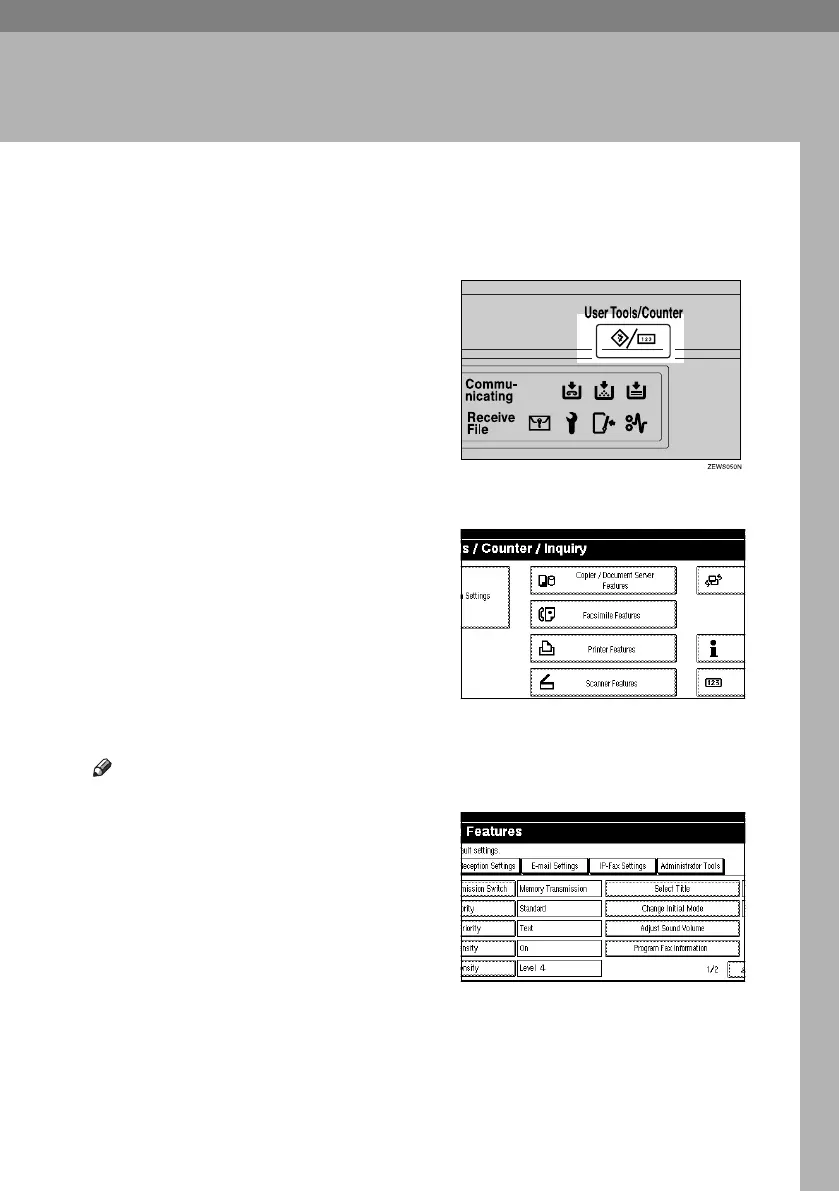
A Press the {User Tools/Counter} key.
B Press [Facsimile Features].
C Make sure the [Gen. Settings/ Adjust]
screen is displayed.
D Press [Adjust Sound Volume].
RussianC4-EN_Combine-F_FM.book Page 91 Wednesday, April 27, 2005 2:01 PM



 To Next Page