Faxing
20
2
Transmission Modes
There are two types of transmission:
• Memory Transmission
• Immediate Transmission
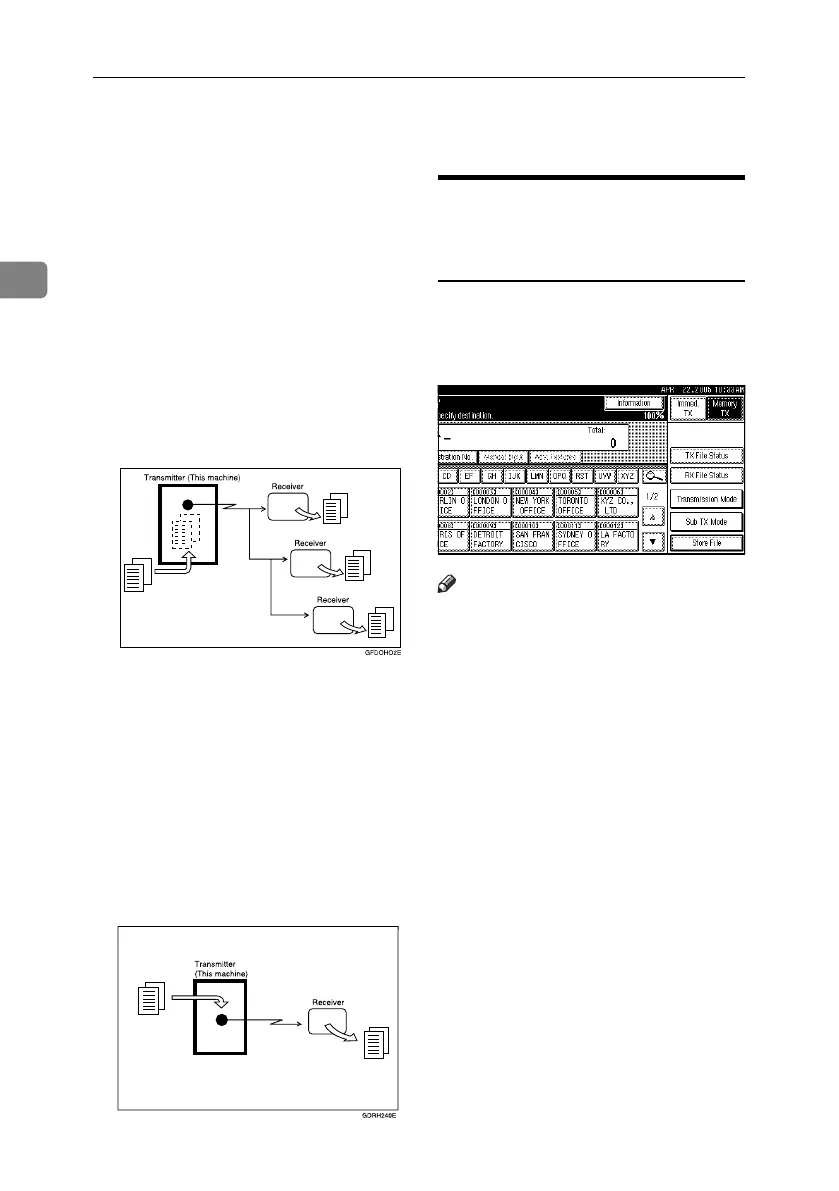
❖ Memory Transmission
Transmission starts automatically
after the original is stored in mem-
ory. This is convenient when you
are in a hurry and want to take the
document away with you. You can
also send the same original to sev-
eral destinations. See p.24 “Broad-
casting sequence”.
❖ Immediate Transmission
Immediately dials the destination
number, and while scanning the
original, sends it. It is very conve-
nient when you want to send an
original quickly or when you want
to check the destination you are
sending to. When using this type
of transmission, the original is not
stored in memory. You can only
specify one address.
Switching between Memory
Transmission and Immediate
Transmission
Check the display to see which mode
is currently active. You can change
transmission mode by pressing
[Immed. TX] or [Memory TX].
Note
❒ You can set the machine to enter
Memory Transmission mode or
Immediate Transmission mode af-
ter the power is turned on or the
{Clear Modes} key is pressed. See
p.145 “General Settings/Adjust-
ment”, Facsimile Reference <Ad-
vanced Features> .
RussianC4-EN_Combine-F_FM.book Page 20 Wednesday, April 27, 2005 2:01 PM



 To Next Page