Using Internet Fax Functions
80
3
Sending by IP-Fax
IP-Fax function uses TCP/IP (LAN or
Internet), and the same procedures as
the standard fax function. Functions
available in both standard and IP-Fax
transmission can be used in generally
the same manner.
By connecting the machine to a gate-
way (T.38-compliant), you can send
to a standard G3 facsimile connected
to the public switched telephone net-
work (PSTN) via TCP/IP.
Preparation
Make the network settings in the
System Settings menu beforehand.
See Network Guide.
Note
❒ To send via the Internet, the receiv-
er’s machine must also be connect-
ed to the Internet. You cannot send
to a firewall-protected network.
❒ For a list of gateways (T.38-compli-
ant), gatekeepers, or SIP servers
that are certified as operable with
this machine, contact your local re-
seller or service provider.
❒ When using the transfer request
function, you can specify the IP-
Fax destination to the transfer sta-
tion. See p.88 “Sending the Trans-
fer Result Report”, Facsimile
Reference <Advanced Features> .
❒ For details about how to confirm
the transmission result, see p.31
“Confirming Transmission”.
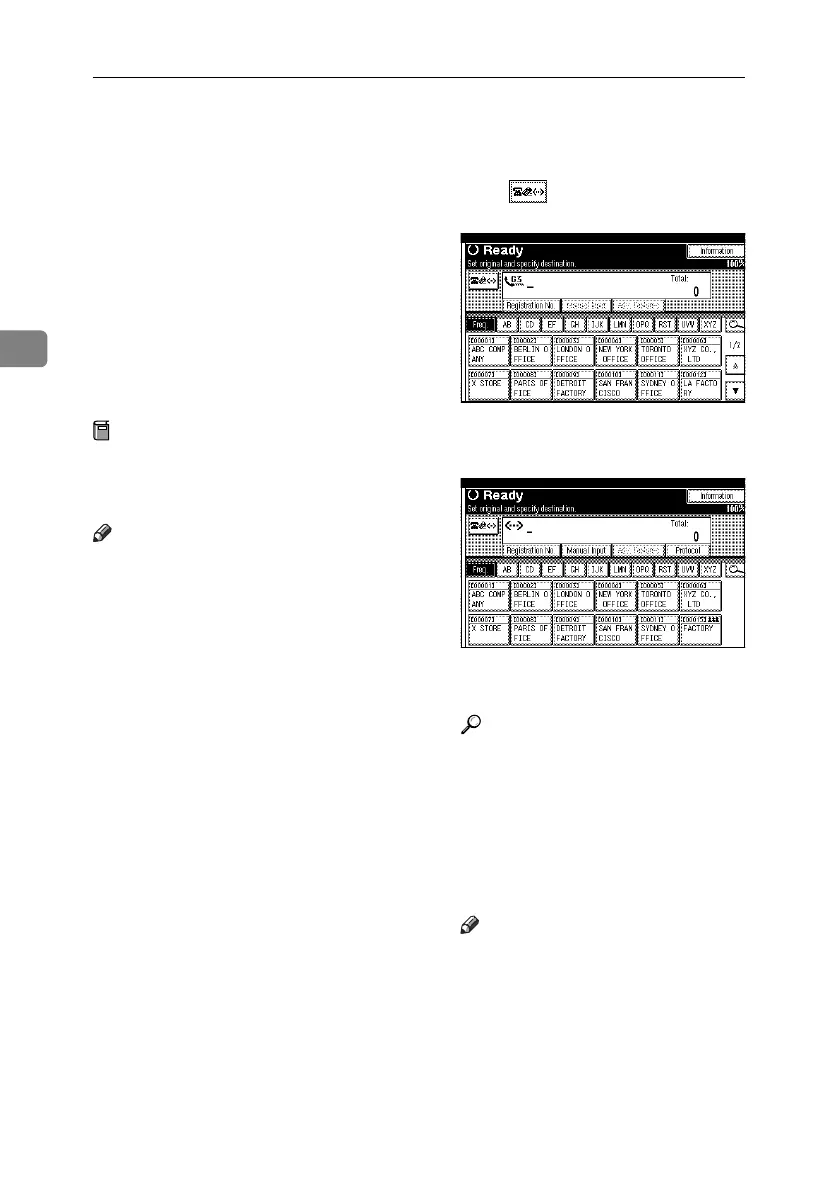
A Press to switch the destination
to IP-Fax number.
B Specify the IP-Fax destination of
the receiver.
If you do not want to add a desti-
nation, proceed to step
E
.
Reference
p.43 “Entering an IP-Fax Desti-
nation”
p.45 “Using the Destination List
to Specify Single or Group Des-
tinations”
p.47 “Redial”, Facsimile Refer-
ence <Advanced Features>
Note
❒ When both Enable H.323 and
Enable SIP are set to On under
IP-Fax Settings in the Facsimile
Features menu, [Protocol] ap-
pears. Press [Protocol] to select
the protocol you want to use.
RussianC4-EN_Combine-F_FM.book Page 80 Wednesday, April 27, 2005 2:01 PM



 To Next Page