Using Internet Fax Functions
70
3
Bypassing the SMTP Server
You can send Internet Fax documents
directly to their destinations without
going through the SMTP server. In-
ternet Faxes are normally transmitted
via the SMTP server. However, with
this feature the domain part of the
destination's e-mail address is read as
the SMTP server's address and trans-
missions bypass the SMTP server.
Since this reduces load on the server,
you can send faxes without having to
take server to destination transfer
time into account.
Preparation
Set the port number for the SMTP
server to 25 in advance. See “File
Transfer”, Network Guide.
Limitation
❒ To use this function, the other par-
ty's fax machine must be:
• compatible with Internet Fax
• connected to the same LAN as
this machine
• have its reception protocol set to
SMTP
❒ SMTP authentication set on the oth-
er party's fax machine is disabled
when Internet Fax is transmitted
using this function.
❒ If an Internet Fax is transmitted from
the other party using this function,
even if reception is not successful,
an Error Mail Notification is not
sent to the sender.
❒ When an Internet Fax is transmitted
using this function, even if trans-
mission is not successful, the error
e-mail is not sent from the server.
❒ When using this function, you cannot
send Internet Fax documents to the
administrator's e-mail address
programmed on this machine.
Note
❒ When you specify destinations di-
rectly using the keypad, you can
specify whether or not to use the
SMTP server for each destination.
❒ When you select destinations in
the destination list, the SMTP serv-
er setting specified in the Address
Book is enabled.
❒ To send Internet Fax documents from
a computer, use the LAN-Fax Driver
to specify whether or not to bypass the
SMTP server. When sending with
the [Use device address] check box
selected, the SMTP server setting
specified on this machine is enabled.
See p.112 “Basic Transmission”,
Facsimile Reference <Advanced Fea-
tures> .
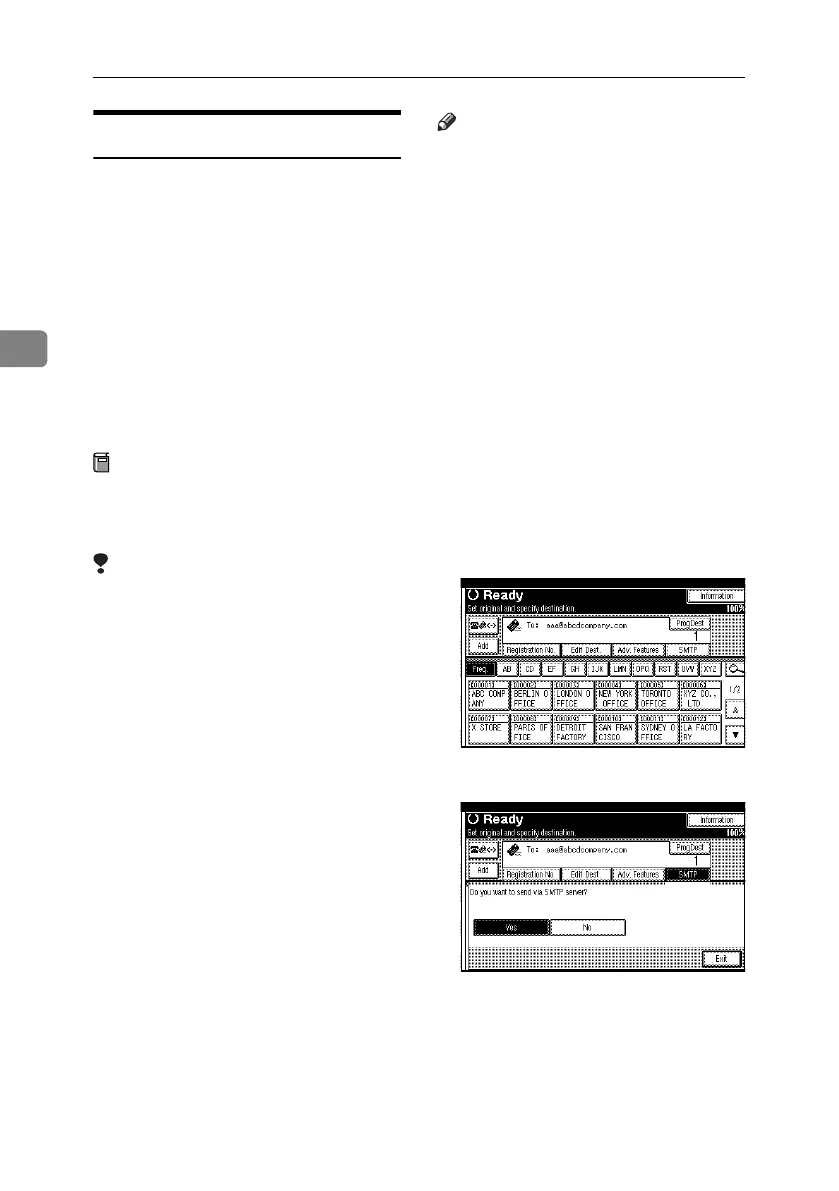
A Press [SMTP].
B Press [No].
C Press [Exit].
RussianC4-EN_Combine-F_FM.book Page 70 Wednesday, April 27, 2005 2:01 PM



 To Next Page