Using Internet Fax Functions
72
3
Canceling Transmission of an Internet Fax
When fax, Internet Fax, and IP-Fax
destinations are specified simulta-
neously, as well as only a fax or IP-
Fax destination is specified, you can
cancel transmission using the same
method.
Note
❒ You cannot cancel transmission once
the original is scanned.
Before the Original Is Scanned
Use this procedure to cancel a transmis-
sion before pressing the {Start} key.
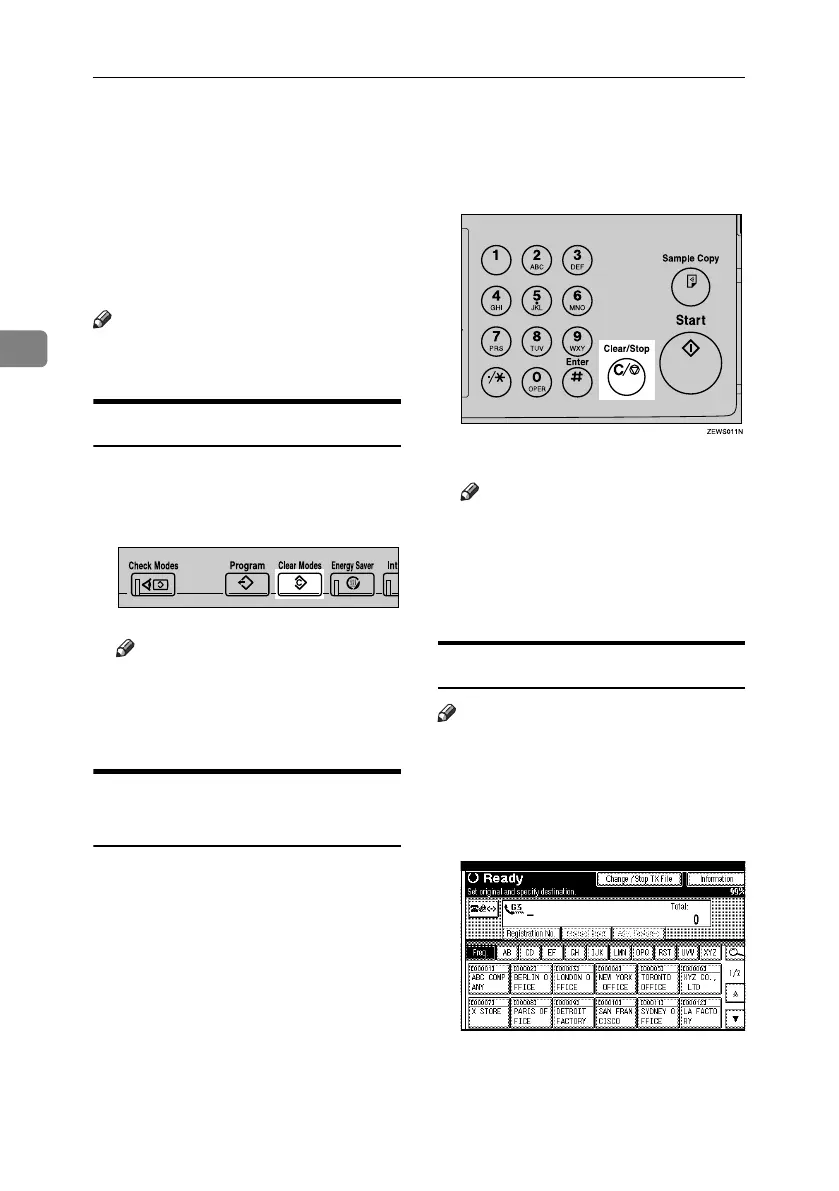
A Press the {Clear Modes} key.
Note
❒ When originals are placed into
the ADF, you can cancel trans-
mission simply by removing
them.
While the Original Is Being
Scanned
Use this procedure to cancel a trans-
mission after pressing the {Start} key.
A Press the {Clear/Stop} key.
The machine stops scanning.
Note
❒ You can also cancel scanning by
pressing [Stop Scanning].
❒ Scanning may be completed while
you are performing the cancel
operation.
After the Original Is Scanned
Note
❒ Depending on the paper size and
time when you cancel the trans-
mission, you cannot cancel trans-
mission of an Internet Fax.
A Press [Change / Stop TX File].
The list of stored files being trans-
mitted or waiting for transmission
appears.
ZLBS050N
RussianC4-EN_Combine-F_FM.book Page 72 Wednesday, April 27, 2005 2:01 PM



 To Next Page