Specifying a Destination
43
2
Entering an IP-Fax Destination
When using IP-Fax transmission,
specify the IP-Fax destination (IP ad-
dress, host name, or alias telephone
number) in place of the fax number.
See p.77 “Internet Fax Functions (by
Specifying an IP Address)”.
Note
❒ You can enter up to 128 characters.
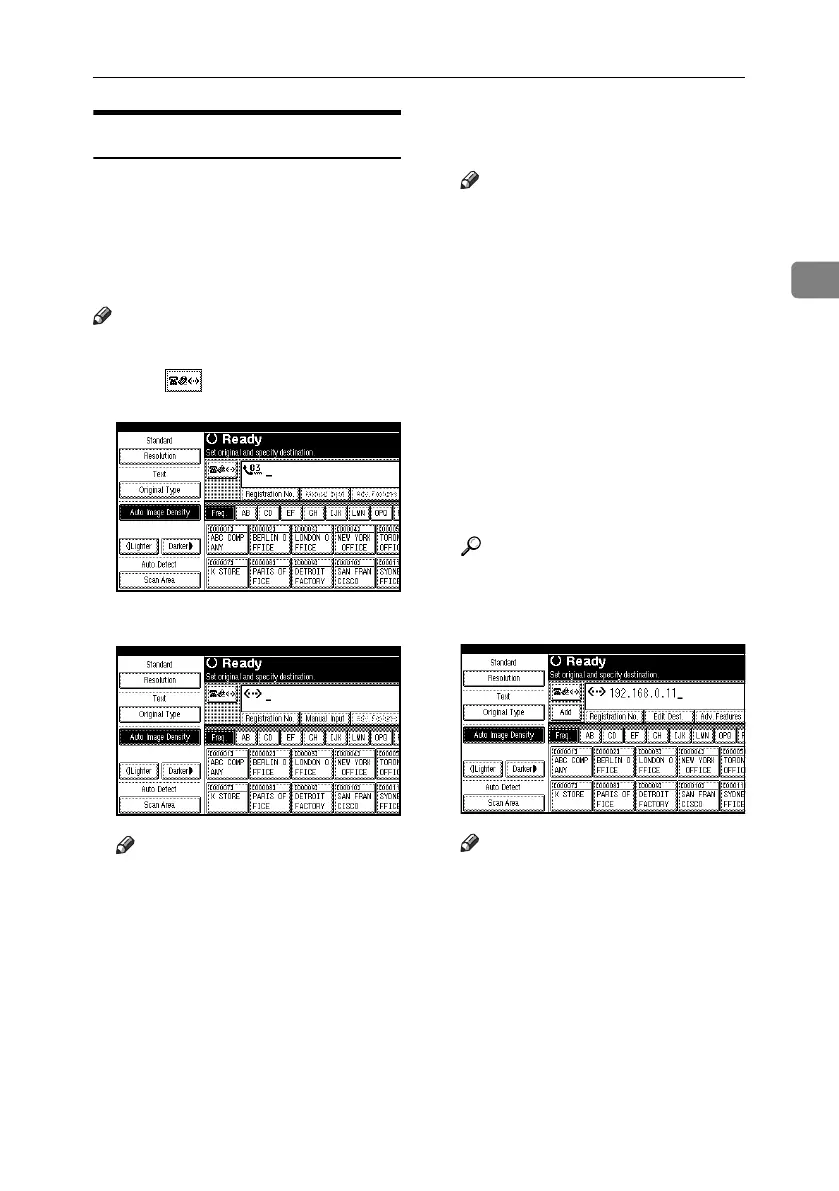
A Press to switch the destination
to IP-Fax destination.
B Press [Manual Input].
Note
❒ Depending on security settings,
[Manual Input] may not appear,
and you may be unable to enter
the IP-Fax destination.
C Enter the IP-Fax destination, and
then press [OK].
Note
❒ If you have set both of “Enable
H.323” and “Enable SIP” pa-
rameters to “On” with “IP-Fax
Settings” under “Facsimile Fea-
tures”, [Protocol] appears. Press
this button to select a protocol
to be used.
❒ If you enter an incorrect charac-
ter, press [Backspace] or [Delete
All]. Then, re-enter the charac-
ters correctly.
❒ To change the IP-Fax destination
after pressing [OK], press [Edit
Dest.], re-enter an IP-Fax desti-
nation, and then press [OK].
Reference
“Entering Text”, General Set-
tings Guide
The destination is specified.
Note
❒ Press [ProgDest] in this order to
store the entered IP-Fax destina-
tion in the Address Book. See
p.45 “Registering Entered Des-
tinations to the Address Book”.
RussianC4-EN_Combine-F_FM.book Page 43 Wednesday, April 27, 2005 2:01 PM



 To Next Page