Faxing
56
2
Reception
There are two ways you can set up the
machine to handle incoming calls:
• Manual Reception (the optional hand-
set or an external telephone required)
•Auto Reception
You can change the reception mode
only if a standard G3 line is used.
You cannot change the reception
mode when a line other than the stan-
dard G3 line (G3-2 or G3-3) is used.
❖ Manual Reception
When a telephone call comes in,
the machine rings. If the call is a fax
document, you must switch manu-
ally to facsimile mode.
❖ Auto Reception
When a telephone call comes in,
the machine automatically receives
it as a fax document. Use this setting
on a dedicated fax line.
Note
❒ The optional handset or an ex-
ternal telephone is required to
use this machine as a telephone.
Switching the Reception Mode
You can switch reception modes using
Reception Settings in the Facsimile
Features menu. See p.147 “Reception
Settings”, Facsimile Reference <Ad-
vanced Features> .
If you program a Quick Operation
key with Switch Reception Mode, you
can switch the reception mode quick-
ly.
Preparation
You can only use this function after
programming a Quick Operation key
as the reception mode switch with
[Quick Operation Key 1], [Quick Oper-
ation Key 2], or [Quick Operation Key
3] under Gen. Settings/ Adjust. See
p.145 “General Settings/Adjust-
ment”, Facsimile Reference <Ad-
vanced Features> .
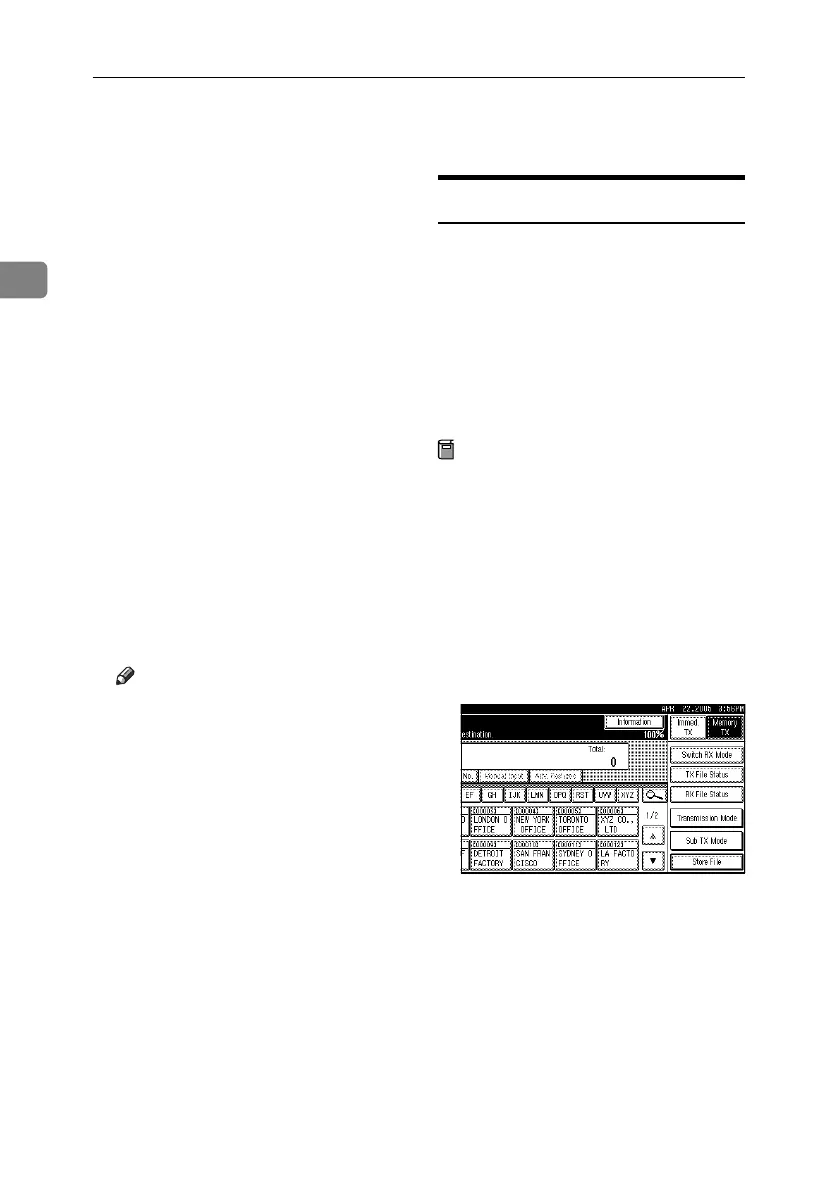
A Press [Switch RX Mode].
RussianC4-EN_Combine-F_FM.book Page 56 Wednesday, April 27, 2005 2:01 PM



 To Next Page