Searching for a Destination
49
2
Note
❒ If you enter a wrong destination
name, press [←] or [→] and
[Backspace] or [Delete All], and
then enter the destination name
again.
E Confirm the entered character and
press [OK].
A search-in-progress message ap-
pears.
When the search is finished, a re-
sult appears.
F Select a destination.
Note
❒ If the desired destination does
not appear, use [U] or [T] to
scroll through the list.
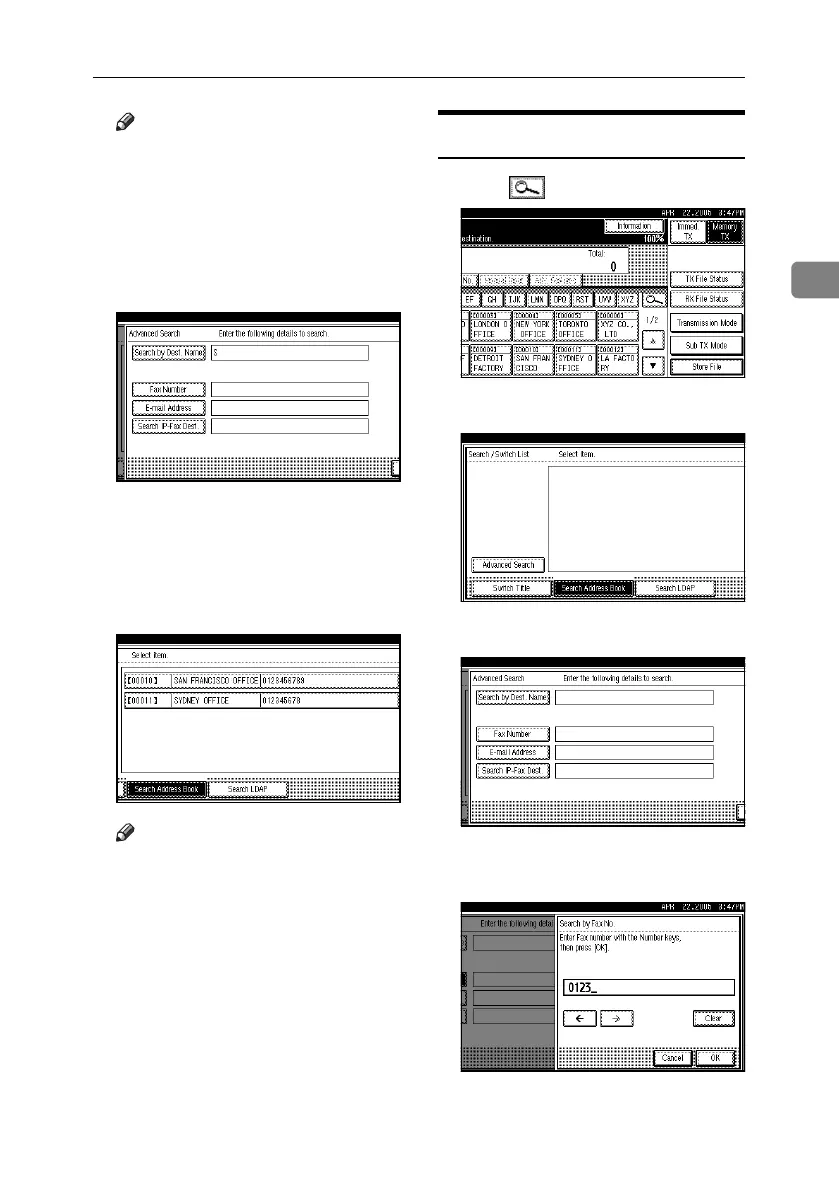
Search by Fax Number
A Press , the magnifier icon.
B Press [Advanced Search].
C Press [Fax Number].
D Enter a number to search for, and
then press [OK].
RussianC4-EN_Combine-F_FM.book Page 49 Wednesday, April 27, 2005 2:01 PM



 To Next Page