Faxing
26
2
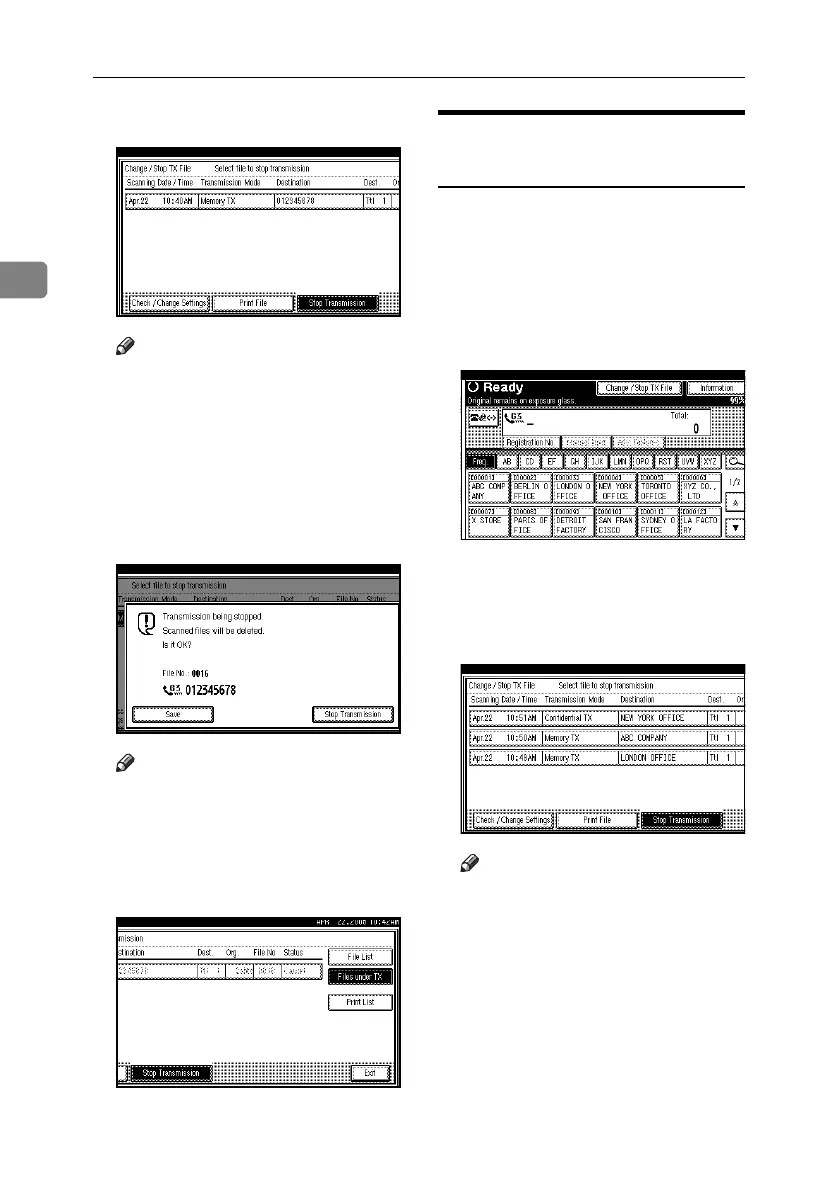
B Select the file you want to cancel.
Note
❒ If the desired file is not shown,
press [UPrev.] or [TNext] to find
it.
❒ There are cases when a destina-
tion may not be selected as the
destination appears as “*”, de-
pending on the security settings.
C Press [Stop Transmission].
Note
❒ To cancel another file, repeat steps
B
and
C
.
❒ To cancel stopping transmission,
press [Save].
D Press [Exit].
The standby display appears.
Before the Transmission Is
Started
Use this procedure to cancel a trans-
mission after the original is scanned.
To cancel transmission to some desti-
nations that a fax is sent to, see p.20
“Deleting a Destination”, Facsimile
Reference <Advanced Features> .
A Press [Change / Stop TX File].
The list of stored files being trans-
mitted or waiting for transmission
appears.
B Select the file you want to cancel.
Note
❒ If the desired file is not shown,
press [UPrev.] or [TNext] to find
it.
❒ There are cases when a destina-
tion may not be selected as the
destination appears as “*”, de-
pending on the security settings.
RussianC4-EN_Combine-F_FM.book Page 26 Wednesday, April 27, 2005 2:01 PM



 To Next Page